
[求问] 如何远程加载 BMFont(.FNT)?

如提
版本 creator v2.0.9

官方文件有提到 png 的远程加载

var remoteUrl = "http://unknown.org/someres.png";
cc.loader.load(remoteUrl, function (err, texture) {}
cc.loader.load({url: remoteUrl, type: 'png'}, function () {}

没有提到如何加载 .fnt

我自己尝试了下

cc.loader.load({ url: 'http://127.0.0.1:5500/coin.fnt', type: 'fnt' }, (error, font: cc.BitmapFont) => {
                cc.log(font);
        })

会得到一个文本资料
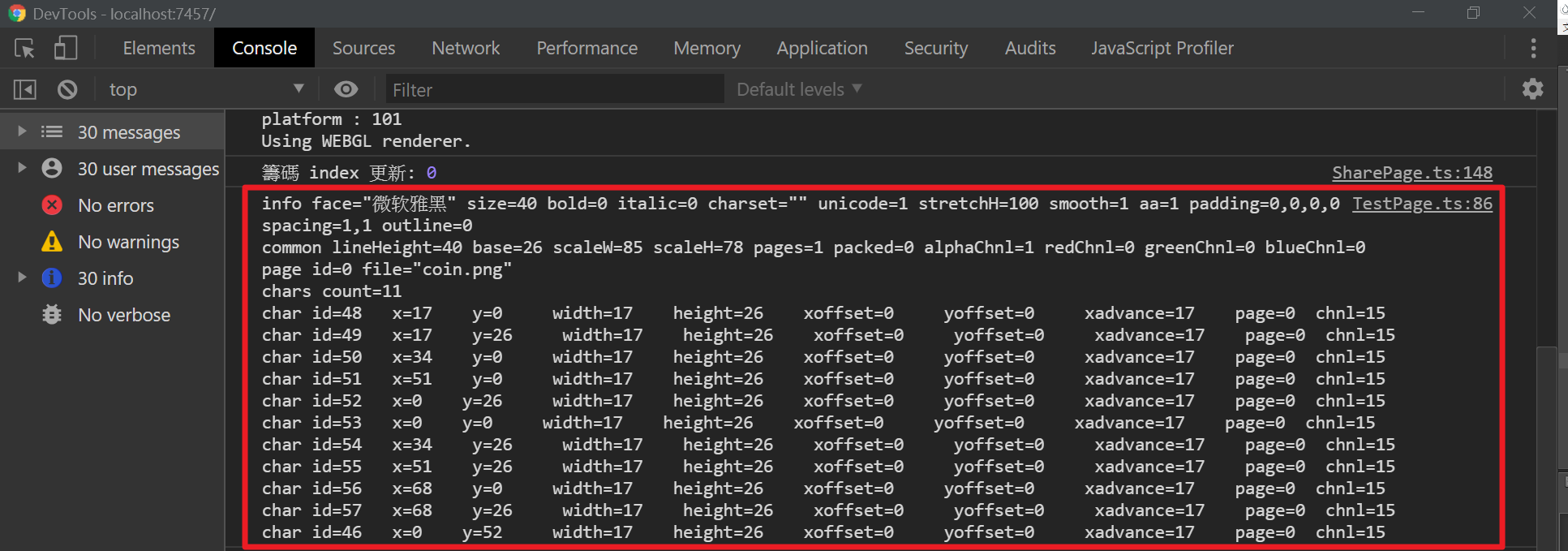
找了 cc.Label 或 cc.Font 的也没有相关的 new 接口
有人知道怎么加载这个文本吗
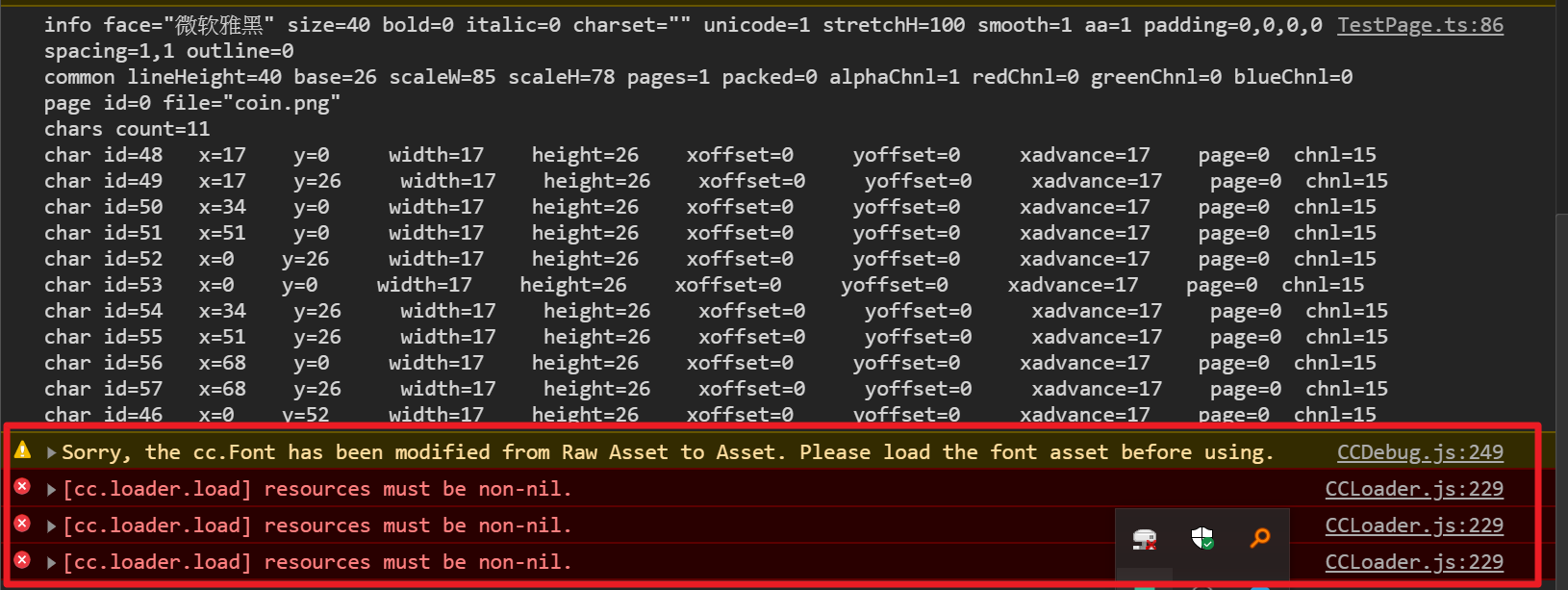
@jare

label.font = font

会报错

程式码

        cc.loader.load({ url: 'http://127.0.0.1:5500/coin.fnt', type: 'fnt' }, (error, font: cc.BitmapFont) => {
            if (error) {
                console.error(" the font file is null" + error);
            } else {
                cc.log(font);
                let node = new cc.Node;
                let label = node.addComponent(cc.Label);
                label.font = font;
                label.string = '123';
                this.node.addChild(label.node)
            }
        })

试试先添加节点再去设置label属性

試了,一樣會報錯

                let node = new cc.Node;
                let label = node.addComponent(cc.Label);
                this.node.addChild(label.node);
                label.font = font;
                label.string = '123';

试试:(font)

cc.loader.load({ url: ‘http://127.0.0.1:5500/coin.fnt’, type: ‘font’ }, (error, font: cc.BitmapFont) => {
cc.log(font);
})

试了!
错误讯息如下,看起来下载时就错了
有确认 http://127.0.0.1:5500/coin.fnt 可以下载

cc.loader.load({ url: 'http://127.0.0.1:5500/coin.fnt', type: 'font' }, (error, font: cc.BitmapFont) => {
            if (error) {
                console.error(" the font file is null" + error);
            } else {
                cc.log(font);
                let node = new cc.Node;
                let label = node.addComponent(cc.Label);
                this.node.addChild(label.node);
                label.font = font;
                label.string = '123';
            }
        })

那就是不支持了,这种需要反序列化的资源cocos还没支持远程加载吧

真的不支持吗?@jare
那有其他代替方案吗?

我的需求是要将子游戏的共用资源全部远程加载
这个需求应该挺常见的吧?

@property(cc.Label)
lb: cc.Label = null

start() {
    let strPng = 'http://127.0.0.1:7965/flower_msg_number.png';
    let strJson = 'http://127.0.0.1:7965/flower_msg_number.json';

    cc.loader.load([strPng, strJson], (err: Error, items: cc.LoadingItems) => {
        if (err) {
            console.error('err - - - ', err)
        }
        else {
            let sf = new cc.SpriteFrame()
            let tex: cc.Texture2D = items.getContent(strPng)
            sf.setTexture(tex, null, false, null, null);

            let fntConfig = items.getContent(strJson)._fntConfig;

            let bf = new cc.BitmapFont()
            bf['_fntConfig'] = fntConfig;
            bf['spriteFrame'] = sf;

            this.lb.font = bf
            this.lb.string = '567'
        }
    })
}

可以试试这个,缺点就是麻烦了点,BitmapFont需要两个东西,一个是纹理,一个是配置,配置可以自己解析,不想解析就使用引擎解析好的,我这里的json就是用引擎的。在资源管理其中选中fnt文件右键‘打开Library中的资源’就能找到
