
其中cc.Label下面有红色的错误提示,VS右下角显示的TypeScript版本2.4.1
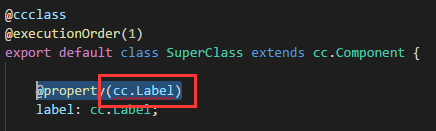
file: ‘file:///d%3A/CocosCreator/Project/TestTypeScript/assets/Script/SuperClass.ts’
severity: ‘错误’
message: ‘Type ‘typeof Label’ has no properties in common with type ‘{ type?: any; url?: typeof RawAsset; visible?: boolean | (() => boolean); displayName?: string; t…’.’
at: ‘7,15’
source: ‘ts’