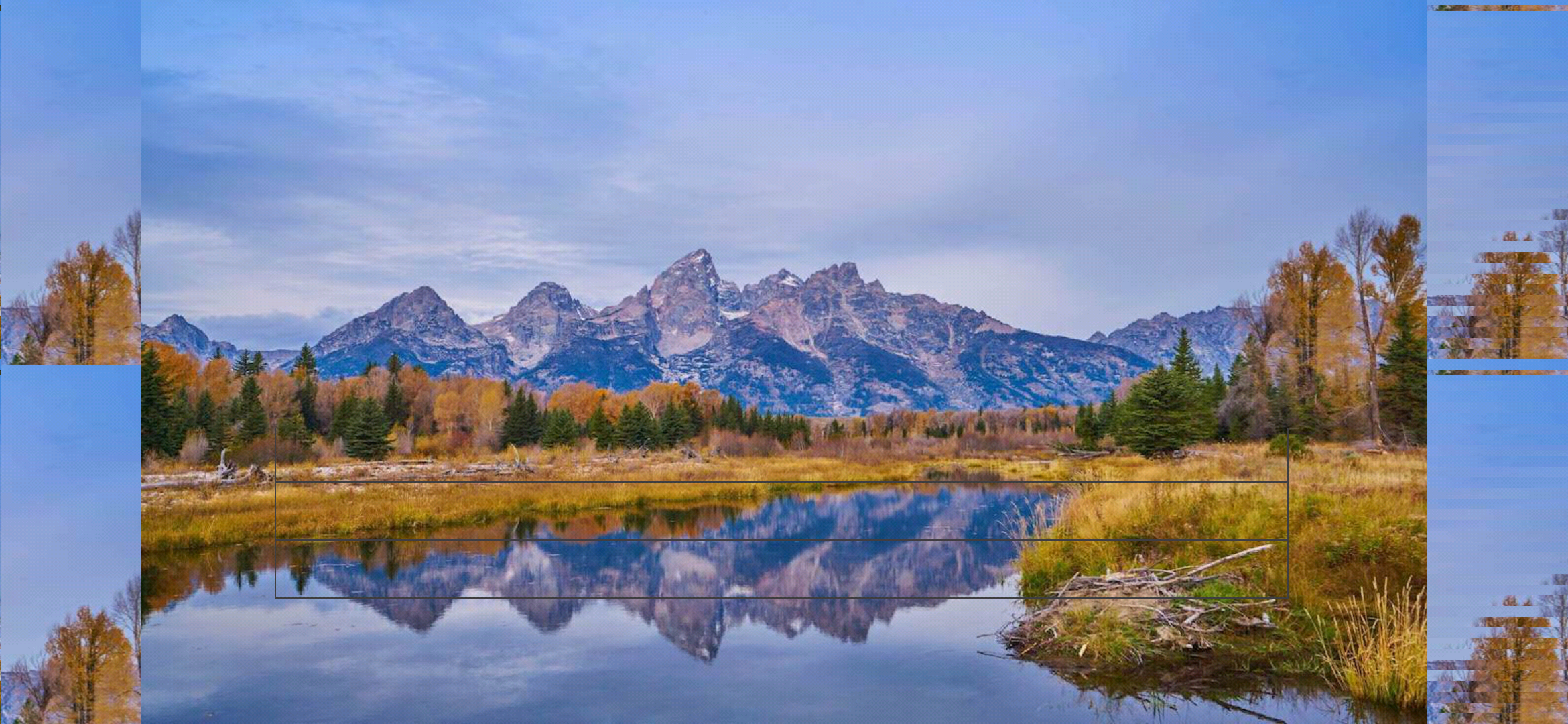
在Android全面屏手机tableview开启剪裁,设置设计分辨率为1280x720,会在两侧黑色部分显示错误像素,测试代码CC_DESIGN_RESOLUTION = {
width = 1280,
height = 720,
autoscale = “SHOW_ALL”,
}
local bg = cc.Sprite:create(“test.jpg”);
bg:setPosition(display.cx,display.cy)
self:addChild(bg)
local _numberOfCellsInTableView = function (table)
    return 8
end

local _cellSizeForTable = function (table,idx)
    return 1008,58
end

local _tableCellAtIndex = function (table, idx)
    local cell = table:cellAtIndex(idx)
    if cell ~= nil then
        return cell
    end

    local ids = 8 - idx

    local cell = cc.TableViewCell:new()
    local clr = cc.c4f(62/255,61/255,64/255,1)
    local line = cc.DrawNode:create()
    line:setPosition(0,50)
    cell:addChild(line)
    local points = {cc.p(0,0),cc.p(1008,0),cc.p(1008,58),cc.p(0,58)}
    line:drawPolygon(points,4,cc.c4f(0,0,0,0),1,clr)
    return cell

end

local tableView = cc.TableView:create(cc.size(1010,215))
tableView:setDirection(cc.SCROLLVIEW_DIRECTION_VERTICAL)
tableView:setPosition(cc.p(display.cx-506,display.cy-280))
tableView:setDelegate()
tableView:registerScriptHandler(_numberOfCellsInTableView,cc.NUMBER_OF_CELLS_IN_TABLEVIEW)
tableView:registerScriptHandler(_cellSizeForTable,cc.TABLECELL_SIZE_FOR_INDEX)
tableView:registerScriptHandler(_tableCellAtIndex,cc.TABLECELL_SIZE_AT_INDEX)
tableView:reloadData()
self:addChild(tableView)