var localId;
cc.Class({
    extends: cc.Component,

    properties: {
        recordNode:cc.Node,
        timePro:cc.ProgressBar,
        timeLabel:cc.Label,
    },
    onLoad () {
        this.recordStart = false;
        this.timer = 10;
        this.recordNode.on("touchstart",this.startRecording,this);
        wx.ready(function () {
            wx.startRecord({
              cancel: function () {
                alert('用户拒绝授权录音');
              }
            });
            wx.stopRecord({
              success: function (res) {
                localId = res.localId;
                alert("localId"+localId);
              },
              fail: function (res) {
                alert(JSON.stringify(res));
              }
            });
            wx.playVoice({
                localId: localId, // 需要播放的音频的本地ID,由stopRecord接口获得
            });
        });
    },
    startRecording:function(){
        wx.startRecord({
          cancel: function () {
            alert('用户拒绝授权录音');
          }
        });
        this.recordNode.scaleX = 1.2;
        this.recordNode.scaleY = 1.2;
        this.recordStart = true;
        this.timer = 10;
        this.timeLabel.string = this.timer+"s";
        this.timePro.progress = 1;
        this.schedule(this.timecut,1);

    },
    timecut:function(){
        this.timer--;
        this.timeLabel.string = this.timer+"s";
        if(this.timer>=1){
        }
        else{
            this.stopRecord();
        }

    },
    obtainRecord:function(){
        var record = recorder.getBlob();
        debugger;
    },
    stopRecord:function(){
        this.recordNode.scaleX = 1;
        this.recordNode.scaleY = 1;
        this.recordStart = false;
        this.unschedule(this.timecut);
        wx.stopRecord({
          success: function (res) {
            localId = res.localId;
            alert("localId"+localId);
          },
          fail: function (res) {
            alert(JSON.stringify(res));
          }
        });
    },
    playRecord:function(){
        if (localId == '') {
          alert('请先录制一段声音');
          return;
        }
        wx.playVoice({
            localId: localId, // 需要播放的音频的本地ID,由stopRecord接口获得
        });
    },
    update (dt) {
        if(this.recordStart){
            this.timePro.progress-=dt/10;
        }
    },
});
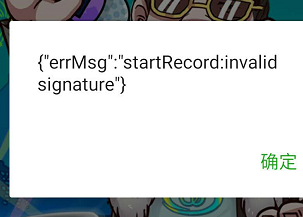
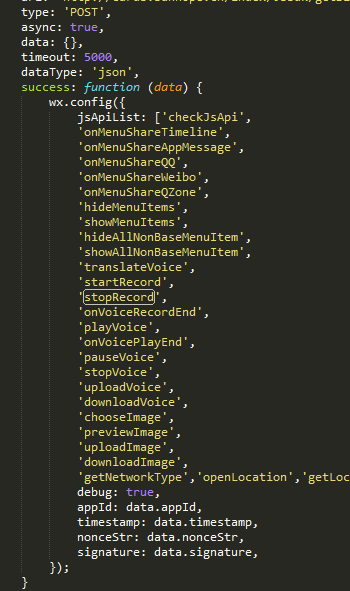
这是我写的 但是在实际使用中 允许录音的alert 始终不出现 导致stopRecord 后 alert了 promission denied