creator中button的点击事件是这样写的?

 _onTouchBegan: function (event) {
        if (!this.interactable || !this.enabledInHierarchy) return;

        this._pressed = true;
        this._updateState();
        event.stopPropagation();
    }, 
_onTouchMove: function (event) {
    if (!this.interactable || !this.enabledInHierarchy || !this._pressed) return;
    // mobile phone will not emit _onMouseMoveOut,
    // so we have to do hit test when touch moving
    var touch = event.touch;
    var hit = this.node._hitTest(touch.getLocation());

    if(this.transition === Transition.SCALE && this.target) {
        if(hit) {
            this._fromScale = this._originalScale;
            this._toScale = this._originalScale * this.zoomScale;
            this._transitionFinished = false;
        } else {
            this.time = 0;
            this._transitionFinished = true;
            this.target.scale = this._originalScale;
        }
    } else {
        var state;
        if (hit) {
            state = 'pressed';
        } else {
            state = 'normal';
        }
        this._applyTransition(state);
    }
    event.stopPropagation();
},

_onTouchEnded: function (event) {
    if (!this.interactable || !this.enabledInHierarchy) return;

    if (this._pressed) {
        cc.Component.EventHandler.emitEvents(this.clickEvents, event);
        this.node.emit('click', this);
    }
    this._pressed = false;
    this._updateState();
    event.stopPropagation();
},

无意中安卓下发现,手指轻触屏幕不滑动是竟然会触发touchmove的事件,那这样写完全不考虑touchmove真的好吗?
creator版本1.6.0 不知道新版本有没有处理这个问题
手机是小米5
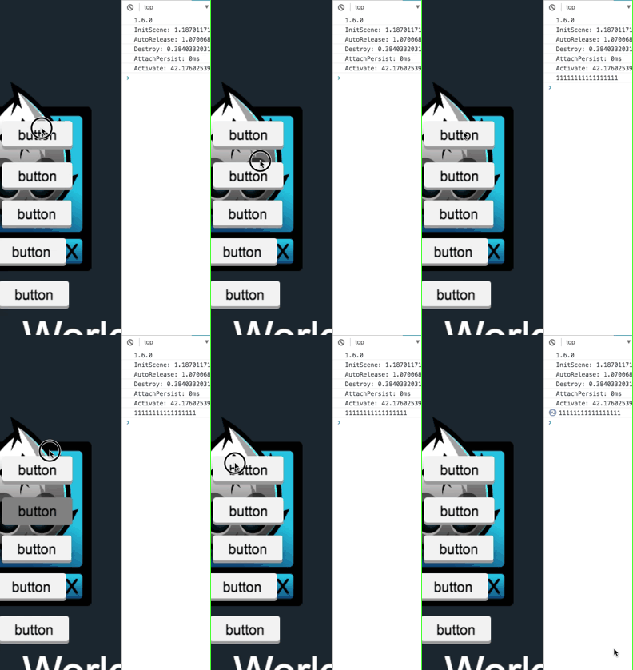
不明白你貌似的是什么意思,能否在详细一点呢?谢谢

当我有一个较大的按钮的时候,手指在按钮大小范围内滑动,再放开也会触发点击事件

那不是很正常吗,就应该是这样啊

这样算正常吗- -。 年少无知别骗我

只是你感觉没滑动,有可能接触屏幕的手指面积不一样,触摸点也不一样的,只要有一点点偏差都会触发touchmove事件

只要你手指抬起时最后的触摸点在按钮上就会触发touchend事件,按钮的点击事件是由touchend事件触发的

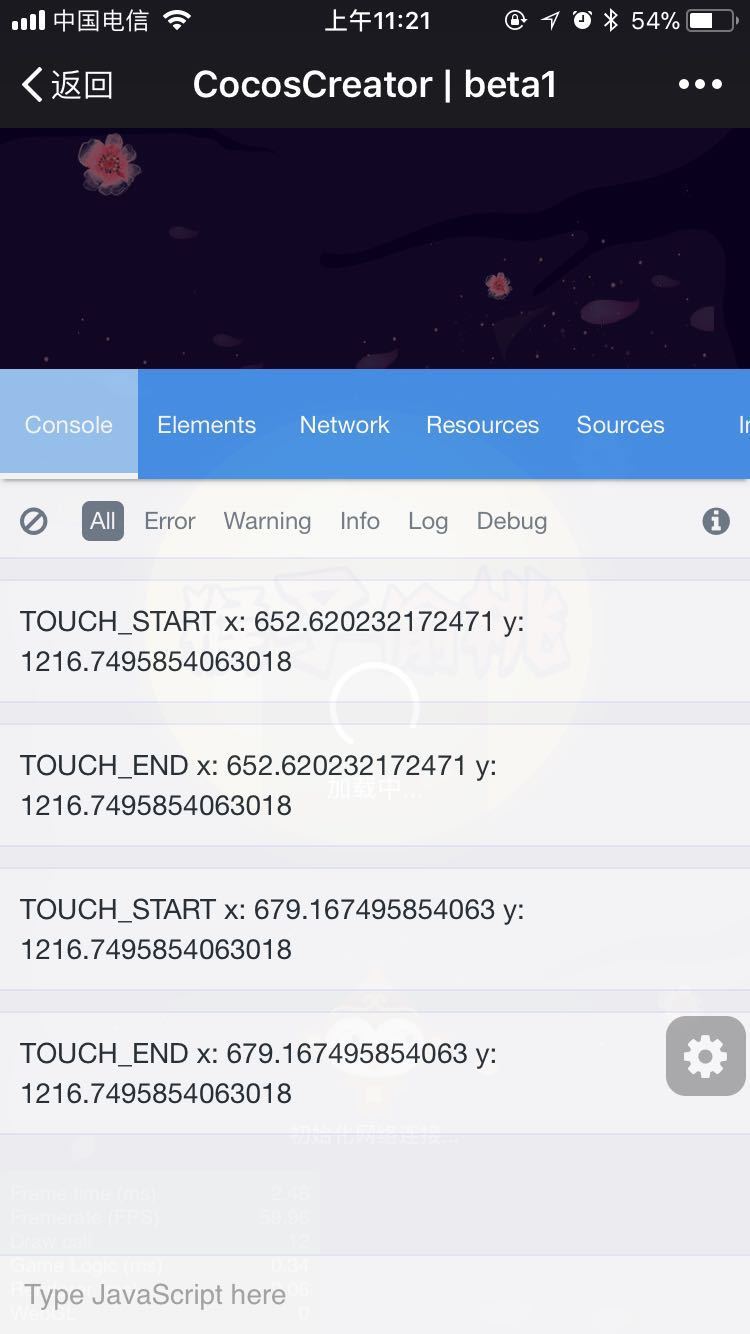
那为什么ios不会,而且我打印出 start move end 下 x,y都是一样的
我去弄张图来

你确定?触摸点位置后面有很长一串小数的

两张图分别是小米5和iphone7,各点击了两次,看下面的console


代码在这里

node.on(cc.Node.EventType.TOUCH_START, (event: any) => {
    console.log('TOUCH_START', 'x: ' + event.getLocationX(), 'y: ' + event.getLocationY());
})
node.on(cc.Node.EventType.TOUCH_MOVE, (event: any) => {
    console.log('TOUCH_MOVE', 'x: ' + event.getLocationX(), 'y: ' + event.getLocationY());
})
node.on(cc.Node.EventType.TOUCH_END, (event: any) => {
    console.log('TOUCH_END', 'x: ' + event.getLocationX(), 'y: ' + event.getLocationY());
})

:joy:@knox

我的zuk z2微信实测没有这种情况,我这就算触发了touchmove也因为触摸点位置有细微差别,所以最好还是需要自己判断touchmove是否成立

搞不懂了,我是出现了这样的情况。
其实就算是这样也不应该出现像上面我发的gif的情况,我都那样滑动了 也算点击吗?奇葩

好吧,我想多了

手机调试程序?怎么做到的啊?

嗯,这个我也测试一下,看看是否跟你一样

你是通过什么浏览器测试的?

我小米,iPhone 6 ,同时测试 UC 跟 QQ 浏览器都是:触发了,TOUCH_START TOUCH_MOVE TOUCH_END 的事件,这个对的,操作方式跟你一样,代码是:

node.on(cc.Node.EventType.TOUCH_START, (event: any) => {
    console.log('TOUCH_START', 'x: ' + event.getLocationX(), 'y: ' + event.getLocationY());
})
node.on(cc.Node.EventType.TOUCH_MOVE, (event: any) => {
    console.log('TOUCH_MOVE', 'x: ' + event.getLocationX(), 'y: ' + event.getLocationY());
})
node.on(cc.Node.EventType.TOUCH_END, (event: any) => {
    console.log('TOUCH_END', 'x: ' + event.getLocationX(), 'y: ' + event.getLocationY());
})