论坛里很多人都提问如何在creator里面使用protobuf来完成数据通信,刚好前几天有时间写过一个creator+node.js + mysql + protobufjs的测试例工程,就其中的pb部分分享给大家, 严肃提醒:教程很简单,高手请绕行。
- 确保你安装了node.js和cocos creator(本人是1.1.0)
- 第一步,安装protobufjs,为什么选择这个,额,因为它fork最多。 命令行安装,
npm install protobufjs。 - 然后node.js和creator都可以直接
require ('protobufjs'),对于creator开发者,可以直接不用任何修改就可以使用node.js模块(官网说要cd到项目目录下,但目前protobufjs是不需要cd到工程中再次安装)! 所以你们完全没必要去github上拉源码然后小心翼翼的拷贝几个js文件。
以上安装好就可以开始写逻辑了
protobufHelper.js 模块方法脚本
// 这个文件是一个Protobuf的管理模块,把具体的encode和decode操作封装了一层,我觉得这样写清晰、容易管理,而且node服务器也可以公用。
var Protobufjs = require('protobufjs');
// 定义一个proto字符串描述,
/***通常是一个外部.proto文件或者用命令行工具导出成commonjs/json格式
这里为了简单,直接写成一个字符串变量
***/
var protoDefine = `

package ccc;
message UserInfo
{
   optional int32     id = 1;
   optional string    name = 2;
   optional int32     age = 3;
}
`;

// 按照官方的教程一步步做解析操作,
// 外面很多高手都写了教程,但推荐还是去官网上看
// https://github.com/dcodeIO/protobuf.js/wiki/Getting-started

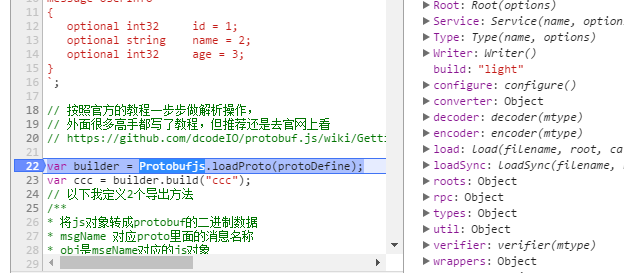
var builder = Protobufjs.loadProto(protoDefine);
var ccc = builder.build("ccc");
// 以下我定义2个导出方法
/**
* 将js对象转成protobuf的二进制数据
* msgName 对应proto里面的消息名称
* obj是msgName对应的js对象
**/
module.exports.encodeObject = function ( msgName, obj )
{
    try {
        var msgObj = new ccc[msgName](obj);
        var buffer = msgObj.encode().toBuffer();
        return buffer;
    } catch (e) {
        console.log(e);
        return new ArrayBuffer();
    }
}
/**
* 将protobuf的二进制数据 转成js对象
* msgName 对应proto里面的消息名称
* buffer
**/
module.exports.decodeBuffer = function ( msgName, buffer )
{
    try {
        var message = ccc[msgName].decode(buffer)
        return message;
    } catch (e) {
        console.log(e);
        return {};
    }
}
Main.js 是creator里的一个组件对象脚本,直接挂载到场景上就可以了
var pbhelper = require("protobufHelper");

cc.Class({
    extends: cc.Component,

    properties: {
        // foo: {
        //    default: null,
        //    url: cc.Texture2D,  // optional, default is typeof default
        //    serializable: true, // optional, default is true
        //    visible: true,      // optional, default is true
        //    displayName: 'Foo', // optional
        //    readonly: false,    // optional, default is false
        // },
        // ...
    },

    // use this for initialization
    onLoad: function () {

        // 测试
        //使用protobufHelper来解析数据
        // message UserInfo
        // {
        //   optional int32     id = 1;
        //   optional string    name = 2;
        //   optional int32     age = 3;
        // }
       // 把js对象转成Buffer
        var buffer = pbhelper.encodeObject("UserInfo", {id : 1001,name : "ihowe"});
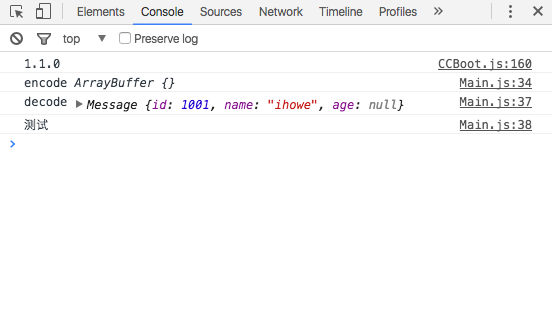
        console.log("encode",buffer); // 然后Buffer 可以用socket或者http发送给服务器
        // 把buffer还原成js对象
        var message = pbhelper.decodeBuffer("UserInfo", buffer);
        console.log("decode",message);
        console.log("测试");
    },

    // called every frame, uncomment this function to activate update callback
    // update: function (dt) {

    // },
});
下面是在Chrome里面运行的log