
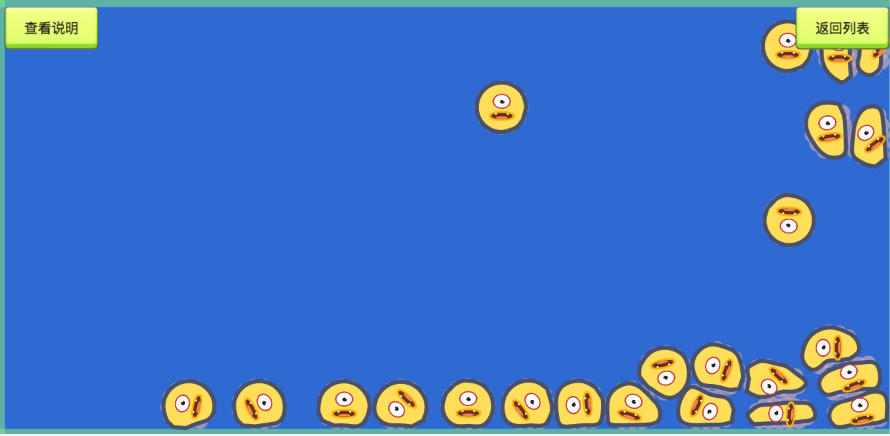
官方物理系统demo里有一个blob,大致功能是:
获取点击位置,然后计算起点和目标点的距离,再设置物体的线性速度,物体碰撞后反弹速度改变形状。下面是官方链接,这个demo是blob文件夹下的。
https://github.com/2youyou2/physics-example
看了代码,很多不明白,想问下blob文件夹下的blob.js文件里
properties: {
particleNumber: 2,
particleRadius: 1,
sphereSize: 12
},
这里的particalNumber,particleRadius什么含义?用来做什么?
以下是bolob.js文件所有代码
var smooth = require(‘smooth’);
cc.Class({
extends: cc.Component,
properties: {
    particleNumber: 12,
    particleRadius: 30,
    sphereSize: 12
},

// use this for initialization
init: function () {
    this.ctx = this.getComponent(cc.Graphics);

    this.ctx.lineWidth = 6;
    this.ctx.strokeColor = cc.hexToColor('#495069');
    this.ctx.fillColor = cc.hexToColor('#ffde59');

    let x = this.node.x;
    let y = this.node.y;

    //
    let particleNumber = this.particleNumber;
    let particleRadius = this.particleRadius;
    //球体尺寸
    let sphereSize = this.sphereSize;

    let particleAngle = (2*Math.PI)/particleNumber;
    let particleDistance = Math.sin(particleAngle) * particleRadius * Math.sin((Math.PI - particleAngle)/2);

    let spheres = [];
    spheres.push( this._createSphere(0, 0, sphereSize, this.node) );

    for (let i=0; i<particleNumber; i++) {
        let angle = particleAngle*i;
        let posX = particleRadius * Math.cos(angle);
        let posY = particleRadius * Math.sin(angle);
        let sphere = this._createSphere(posX, posY, sphereSize);
        spheres.push( sphere );

        let joint = sphere.node.addComponent(cc.DistanceJoint);
        joint.connectedBody = spheres[0];
        joint.distance = particleRadius;
        joint.dampingRatio = 0.5;
        joint.frequency = 4;

        if (i > 0) {
            joint = sphere.node.addComponent(cc.DistanceJoint);
            joint.connectedBody = spheres[spheres.length - 2];
            joint.distance = particleDistance;
            joint.dampingRatio = 1;
            joint.frequency = 0;
        }

        if (i === particleNumber - 1) {
            joint = spheres[1].node.addComponent(cc.DistanceJoint);
            joint.connectedBody = sphere;
            joint.distance = particleDistance;
            joint.dampingRatio = 1;
            joint.frequency = 0;
        }

        sphere.node.parent = this.node;
    }

    this.spheres = spheres;
},

_createSphere (x, y, r, node) {
    if (!node) {
        node = new cc.Node();
        node.x = x;
        node.y = y;
    }

    let body = node.addComponent(cc.RigidBody);

    let collider = node.addComponent(cc.PhysicsCircleCollider);
    collider.density = 1;
    collider.restitution = 0.4;
    collider.friction = 0.5;
    collider.radius = r;

    return body;
},

emitTo (target) {
    var x = target.x;
    var y = target.y;

    var selfX = this.node.x;
    var selfY = this.node.y;

    var distance = Math.sqrt((x-selfX)*(x-selfX) + (y-selfY)*(y-selfY));
    var velocity = cc.v2(x-selfX, y-selfY);
    velocity.normalizeSelf();
    velocity.mulSelf(distance*2);

    this.spheres.forEach(function (sphere) {
        sphere.linearVelocity = velocity;
    });
},

update (dt) {
    var ctx = this.ctx;

    var points = this.spheres.map(sphere => {
        return this.expandPosition( sphere.node.position );
    });

    points.shift();

    var result = smooth( points );
    var firstControlPoints = result[0];
    var secondControlPoints = result[1];

    var pos = points[0];

    ctx.clear();
    ctx.moveTo(pos.x, pos.y);

    for (var i = 1, len = points.length; i < len; i++) {
        var firstControlPoint = firstControlPoints[i - 1],
            secondControlPoint = secondControlPoints[i - 1];

        ctx.bezierCurveTo(
            firstControlPoint.x, firstControlPoint.y,
            secondControlPoint.x, secondControlPoint.y,
            points[i].x, points[i].y
        );
    }

    ctx.close();
    ctx.fill();
    ctx.stroke();
},

expandPosition (pos) {
    return pos.mul(1.3);
}
});