
git:https://github.com/452010348/live_streaming
两年没工作了,接触了两年关于直播的,现在分享出来。准备出山找工作~~
我是做web前端的,初衷是喜欢游戏开发,也尝试在接触了laya 白鹭 最后接触cocos的开发

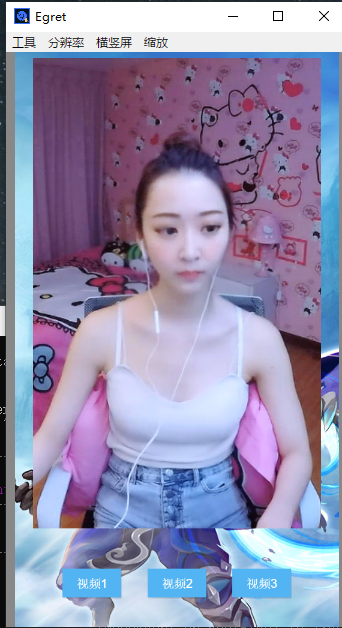
贴出TS代码 实现思路
`// Learn TypeScript:
// - https://docs.cocos.com/creator/manual/en/scripting/typescript.html
// Learn Attribute:
// - https://docs.cocos.com/creator/manual/en/scripting/reference/attributes.html
// Learn life-cycle callbacks:
// - https://docs.cocos.com/creator/manual/en/scripting/life-cycle-callbacks.html
/**
- 从外部引入插件
- @param src 插件地址
-
@param callback 回调
*/
var loadSingleScript = function (src, callback) {
if (cc[src]) {
callback && callback();
return false;
}
var s = document.createElement(‘script’);
s.async = false;
s.src = src;
s.addEventListener(‘load’, function () {
callback && callback();
}, false);
document.body.appendChild(s);
};
const { ccclass, property } = cc._decorator;
@ccclass
export default class Video extends cc.Component {
@property({type:Number,tooltip:“设置音频大小0~1”,max:1,min:0})
volume: Number = 1;
@property({type:Boolean,tooltip:"是否默认播放 true=播放 false=不播放"})
isPlay: Boolean = true;

@property({type:cc.url,tooltip:"flv直播流地址"})
src: cc.url = "http://127.0.0.01:8000/live/STREAM_NAME.flv";

@property({type:cc.url,tooltip:"js视频解码插件地址"})
script: cc.url = "http://127.0.0.1:3000/NodePlayer-full-0.5.12-min.js";


canvas: HTMLCanvasElement;
ctx: CanvasRenderingContext2D;
texture: cc.RenderTexture;
sp: cc.Sprite;
np: NodePlayer;


//是否是Video标签 用来转换
isVideo=null;
video:HTMLVideoElement;
video_canvas:HTMLCanvasElement;
start() {
	this.sp = this.node.getComponent(cc.Sprite);

	//创建canvse
	this.creat_canvas();
	this.creat_texture();

	loadSingleScript(this.script, () => {
		cc.log(this.script,'加载完毕')
		this.creat_NodePlayer();

		this.video_to_canvas();
	})

}
update(dt) {
	if(this.isVideo==true){
		this.video_canvas.getContext('2d').drawImage(this.video,0,0, this.node.width, this.node.height);
		this.up_texture(this.video_canvas);
	}else{
		this.up_texture();
	}
	// if(this.isVideo==false){
	// 	this.up_texture();
	// }
}
onDestroy() {
	cc.log( "onDestroy" );
	this.np.stop();
	this.np = null;
	delete this.np;
};
/**
 * video标签转canvas 理论上video也能获取纹理 不过算了懒得弄了
 */
video_to_canvas(){
	// 以下是 变成 video 标签兼容写法
	this.video = document.getElementById(this.canvas.id) as HTMLVideoElement;
	this.video_canvas = document.createElement('canvas') as HTMLCanvasElement;
	this.video_canvas.width = this.node.width;
	this.video_canvas.height = this.node.height;
	this.video.style.visibility = "hidden";
	this.video.addEventListener("loadeddata",()=>{
		cc.log('视频加载完毕 ====loadeddata===');
		this.isVideo = true; //触发渲染
	})
}
creat_NodePlayer() {
	// NodePlayer.debug(true);
	this.np = new NodePlayer();
	var a = this.np.useMSE();
	this.np.setVolume(1);
	this.np.setScaleMode(0);
	this.np.setBufferTime(6e4);
	this.np.setVolume(1);
	this.np.resizeView(this.node.width, this.node.height)
	this.np.setView(this.canvas.id);
	this.np.on('start', () => {
		// cc.log('NodePlayer on start');
	})
	this.np.on('close', () => {
		// cc.log('NodePlayer on close');
	})
	this.np.on('error', (err) => {
		// cc.log('NodePlayer on error',err);
	})
	this.np.on('stats', ({ buf, fps, abps, vbps, ts }) => {
		// cc.log( buf, fps, abps, vbps, ts )
		// buf: 当前缓冲区时长,单位毫秒,
		// fps: 当前视频帧率,
		// abps: 当前音频码率,单位bit,
		// vbps: 当前视频码率,单位bit,
		// ts:当前视频帧pts,单位毫秒
		/**
		 * 可能你的视频流经常断线丢失 你可以累积 fps==0 N次以上然后 重新连接
		 */
	})
	this.isPlay && this.np.start(this.src);
	// this.np.stop();
}
creat_canvas() {
	this.canvas = document.createElement('canvas');
	this.canvas.id = "canvas_" + Date.now()
	this.canvas.width = this.node.width;
	this.canvas.height = this.node.height;
	this.ctx = this.canvas.getContext("2d");
	this.canvas.hidden = true;
	this.canvas.style.visibility = "hidden";
	this.canvas.style.display = "none";
	document.body.appendChild(this.canvas);
}
creat_texture() {
	this.texture = new cc.RenderTexture();
	this.up_texture();
}
up_texture(canvas=null) {
	if (!this.np) { return false };
	//必须操作,否则readPixels返回null,且高度超过4096 ios崩溃
	this.texture.initWithSize(this.node.width, this.node.height);
	this.texture.initWithElement(canvas||this.canvas);
	this.sp.spriteFrame = new cc.SpriteFrame(this.texture);
	// let data = this.texture.readPixels();//像素点数据
}
play(src=null){
	if(src){this.src =src;}
	cc.log( this.src );
	this.np.start(this.src)
}
stop(){
	this.np.stop();
}
/**
 * 设置音量 0~0.5~1
 * @param num
 */
setVolume(num:Number=0){
	this.np.setVolume(num||this.volume)
}
}
`