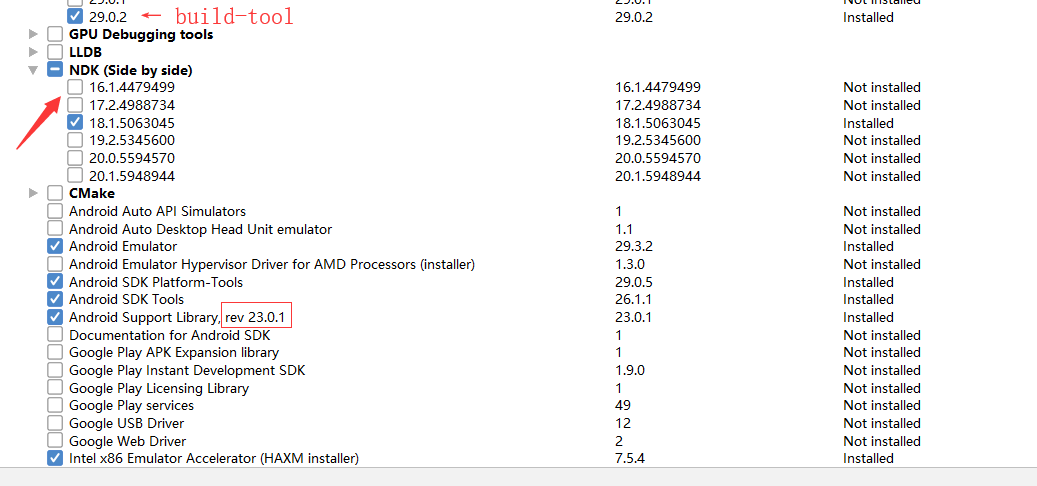
点击编译,迅速失败。好像也没报错:
native.log:
native.zip (1.5 KB)
解决:
需要直接定位到 NDK xx ver 的根目录,我这次默认是 sdk/ndk/,改为 sdk/ndk/18.00000/即可

点击编译,迅速失败。好像也没报错:
native.log:
native.zip (1.5 KB)
解决:
需要直接定位到 NDK xx ver 的根目录,我这次默认是 sdk/ndk/,改为 sdk/ndk/18.00000/即可
只打包安卓,也需要安装 Visual Studio 和那两个模块吗?
我看文档上说:
打包 Mac 版本和 iOS 版本需要 Xcode 支持,打包 Windows 版本需要安装 Visual Studio。在安装 Visual Studio 时,请勾选 使用 C++ 的桌面开发 和 使用 C++ 的游戏开发 两个模块。
报错了吧,使用 android studio 打开工程,把缺少的SDK内容更新补齐了
NDK is missing a “platforms” directory.
If you are using NDK, verify the ndk.dir is set to a valid NDK directory. It is currently set to C:\Users\UioSu\AppData\Local\Android\Sdk\ndk.
If you are not using NDK, unset the NDK variable from ANDROID_NDK_HOME or local.properties to remove this warning.