
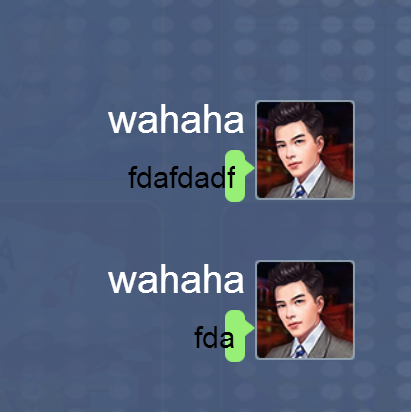
我动态创建一个label,将这个Label加入ScrollView的content内,但用代码打印出来的宽度是0,导致这个Label的底图变得很细。
PS:我查过以前的贴子,管理说要addChild之后才能获得正常的宽度,我修改了代码还是不行,求解决
附上截图与代码
var content = this.com_CustomerService.getChildByName(“sv_View”).getComponent(“cc.ScrollView”).content;
    var temp = null;
    if(userId === this.playerInfo.playerId){
        temp = cc.instantiate(this.pb_Chat1);
        temp.setPosition(this.chatMessagePosition[1][0],this.chatMessagePosition[1][1] + this.chatMessageArray.length * -160);
    }else{
        temp = cc.instantiate(this.pb_Chat0);
        temp.setPosition(this.chatMessagePosition[0][0],this.chatMessagePosition[0][1] + this.chatMessageArray.length * -160);
    }

    temp.getChildByName("lb_Name").getComponent("cc.Label").string = nickname;
    temp.getChildByName("lb_Chat").getComponent("cc.Label").string = message;

    this.chatMessageArray.push(temp);

    content.addChild(temp);
    // cc.log(temp.getChildByName("lb_Chat").width);
    temp.getChildByName("sp_ChatFrame").width = temp.getChildByName("lb_Chat").width + 20;
    temp.getChildByName("sp_ChatFrame").height = temp.getChildByName("lb_Chat").height + 20;