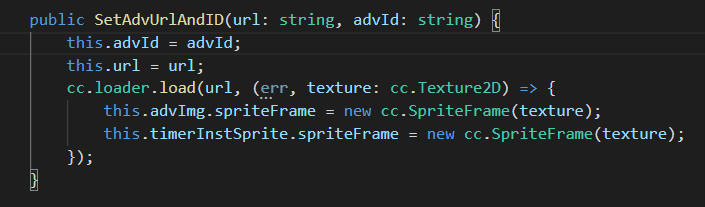
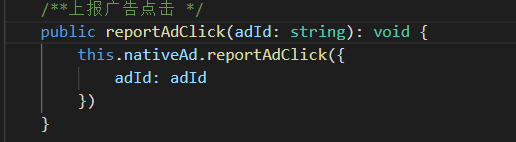
已有原生,激励等广告id
看文档就好了
import EventManager from “…/…/…/Manager/EventManager”;
const { ccclass, property } = cc._decorator;
@ccclass
export default class OppoApi {
private static _instance: OppoApi = null;
private bannerAd: any = null;

private videoAd: any = null;
private isShowViderAd: boolean = false;
private onCloseVideoCallBack = null;

private nativeAd: any = null;
private isShowNativeAd: boolean = false;

public static get Instance(): OppoApi {
    if (OppoApi._instance == null) {
        OppoApi._instance = new OppoApi();
    }
    return OppoApi._instance;
}

/**
 * 初始化
 */
init() {
    qg.reportMonitor('game_scene', 0)
    this.setLoadingProgress()

    console.log("===OppoApi===init");

    qg.onAudioInterruptionBegin(function () {
        console.log("OppoApi===onAudioInterruptionBegin===");
        EventManager.Instance.emit("onAudioInterruptionBegin")
    })

    qg.onAudioInterruptionEnd(function () {
        console.log("OppoApi===onAudioInterruptionBegin===");
        EventManager.Instance.emit("onAudioInterruptionEnd")
    })
}

/**
* 显示横幅广告
* @param adUnitId
*/
public showBanner(adUnitId: string) {
    let systemInfo = qg.getSystemInfoSync();

    if (this.bannerAd) {
        this.hideBanner();
    }

    // style 四个参数都要填 width height不能为0
    this.bannerAd = qg.createBannerAd({
        adUnitId: adUnitId,
        style: {
            left: 0,
            top: systemInfo.screenHeight - 100 - 10,
            width: systemInfo.screenWidth,
            height: 50
        }
    });

    this.bannerAd.onResize((size) => {
        this.bannerAd.style.top = systemInfo.screenHeight - size.height - 10;
        this.bannerAd.show()
    });

    this.bannerAd.onError((res) => {
        cc.log("this.bannerAd   onError", res);
    });
}

hideBanner() {
    if (this.bannerAd) {
        this.bannerAd.hide();
        this.bannerAd.destroy();
        this.bannerAd = null;
    }
}

/**
 * 显示视频广告
 * @param callFusc
 */
public showVideoAd(adUnitId: string, callFusc?: Function) {
    console.log("OppoApi===showVideoAd===", adUnitId, "this.isShowViderAd", this.isShowViderAd);
    if (this.isShowViderAd) {
        return;
    }
    this.onCloseVideoCallBack = callFusc;

    let self = this;
    if (this.videoAd == null) {
        this.videoAd = qg.createRewardedVideoAd({
            adUnitId: adUnitId
        });

        // 失败监听
        this.videoAd.onError((res) => {
            console.log(res)
            self.onCloseCallBack(-1, res);
        });

        this.videoAd.onClose(function (res) {
            if (res.isEnded) {
                console.log('激励视频广告完成,发放奖励')
                self.onCloseCallBack(1, res);
            } else {
                console.log('激励视频广告取消关闭,不发放奖励')
                self.onCloseCallBack(0, res);
            }
        })

        this.videoAd.onLoad(function () {
            self.isShowViderAd = true
            console.log('激励视频加载成功')
            self.videoAd.show()
        })
    }

    this.hideBanner();
    this.videoAd.load()
}

onCloseCallBack(code, res) {
    this.isShowViderAd = false

    if(this.videoAd){
        this.videoAd.offLoad()
        this.videoAd.offClose()
        this.videoAd.offError()
        this.videoAd.destroy()
        this.videoAd = null
    }

    if (this.onCloseVideoCallBack) {
        cc.log("onCloseCallBack1")
        this.onCloseVideoCallBack(code, res)
        this.onCloseVideoCallBack = null
    }
}

/**
 * 显示原生广告
 * @param callFusc
 */
public showNativeAd(adUnitId: string, btnPrefab: cc.Prefab, parent: cc.Node) {
    console.log("====showNativeAd===", adUnitId);

    if (this.isShowNativeAd) {
        return;
    }

    let self = this;
    if (self.nativeAd == null) {
        self.nativeAd = qg.createNativeAd({
            adUnitId: adUnitId
        });
        console.log("===showNativeAd===", self.nativeAd);
        if (self.nativeAd == null || self.nativeAd == undefined) {
            return
        }

        // 失败监听
        self.nativeAd.onError((res) => {
            console.error("===showNativeAd=onError:", res);
            self.hideNativeAd()
        });

        // 设置广告加载成功回调
        self.nativeAd.onLoad((res) => {
            console.error("===showNativeAd=onLoad:", res);
            let nativeCurrentAd = null;
            if (res && res.adList) {
                nativeCurrentAd = res.adList.pop();
            }

            if (nativeCurrentAd == null || nativeCurrentAd == undefined) {
                self.hideNativeAd()
                return
            }

            const element = nativeCurrentAd;
            self.nativeAd.reportAdShow({
                adId: element.adId
            })
            cc.loader.load({ url: element.icon, type: "png" }, function (error, texture) {
                if (error) {
                    console.error("showNativeAd element.icon:", error);
                }
                else {
                    let btnNode: cc.Node = cc.instantiate(btnPrefab)
                    btnNode.position = cc.v2(0, 0)
                    btnNode.opacity = 255
                    parent.addChild(btnNode)

                    let size = btnNode.getContentSize()
                    let sprite = btnNode.getComponent(cc.Sprite)
                    if (sprite) {
                        sprite.spriteFrame = new cc.SpriteFrame(texture)
                    }
                    btnNode.setContentSize(size)
                    btnNode.on(cc.Node.EventType.TOUCH_END, () => {
                        console.error("btnNode TOUCH_END:", element.adId);
                        self.nativeAd.reportAdClick({
                            adId: element.adId
                        })
                    }, self)

                    let titleLabel = btnNode.getChildByName("titleLabel").getComponent(cc.Label)
                    titleLabel.string = element.title

                    let layout = parent.getComponent(cc.Layout)
                    if (layout) {
                        layout.updateLayout()
                    }

                }
            });

        })
    }
    self.nativeAd.load()
}

hideNativeAd() {
    if (this.nativeAd != null) {
        this.nativeAd.destroy()
        this.nativeAd = null
    }
}

/**
 * 震动
 * @param isShort 是否是短震动
 * @param completeCallBack 震动完的回调
 */
public vibrate(isShort: boolean, completeCallBack?: Function) {
    let success = () => {
        console.log("===vibrate===success");
    }

    let fail = () => {
        console.error("===vibrate===fail");
    }

    let complete = () => {
        console.error("===vibrate===complete");
        if (completeCallBack) {
            completeCallBack()
        }
    }

    if (isShort) {
        qg.vibrateShort(success, fail, complete)
    }
    else {
        qg.vibrateLong(success, fail, complete)
    }
}

/**
 * 保存到桌面
 * @param successCallback 成功的回调
 * @param failCallback 失败的回调
 * @param completeCallback 完成的回调
 */
saveAppToDesktop(successCallback: Function, failCallback: Function, completeCallback?: Function) {
    qg.hasShortcutInstalled({
        success: function (res) {
            // 判断图标未存在时,创建图标
            if (res == false) {
                qg.installShortcut({
                    success: function () {
                        successCallback()
                    },
                    fail: function (err) {
                        failCallback()
                    },
                    complete: function () { }
                })
            }
        },
        fail: function (err) { },
        complete: function () { }
    })
}

/**
 * 埋点
 * @param eventName 事件名
 * @param data 上报数据对象
 */
public reportAnalytics(eventName: string, data: object) {

}

/**
 * 设置游戏加载进度页面
 * @param progress 进度
 */
setLoadingProgress(progress: number = 0) {
    qg.setLoadingProgress({
        progress: progress
    });
    if (progress == 100) {
        this.loadingComplete()
    }
}

/**
 * 隐藏游戏加载进度页面
 */
loadingComplete() {
    qg.loadingComplete({
        complete: function (res) {
        }
    });
}
}
6赞
大佬,oppo广告联盟的原生banner怎么个接法呀
自己下载图片下来填充在一个btn里面,点击上报事件
它原生的广告出现后,只有点击关闭了,游戏其他部分才操作,现在就是怎么去掉这个限制
原生不是自己创建的吗?怎么还有mask
我按oppo广告联盟提供的demo搞了一个原生渲染插屏的,当它出现时只能点击关闭才能对游戏进行操作,现在要做一个原生banner的,我不需要这个限制,我不关闭也能对游戏进行操作,卡在这里了
那你可以做一个预设,通过这个预设去实现原生广告的效果,预设里面的图片就加载你原生广告拉取到的图片,这样就可以了。