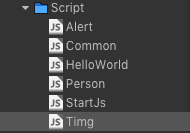
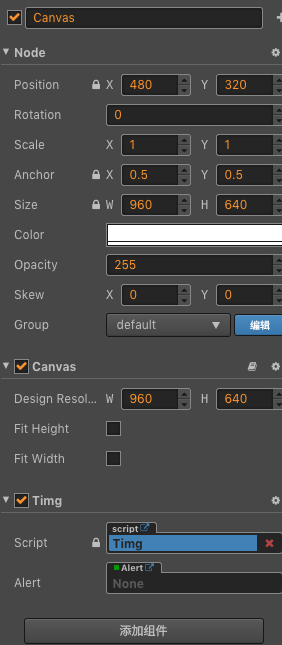
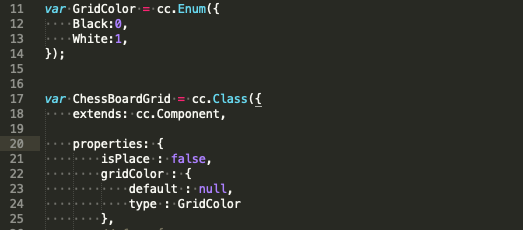
请问一下,截取Alert文件内容和控制台报错信息吗
我先截这两个给你
cc.Class({

    extends: cc.Component,
    properties: {
        // foo: {
        //     // ATTRIBUTES:
        //     default: null,        // The default value will be used only when the component attaching
        //                           // to a node for the first time
        //     type: cc.SpriteFrame, // optional, default is typeof default
        //     serializable: true,   // optional, default is true
        // },
        // bar: {
        //     get () {
        //         return this._bar;
        //     },
        //     set (value) {
        //         this._bar = value;
        //     }
        // },
        _alert:null,
        _btnOK:null,
        _btnCancel:null,
        _title:null,
        _content:null,
        _btnOKCallback:null,
    },

    // LIFE-CYCLE CALLBACKS:

    onLoad () {
        cc.log('Alert.js onLoad')
        this._alert = cc.find("Canvas/Alert")
        this._title = cc.find("Canvas/Alert/Backgroud/Title").getComponent(cc.Label)
        this._content = cc.find("Canvas/Alert/Backgroud/Content").getComponent(cc.Label)
        this._btnCancel = cc.find("Canvas/Alert/Backgroud/Btn_Cancel").getComponent(cc.Button)
        this._btnOK = cc.find("Canvas/Alert/Backgroud/Btn_OK").getComponent(cc.Button)
        if (this._alert == null) {
            console.log('空')
        }
        if (this._btnCancel instanceof cc.Button) {
            console.log('是个Button')
        } else {
            console.log('不是')
            console.log(this._alert)
        }
        this._btnOK.active = false
        //cc.vv.alert = this
        //cc.vv.alert.show("提示啦", "钻石不足,创建房间失败!",this.clickCallback,true);
     },

    start () {

    },
    onBtnClicked: function(event){
        if (event.target.name == 'Btn_OK') {
            if (this._btnOKCallback) {
                this._btnOKCallback()
            }
        }
        this._alert.active = false
        this._btnOKCallback = null
        console.log("这是全新定义的clicked!!")
    },
    cancelBtnClicked: function(){
        cc.log('我被点中了')
        this._alert.active = false
    },
    show: function(title,content,callback,needCancel){
        console.log('paras ---->: ',title,content,callback,needCancel)
        this._alert.active = true;
        this._btnOKCallback = callback;
        this._title.string = title;
        this._content.string = content;
        if (needCancel) {
            console.log("needCancel ? true");
            this._btnCancel.node.active = true;
            this._btnOK.node.x = -239.5;
            this._btnCancel.node.x = 239.5;
            if(this._btnOK){
                cc.log('也是存在的啊!');
            }
        } else {
            console.log("needCancel ? false")
            this._btnCancel.node.active = false;
            this._btnOK.node.x = 0;
        }
    },
    /*clickCallback: function(){
        cc.log("do clickCallback task.");
    },*/
    // update (dt) {},
});
这是Alert文件里面的代码
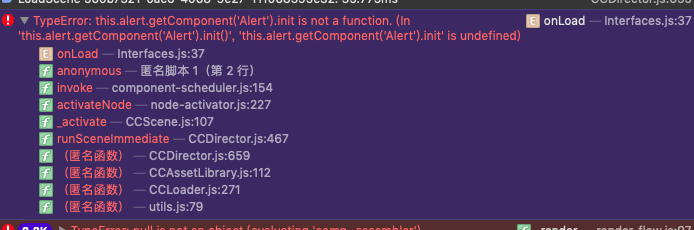
这个是网页控制台报错信息,cocos creator 控制台的报错信息是—
referError:Alert is not defined—
Timg.js引用Alert,alert : Alert这个属性,因为为null,所以就不能使用init方法,应该是require没有引用成功