
电脑浏览器测试正常 打包之后在手机测试 require不能调用其他脚本了
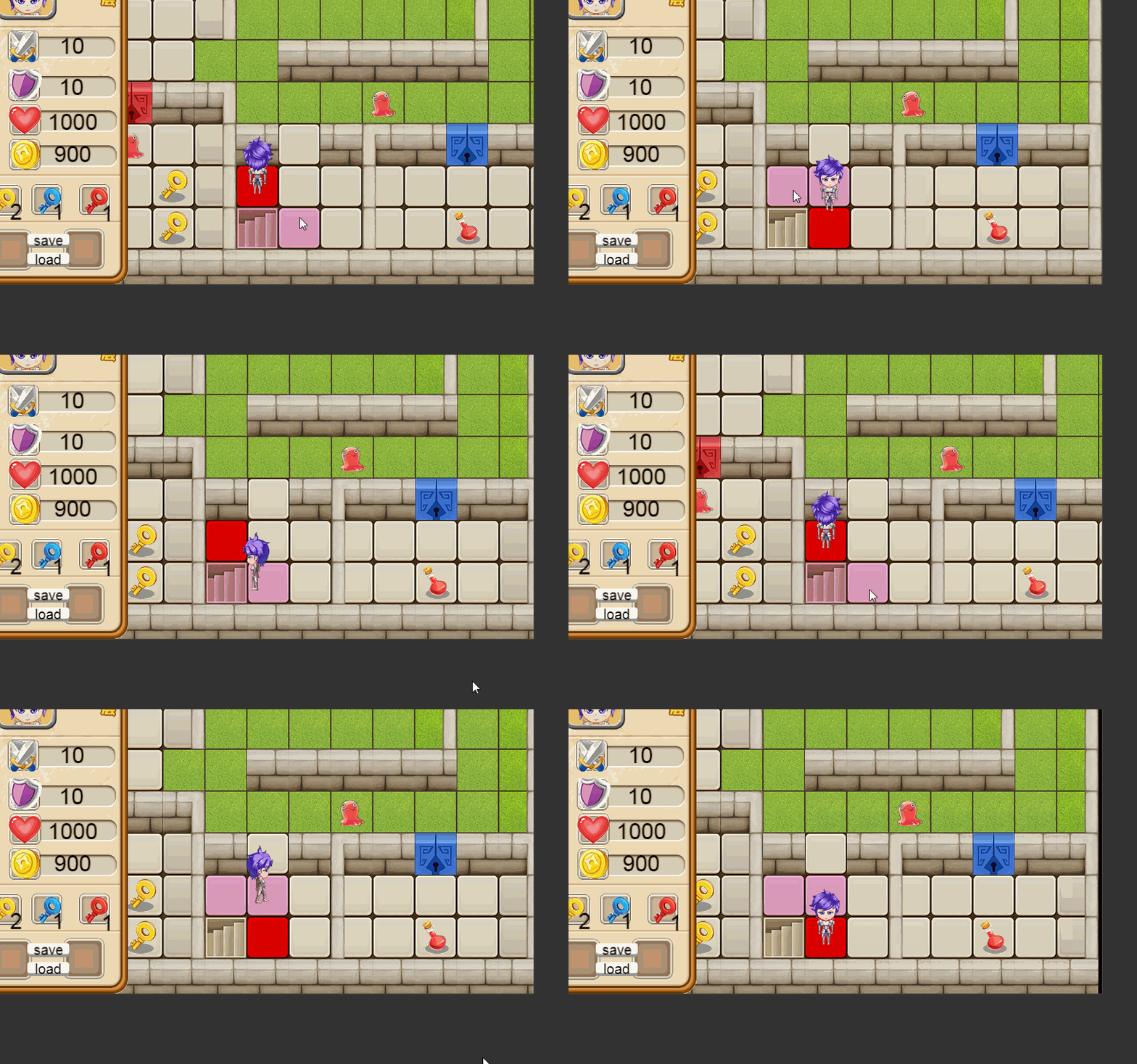
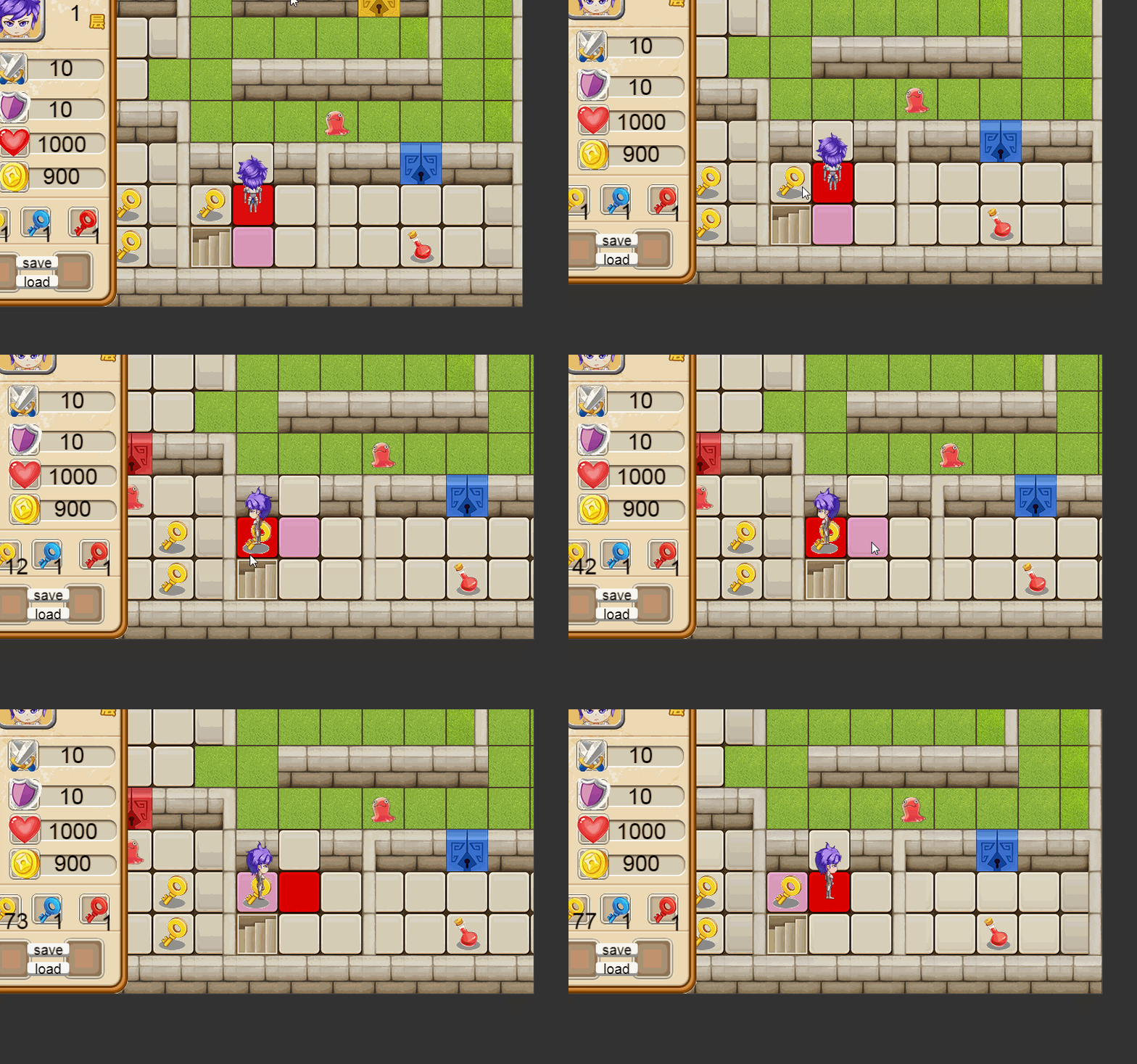
最好把代码发上来,让大家帮你看看是否你写错了
只是打包之后 手机和电脑的差异
var GameInit = require(“GameManage”);
var TestInit = require(“TestMap”);
var heroatk = require(“GameData”).herodata.heroatk;
var herodfs = require(“GameData”).herodata.herodfs;
cc.Class({
extends: cc.Component,
properties: {
    GameManage:GameInit,
    TestMap:TestInit,
    floor: cc.Label,
    hp: cc.Label,
    atk: cc.Label,
    dfs: cc.Label,
    gold: cc.Label,
    yellow: cc.Label,
    blue: cc.Label,
    red: cc.Label,
    other:"other",

    monsterPrefab:[cc.Prefab],
    mapLayer:cc.Node,
},

onLoad: function () {
    cc.log(111111);
    this._tiledMap = this.getComponent(cc.TiledMap);
    this._layerOther = this._tiledMap.getLayer(this.other);
    this._layerfloor = this._tiledMap.getLayer("floor");
    this.schedule(this.next,1);

    var monster = [41, 42, 43, 44];
    for (let i = 0; i < this._tiledMap.getMapSize().width; i++) {
        for (let j = 0; j < this._tiledMap.getMapSize().height; j++) {
            let id = this._layerOther.getTileGIDAt(cc.p(i, j));
            for(let k=0; k<monster.length; k++){
                if(id == monster[k]){
                   var enemy = cc.instantiate(this.monsterPrefab[k]);
                   enemy.x = 30 + i*60;
                   enemy.y = 730 - j*60;
                   this.mapLayer.addChild(enemy);
                }
            }
        }
    }
},

next:function(){
    this._player = this.node.getChildByName('play');
    let playerPosition = this._player.getPosition();
    let playerTilePosition = this.TestMap._tilePosistion(playerPosition);
    let floorName = this._layerfloor.getTileGIDAt(playerTilePosition);
    if (floorName == 13 || floorName == 14){
        this.TestMap._tryMoveToNewTile(floorName);
    }
},

update: function (dt) {
    this._player = this.node.getChildByName('play');
    let playerPosition = this._player.getPosition();
    let playerTilePosition = this.TestMap._tilePosistion(playerPosition);
    let toukenName = this._layerOther.getTileGIDAt(playerTilePosition);

    // cc.log(playerTilePosition);
    // cc.log(require("GameData").secretSceneXY);
    //cc.log(playerPosition);

    if (playerTilePosition.x == require("GameData").secretSceneXY.x && playerTilePosition.y == require("GameData").secretSceneXY.y){

        //cc.director.loadScene("secre1");
    }
    if (toukenName == 0 ) return;

    var arr = [ this.atk, this.atk, this.dfs, this.dfs, 0, 0, this.hp, this.hp, this.yellow, this.blue, this.red ];  //道具
    var key = [26, 27, 28, 29, 30, 31, 32,  33,  34, 35, 36, 37];    //ID
    var num = [10,  5, 10,  5,  0,  0, 200, 400,  1,  1,  1, 1];  //数值
    for (let i = 0; i < arr.length; i++) {
        if(toukenName == 30 || toukenName == 31) return;
        if (toukenName == 37) {
            arr[8].string += 1;
            arr[9].string += 1;
            arr[10].string += 1;
            this.GameManage.recycleBin(playerTilePosition);      重点在这里     手机上 就像屏蔽了这里
            return;
        }
        if (toukenName == key[i]) {
            arr[i].string += num[i];
            if (key[i] == 26 || key[i] == 27) require("GameData").herodata.heroatk += num[i];
            if (key[i] == 28 || key[i] == 29) require("GameData").herodata.herodfs += num[i];
            this.GameManage.recycleBin(playerTilePosition);     重点在这里      手机上 就像屏蔽了这里
            break;
        }
    }
},
});
this.GameManage.recycleBin(playerTilePosition); 这个是用来销毁回收节点的 但是在手机上 效果如屏蔽 this.GameManage.recycleBin(playerTilePosition); 跟图二一模一样 没有销毁
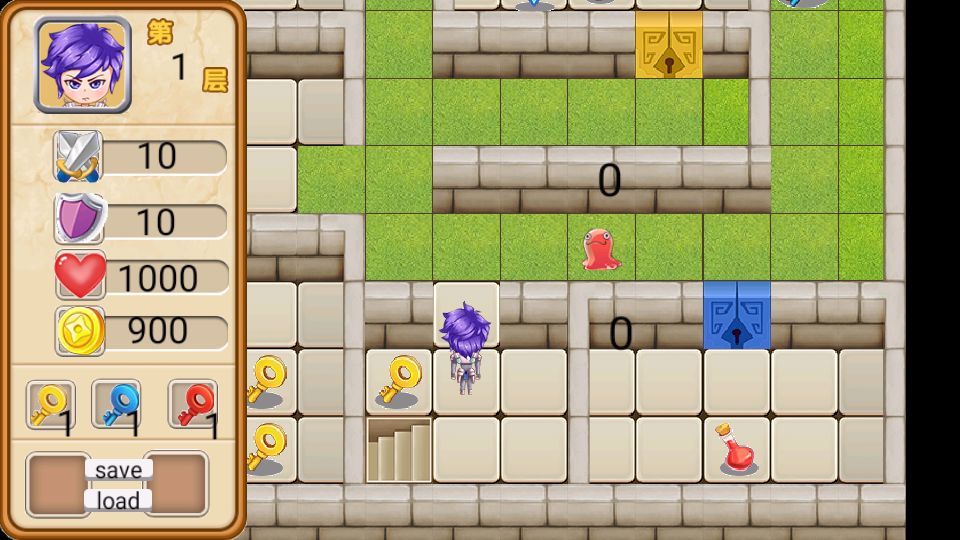
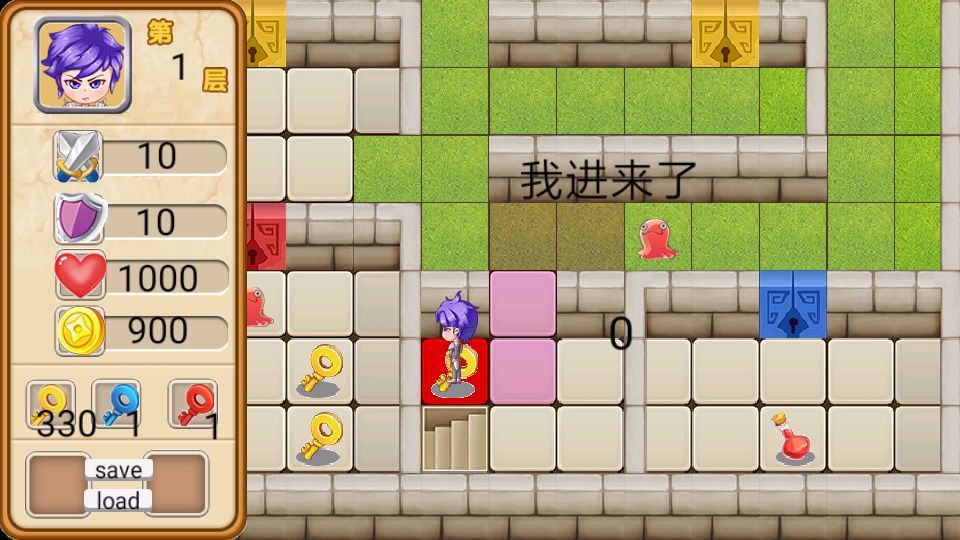
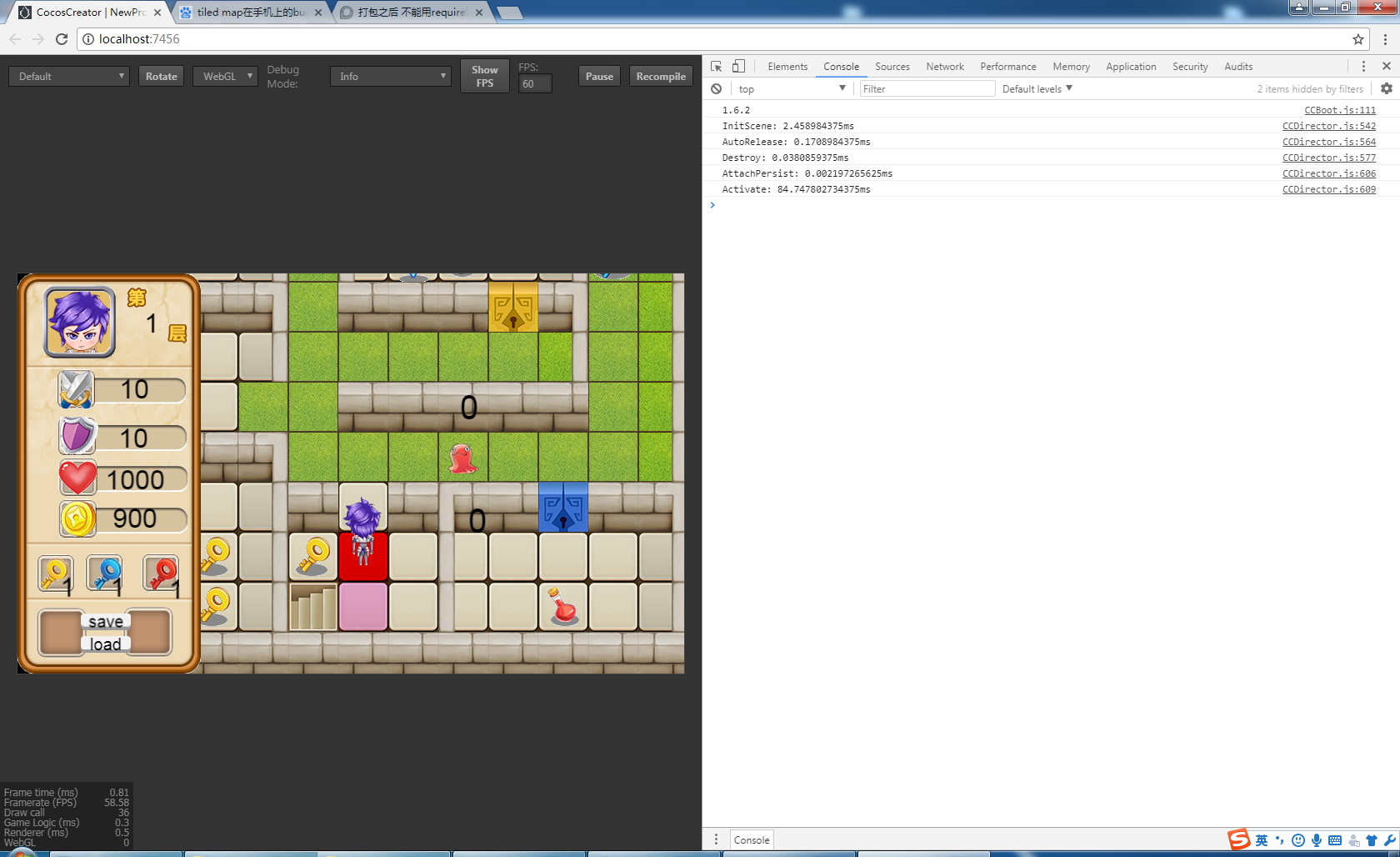
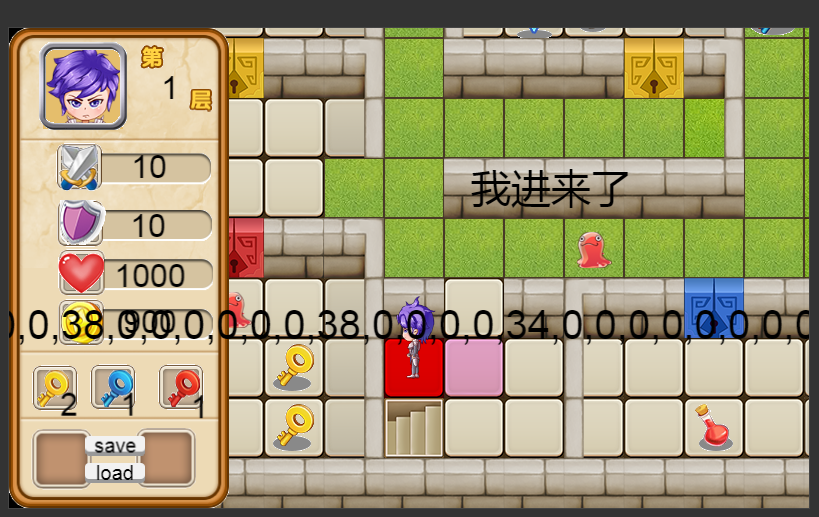
不知道是不是BUG 手机上 tiledmap 的 getTiles()获取不到任何东西 但是电脑可以
能不能给一下范例呢?我这边好快速测试
demo.zip (726.2 KB)
在这个demo中 让tiledmap一个图层里 把该图层所有的图块ID 赋值为 0 在浏览器当中 所有的图块都会消失 但是模拟器或者手机打包测试不会清空图块的。
demo在楼上 刚刚忘记点回复你了… 僵硬
我测试一下
兄弟不用测试了 手机和浏览器都可以获取ID 但是手机不能通过给ID赋值为0的操作删除图块 然而浏览器可以
手机上面只能通过removeTileAt ();来删除图块 谢谢你的答复
其实这个是因为没有绑定底层的 getTiles 跟 setTiles 才导致 Native 无法使用,你就用你现在的办法吧