-
Creator 版本:
-
目标平台: Google Chrome
-
详细报错信息,包含调用堆栈:

-
重现方式:看各位大佬各种shader,自己也想试试,结果一直报这个错,effect代码如下:
CCEffect %{
techniques:- passes:
- vert: vs
frag: fs
blendState:
targets:- blend: true
rasterizerState:
cullMode: none
properties:
u_resolution: {}
u_mouse: {}
u_time: {}
}%
- blend: true
- vert: vs
- passes:
CCProgram vs %{
precision highp float;
#include
#include
in vec3 a_position;
in vec4 a_color;
out vec4 v_color;
#if USE_TEXTURE
in vec2 a_uv0;
out vec2 v_uv0;
#endif
void main () {
vec4 pos = vec4(a_position, 1);
#if CC_USE_MODEL
pos = cc_matViewProj * cc_matWorld * pos;
#else
pos = cc_matViewProj * pos;
#endif

#if USE_TEXTURE
v_uv0 = a_uv0;
#endif

v_color = a_color;

gl_Position = pos;
}
}%
CCProgram fs %{
#ifdef GL_ES
precision mediump float;
#endif
#define PI 3.14159265359
in vec2 v_uv0;
uniform Test {
vec2 u_resolution;
vec2 u_mouse;
float u_time;
};
vec3 colorA = vec3(0.149,0.141,0.912);
vec3 colorB = vec3(1.000,0.833,0.224);
float plot (vec2 st, float pct){
return smoothstep( pct-0.01, pct, st.y) -
smoothstep( pct, pct+0.01, st.y);
}
void main() {
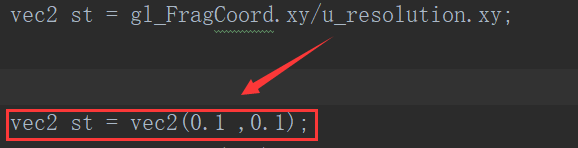
vec2 st = gl_FragCoord.xy/u_resolution.xy;
vec3 color = vec3(0.0);
  vec3 pct = vec3(st.x);

  // pct.r = smoothstep(0.0,1.0, st.x);
  // pct.g = sin(st.x*PI);
  // pct.b = pow(st.x,0.5);

  color = mix(colorA, colorB, pct);

  // Plot transition lines for each channel
  color = mix(color,vec3(1.0,0.0,0.0),plot(st,pct.r));
  color = mix(color,vec3(0.0,1.0,0.0),plot(st,pct.g));
  color = mix(color,vec3(0.0,0.0,1.0),plot(st,pct.b));

  gl_FragColor = vec4(color,1.0);
}
}%
- 出现概率:100%