子刚体,通过syncPosition()同步, 为何在碰撞时出现同步异常?
源码2.0.10:
NewProject.rar (434.5 KB)
模拟人物挥舞武器的逻辑:
正常挥舞武器:
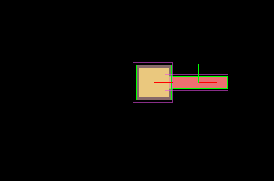
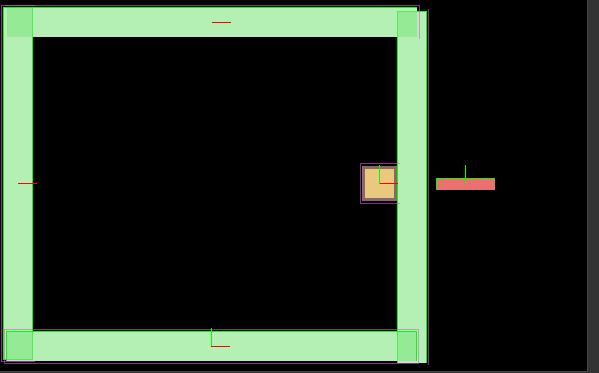
当父节点碰撞后, 子节点刚体syncPosition()同步出现异常.
源码2.0.10: NewProject.rar (434.5 KB)

子刚体,通过syncPosition()同步, 为何在碰撞时出现同步异常?
NewProject.rar (434.5 KB)
模拟人物挥舞武器的逻辑:
正常挥舞武器:
当父节点碰撞后, 子节点刚体syncPosition()同步出现异常.
源码2.0.10: NewProject.rar (434.5 KB)
物理系统中,刚体移动都会自动同步坐标的(setPosition)。
参考一下setPosition的API 以及 box2d.js SetTransformXY API 源码:
/**
     * !#en
     * Synchronize node's world position to box2d rigidbody's position.
     * If enableAnimated is true and rigidbody's type is Animated type,
     * will set linear velocity instead of directly set rigidbody's position.
     * !#zh
     * 同步节点的世界坐标到 box2d 刚体的坐标上。
     * 如果 enableAnimated 是 true,并且刚体的类型是 Animated ,那么将设置刚体的线性速度来代替直接设置刚体的位置。
     * @method syncPosition
     * @param {Boolean} enableAnimated
     */
    syncPosition: function (enableAnimated) {
        var b2body = this._b2Body;
        if (!b2body) return;

        var pos = this.node.convertToWorldSpaceAR(VEC2_ZERO);

        var temp;
        if (this.type === BodyType.Animated) {
            temp = b2body.GetLinearVelocity();
        }
        else {
            temp = b2body.GetPosition();
        }

        temp.x = pos.x / PTM_RATIO;
        temp.y = pos.y / PTM_RATIO;

        if (this.type === BodyType.Animated && enableAnimated) {
            var b2Pos = b2body.GetPosition();

            var timeStep = cc.game.config['frameRate'];
            temp.x = (temp.x - b2Pos.x)*timeStep;
            temp.y = (temp.y - b2Pos.y)*timeStep;

            b2body.SetAwake(true);
            b2body.SetLinearVelocity(temp);
        }
        else {
            b2body.SetTransformVec(temp, b2body.GetAngle());
        }
    },
b2Body.prototype.SetTransformXY = function (x, y, angle) {
            if (this.m_world.IsLocked()) {
                throw new Error();
            }
            this.m_xf.q.SetAngle(angle);
            this.m_xf.p.Set(x, y);
            // #if B2_ENABLE_PARTICLE
            this.m_xf0.Copy(this.m_xf);
            // #endif
            b2Transform.MulXV(this.m_xf, this.m_sweep.localCenter, this.m_sweep.c);
            this.m_sweep.a = angle;
            this.m_sweep.c0.Copy(this.m_sweep.c);
            this.m_sweep.a0 = angle;
            for (var f = this.m_fixtureList; f; f = f.m_next) {
                f.Synchronize(this.m_xf, this.m_xf);
            }
            this.m_world.m_contactManager.FindNewContacts();
        };
哦, 大改意思是我修改父刚体的坐标, 子刚体也相当于world移动,然后再反同步给cocos刚体节点,…