
v2.3.3版本做的
// Copyright (c) 2017-2018 Xiamen Yaji Software Co., Ltd.

CCEffect %{
  techniques:
  - passes:
    - vert: vs
      frag: fs
      blendState:
        targets:
        - blend: true
      rasterizerState:
        cullMode: none
      properties:
        texture: { value: white }
        textureSize: {  value:[1,1,1,1]}
        u_OutlineSize: { value: 1 }
        u_colorMult: {value: 1}
        u_OutlineColor: { value:[1,1,1,1]}
}%


CCProgram vs %{
  precision highp float;

  #include <cc-global>
  #include <cc-local>

  in vec3 a_position;
  in vec4 a_color;
  out vec4 v_color;


  #if USE_TEXTURE
  in vec2 a_uv0;
  out vec2 v_uv0;
  #endif

  void main () {
    vec4 pos = vec4(a_position, 1);

    #if CC_USE_MODEL
    pos = cc_matViewProj * cc_matWorld * pos;
    #else
    pos = cc_matViewProj * pos;
    #endif

    #if USE_TEXTURE
    v_uv0 = a_uv0;
    #endif

    v_color = a_color;

    gl_Position = pos;
  }
}%


CCProgram fs %{
  precision highp float;
  in vec4 v_color;
#include <cc-global>
  #if USE_TEXTURE
  in vec2 v_uv0;
  uniform sampler2D texture;
  #endif

  uniform Constants1 {
    vec4 u_OutlineColor;
    vec4 textureSize;
    float u_colorMult;
    float u_OutlineSize;
  };


  // vec4 cc_time
  //x: global time since started in seconds,
  //y: delta time for current frame,
  //z: total frames since started
#define time cc_time.x

#define resolution vec2(15.,50.)
#define u_resolution resolution
#define iResolution resolution
#define iTime time

#define fragColor gl_FragColor
#define fragCoord gl_FragCoord
#define iMouse u_mouse
#define MYUV vec2 uv = v_uv0;vec2 st = uv;
#pragma define LAYERS range([0, 400])

  vec4 getIsStrokeWithAngel(float angel,vec2 v_texCoord,float outlineSize)
  {
    float stroke = 0.0;
    float rad = angel * 0.01745329252; // 这个浮点数是 pi / 180,角度转弧度
    vec2 unit = 1.0 / textureSize.xy;//单位坐标
    vec2 offset = vec2(outlineSize * cos(rad) * unit.x, outlineSize * sin(rad) * unit.y); //偏移量
    return texture2D(texture, v_texCoord + offset);
  }

  void main () {
    MYUV;

    vec4 tex = texture2D(texture,v_uv0);
    vec3 color = tex.xyz;
    vec2 unit = 1.0 / textureSize.xy;//单位坐标
    float a = tex.a;

    if( tex.a > 0.1 ){
      gl_FragColor = tex * v_color;
      return;
    }

    float anim_mul = (0.5 + 0.5 + 0.5 * sin(time * 4.) * 0.7);
    float outlineSize = u_OutlineSize;// * anim_mul;
    float count = 0.;

    for( float idx = 0.;idx < float(LAYERS);idx++){
      for(float angel = 0.0; angel < 360.0; angel += 2.)
        {
          vec4 ret = getIsStrokeWithAngel(angel,uv,outlineSize * idx);
          float isa = step(0.001,ret.a);
          count += 1. * isa;
          color += ret.xyz * isa;
        }
    }

    a = color.r * count / 360. / 2.;
    #if USE_COLOR
    color = u_OutlineColor.xyz * count;
    #endif
    color /= 360.0 / 2.;
    color *= u_colorMult * anim_mul;
    color *= count * 0.02;

    color = pow(color,vec3(1.3));
    gl_FragColor = vec4(color,color.r * color.g * color.b * 10.) * v_color;
    gl_FragColor = vec4(color,(color.r + color.g + color.b) * 0.05 ) * v_color;
  }
}%

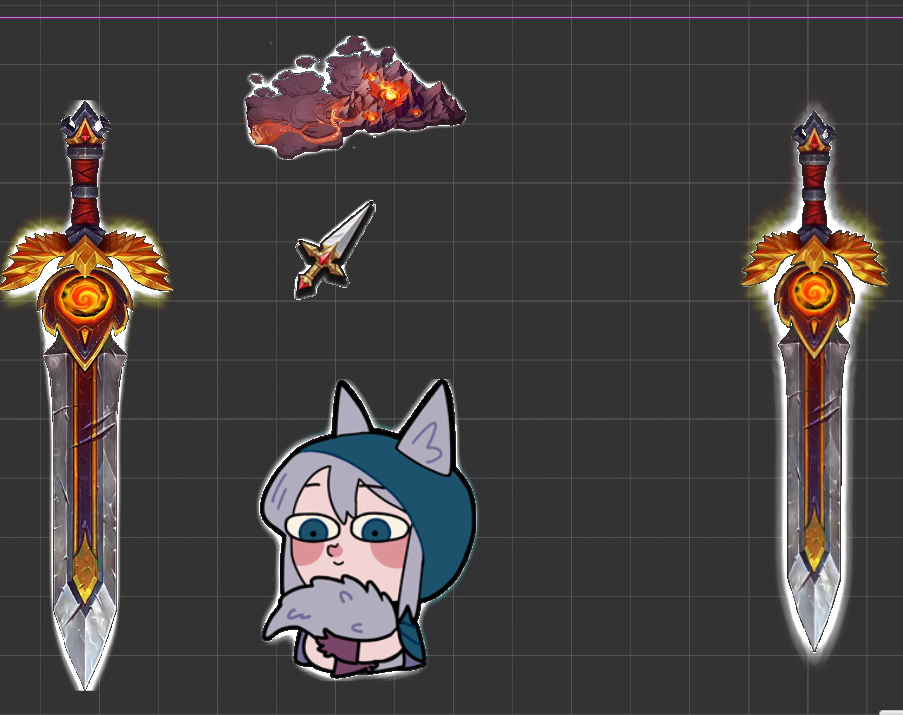
test.zip (1.9 KB)
顺便求个好用的外发光,这个很鬼畜啊。
改了一下,稍微好看点

// Copyright (c) 2017-2018 Xiamen Yaji Software Co., Ltd.

CCEffect %{
  techniques:
  - passes:
    - vert: vs
      frag: fs
      blendState:
        targets:
        - blend: true
      rasterizerState:
        cullMode: none
      properties:
        texture: { value: white }
        textureSize: {  value:[1,1,1,1]}
        u_OutlineSize: { value: 1 }
        u_colorMult: {value: 1}
        u_OutlineColor: { value:[1,1,1,1]}
}%


CCProgram vs %{
  precision highp float;

  #include <cc-global>
  #include <cc-local>

  in vec3 a_position;
  in vec4 a_color;
  out vec4 v_color;


  #if USE_TEXTURE
  in vec2 a_uv0;
  out vec2 v_uv0;
  #endif

  void main () {
    vec4 pos = vec4(a_position, 1);

    #if CC_USE_MODEL
    pos = cc_matViewProj * cc_matWorld * pos;
    #else
    pos = cc_matViewProj * pos;
    #endif

    #if USE_TEXTURE
    v_uv0 = a_uv0;
    #endif

    v_color = a_color;

    gl_Position = pos;
  }
}%


CCProgram fs %{
  precision highp float;
  in vec4 v_color;
#include <cc-global>
  #if USE_TEXTURE
  in vec2 v_uv0;
  uniform sampler2D texture;
  #endif

  uniform Constants1 {
    vec4 u_OutlineColor;
    vec4 textureSize;
    float u_colorMult;
    float u_OutlineSize;
  };


  // vec4 cc_time
  //x: global time since started in seconds,
  //y: delta time for current frame,
  //z: total frames since started
#define time cc_time.x

#define resolution vec2(15.,50.)
#define u_resolution resolution
#define iResolution resolution
#define iTime time

#define fragColor gl_FragColor
#define fragCoord gl_FragCoord
#define iMouse u_mouse
#define MYUV vec2 uv = v_uv0;vec2 st = uv;
#pragma define LAYERS range([0, 400])

  vec4 getIsStrokeWithAngel(float angel,vec2 v_texCoord,float outlineSize)
  {
    float stroke = 0.0;
    float rad = angel * 0.01745329252; // 这个浮点数是 pi / 180,角度转弧度
    vec2 unit = 1.0 / textureSize.xy;//单位坐标
    vec2 offset = vec2(outlineSize * cos(rad) * unit.x, outlineSize * sin(rad) * unit.y); //偏移量
    return texture2D(texture, v_texCoord + offset);
  }

  void main () {
    MYUV;

    vec4 tex = texture2D(texture,v_uv0);
    vec3 color = tex.xyz;
    vec2 unit = 1.0 / textureSize.xy;//单位坐标
    float a = tex.a;

    if( tex.a > 0.1 ){
      gl_FragColor = tex * v_color;
      return;
    }

    float anim_mul = 1.;
    #if USE_ANIMTION
    anim_mul = (0.5 + 0.5 + 0.5 * sin(time * 4.) * 0.7);
    #endif
    float outlineSize = u_OutlineSize;// * anim_mul;
    float count = 0.;

    for( float idx = 0.;idx < float(LAYERS);idx++){
      for(float angel = 0.0; angel < 360.0; angel += 2.)
        {
          vec4 ret = getIsStrokeWithAngel(angel,uv,outlineSize * idx);
          float isa = step(0.001,ret.a);
          count += 1. * isa;
          color += ret.xyz * isa;
        }
    }

    a = color.r * count / 360. / 2.;
    #if USE_COLOR
    color = u_OutlineColor.xyz * count;
    #endif
    color /= 360.0 / 2.;
    color *= u_colorMult * anim_mul;

    // 下面的 0.02 0.4 1.7 这三个可以改改试试不一样的效果,没有搞成参数
    color *= count * 0.02;
    color += step(0.4,count / 360. / 2.) * count * 1.5 / 360.0 / 2. * vec3(1.);
    color = pow(color,vec3(1.7));

    gl_FragColor = vec4(color,(color.r + color.g + color.b) * 0.05 ) * v_color;
  }
}%