
加载远程图片在手机web上不显示

  • Creator 版本: <2.4.3>

  • 目标平台: <手机浏览器扫码预览或者打包web-mobile手机浏览>

电脑上运行可以正常并显示,在手机上不行

加载方式:
cc.assetManager.loadRemote(url, (error, texture: cc.Texture2D) => {

        console.log('loadRemoteRrror', error);

        console.log('loadRemotetexture', texture);

        let sf = new cc.SpriteFrame(texture);

        this.headImg.getComponent(cc.Sprite).spriteFrame = sf;

    });

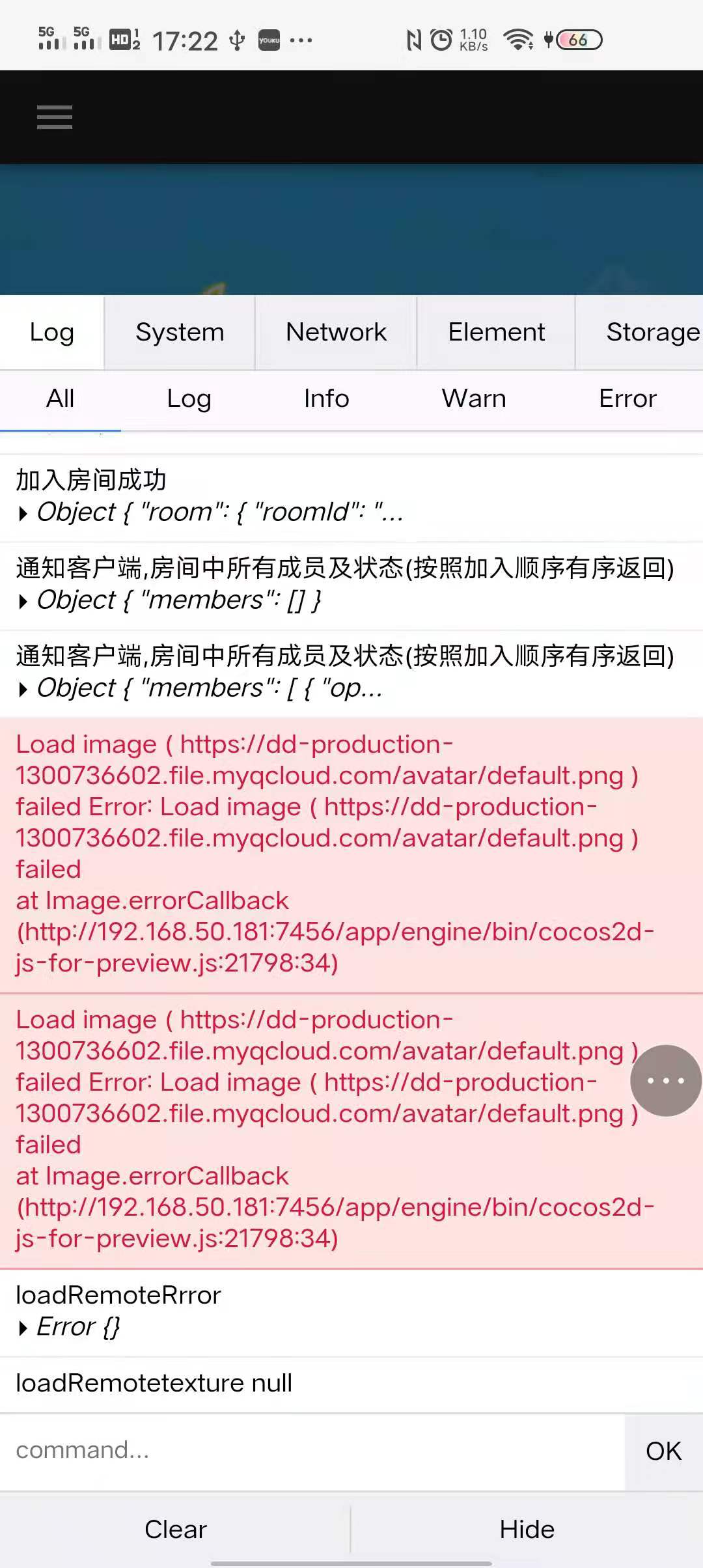
报错图片:
let self = this;

        cc.assetManager.loadRemote(url, {ext: '.png'}, function(err, texture:cc.Texture2D) {

            if(err) return;

            self.headImg.getComponent(cc.Sprite).spriteFrame = new cc.SpriteFrame(texture);

        })

底下那张图打印texture是空的,和this指向没关系的- -

{ext: ‘.png’},

ext我带上也是不行的 我试过了

你先用这个方法试下,或者提供图片地址

Load image ( https://dd-production-1300736602.file.myqcloud.com/avatar/default.png ) failed Error: Load image ( https://dd-production-1300736602.file.myqcloud.com/avatar/default.png ) failed
at Image.errorCallback (http://192.168.50.181:7456/app/engine/bin/cocos2d-js-for-preview.js:21798:34)

跨域问题,域名和图片的地址必须一致

好像是的,我电脑浏览器上面装了跨域插件,所以没有报,谢谢

该主题在最后一个回复创建后7天后自动关闭。不再允许新的回复。