2.4.x 怎么控制多个ScrollView滚动?
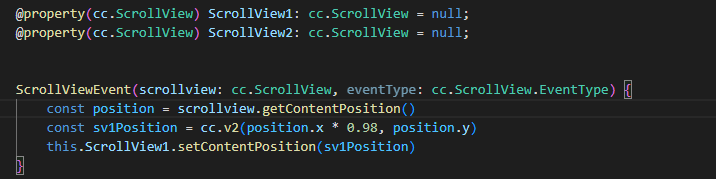
做个控制器绑定一下。A动B跟着动。B动A不动 这是比喻
@property(cc.ScrollView)
topScrollView = null; // 头部sv
@property(cc.ScrollView)
midScrollView = null; // 中心sv
@property(cc.ScrollView)
leftScrollView = null; // 左边sv
onLoad(){
this.topScrollView.node.on(cc.Node.EventType.TOUCH_START,()=>{
this._cur = this.topScrollView;
this._temp = this.midScrollView;
this._temp1 = null;
}, this)
this.midScrollView.node.on(cc.Node.EventType.TOUCH_START, ()=>{
this._cur = this.midScrollView;
this._temp = this.topScrollView
this._temp1 = this.leftScrollView;
}, this)
this.leftScrollView.node.on(cc.Node.EventType.TOUCH_START,()=>{
this._cur = this.leftScrollView;
this._temp = this.midScrollView;
this._temp1 = null;
}, this)
}
onScrollView(target, event) {
if( this._cur != target){
return
}
switch (event) {
case cc.ScrollView.EventType.SCROLL_BEGAN: {
        break
    }
    case cc.ScrollView.EventType.SCROLLING: {
        let offset = this._cur.getScrollOffset();
        this._temp.scrollToOffset(cc.v2(-offset.x, offset.y), 0);
        if (this._temp1) {
            this._temp1.scrollToOffset(cc.v2(-offset.x, offset.y), 0);
        }
        break;
    }
    case cc.ScrollView.EventType.SCROLL_ENDED: {

        break;
    }
};
}
随便写了例子 你大概看一下
好 我等会试试 感谢大佬
调速度可以在这里改动一下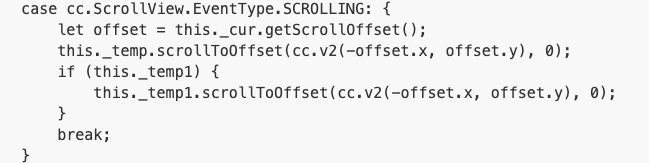
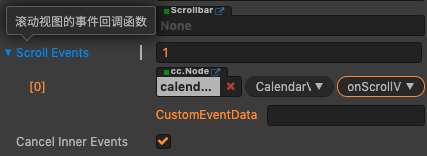
还有ui上需要绑定onScrollView这个方法
好的好的好的
大佬 你可能理解错了 我是三个满屏的scroolview
你这个三个满屏的sv是想做到怎么控制效果
按照速度移动 最顶上的 用户控制 速度为1 中间的 速度为0.9 最底下的 速度为0.8
我在论坛里找到一个重写srollview速度的方法 但是我在移动最顶上的滑动事件里 通过scrollToOffset设置 中层和底层时 没有效果
大佬 有方案嘛 
我觉得你要的是无尽list吧,网上不是有么 
我觉着你要的是类似多层背景,前景移动快,远景移动慢
scrollToOffset这个方法是控制偏移量,你说滑动到最顶触发的事件里用scrollToOffset不合适啊
scrollToOffset用在move里合适
对对对 就是这个
scrollToOffset 这个api得scrollview停止运动的时候才有效果 我试过先暂停 然后再调 也不行的 我是加在最顶上的滑动事件里的