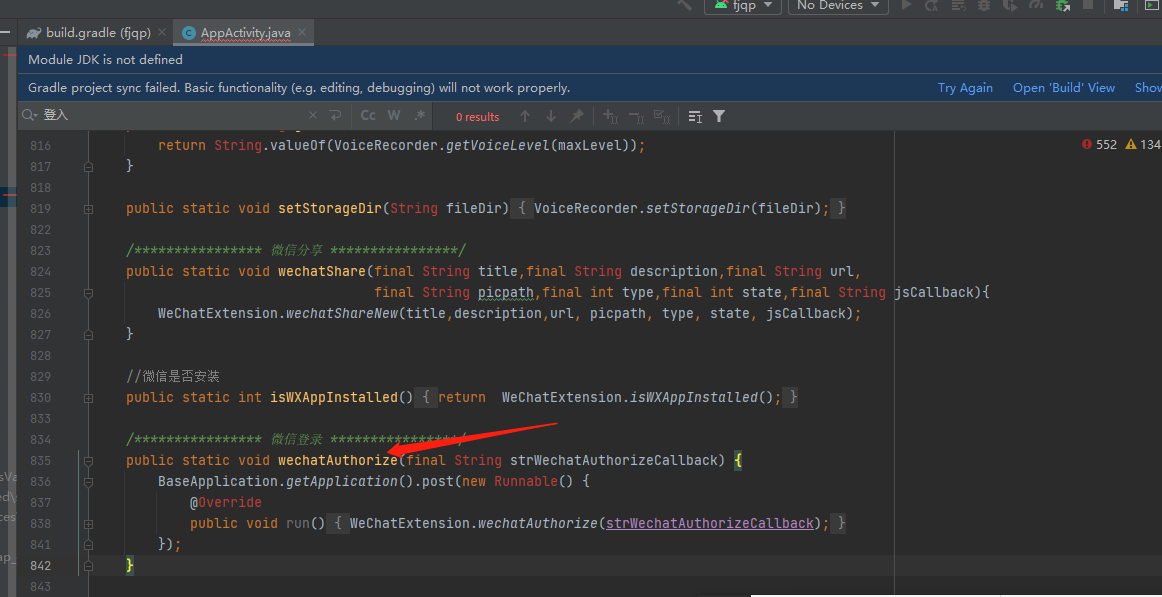
这里拉起授权,等到授权返回结果,把你的授权数据返回给ts层(你不用看我的具体实现,有个思路就可以)
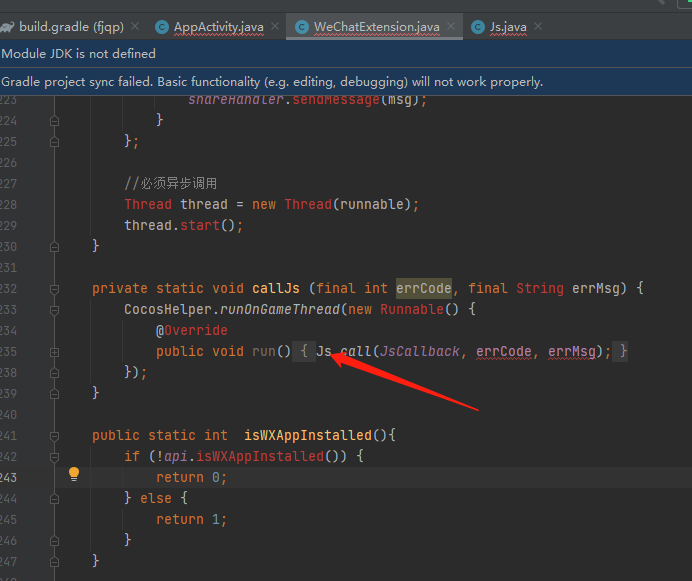
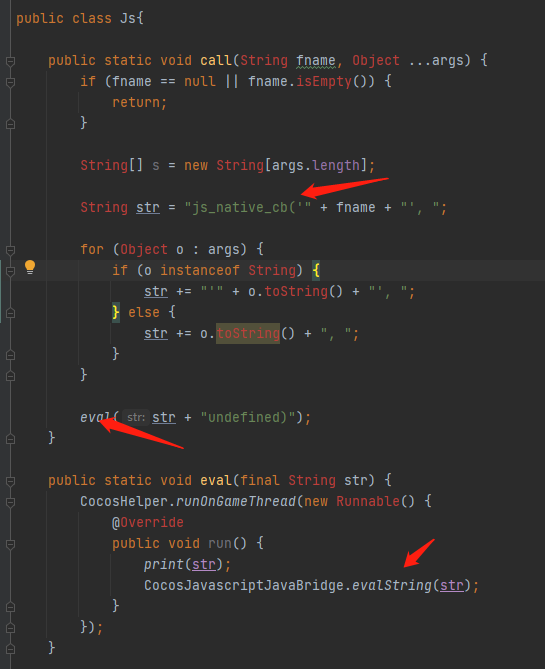


js_native_cb 放在哪? cocos组件中的onload里面?
好的,谢谢了,我去这么处理看看,有不懂的再问你,3q3q
没事,反正趁机划划水。 
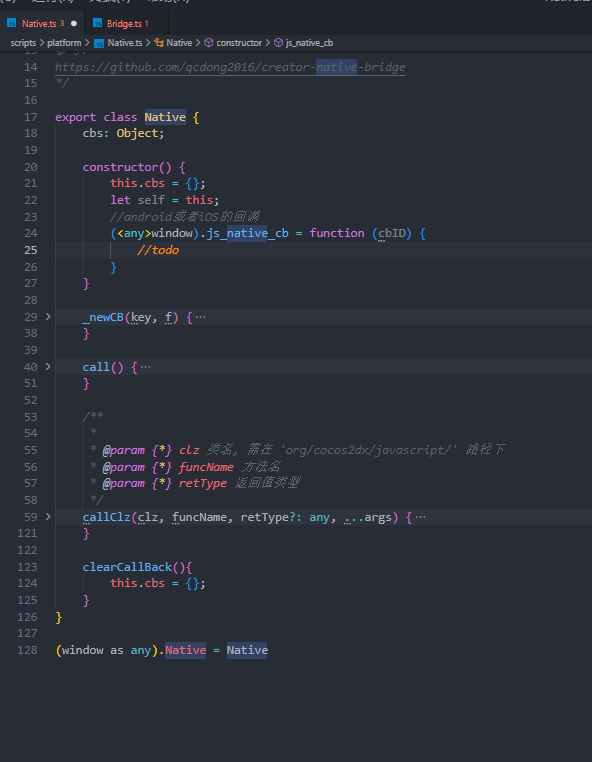
Native文件提供给你,这个本来也是论坛的前辈写的。
import { log, sys } from “cc”;
/*
Native Caller
bool/string/number/string/function
调用
andrid -> org.cocos2dx.javascript.Native.SayHello(String helloString, String cbName);

ios    -> Native.SayHello : (NSString*) helloString

                     arg1 : (NSString*) cbName;
写法
native.call(“SayHello”, “hello world”, (ok) => { })
native.callClz(“Native”, “SayHello”, “hello world”, (ok) => { })
参考:
https://github.com/qcdong2016/creator-native-bridge
*/
export class Native {
cbs: Object;

constructor() {

    this.cbs = {};

    let self = this;

    //android或者iOS的回调

    (<any>window).js_native_cb = function (cbID) {

        let func = self.cbs[cbID];

        if (func) {

            let args = Array.prototype.slice.call(arguments);

            args.splice(0, 1);

            func.apply(null, args);

        } else {

            log("no func ", cbID);

        }

    }

}

_newCB(key, f) {

    let cbID = "" + key;

    if (this.cbs[cbID] != null) {

        delete this.cbs[cbID];

    }

    this.cbs[cbID] = f;

    return cbID;

}

/**

 * 这个是你调用的方法

 * @param {*} clz 类名, 需在 'org/cocos2dx/javascript/' 路径下

 * @param {*} funcName 方法名

 * @param {*} retType 返回值类型

 */

callClz(clz, funcName, retType?: any, ...args) {

    let real_args = [clz, funcName]

    let funKey = funcName;

    if (sys.os == sys.OS.ANDROID) {

        real_args[0] = "com/cocos/game/" + clz

        real_args[2] = "()"

        // 填充参数

        if (args.length > 0) {

            let sig = ""

            args.forEach((v) => {

                switch (typeof v) {

                    case 'boolean': sig += "Z"; real_args.push(v); break;

                    case 'string': sig += "Ljava/lang/String;"; real_args.push(v); break;

                    case 'number': sig += "I"; real_args.push(v); break;

                    case 'function':

                        sig += "Ljava/lang/String;";

                        real_args.push(this._newCB(funKey, v));

                        break;

                }

            })

            real_args[2] = "(" + sig + ")"

        }

        // 填充返回值

        if (retType) {

            switch (retType) {

                case 'boolean':

                    real_args[2] += 'Z';

                    break;

                case 'string':

                    real_args[2] += 'Ljava/lang/String;';

                    break;

                case 'number':

                    real_args[2] += 'I';

                    break;

            }

        } else {

            real_args[2] += 'V';

        }

    } else if (sys.os == sys.OS.IOS) {

        if (args.length > 0) {

            for (let i = 0; i < args.length; i++) {

                let v = args[i]

                if (typeof v == "function") {

                    real_args.push(this._newCB(funKey, v))

                } else {

                    real_args.push(v)

                }

                if (i == 0) {

                    funcName += ":"

                } else {

                    funcName += "arg" + i + ":"

                }

            }

            real_args[1] = funcName

        }

    } else {

        return

    }

    return jsb.reflection.callStaticMethod.apply(jsb.reflection, real_args);

}
}
(window as any).Native = Native
调用的时候:
后面的这个 function (errCode: number, errMsg: string) {
        callBack && callBack(errCode, errMsg);

    }的errCode和errMsg就是android或者ios最终会返回给你的数据,名字我取的有点随意。