可以自动切割吗?还是说必须用TexturePacker来切割成一张一张的图片再导入?求各位大佬指点谢谢
- Creator 版本:3.8.1

可以自动切割吗?还是说必须用TexturePacker来切割成一张一张的图片再导入?求各位大佬指点谢谢
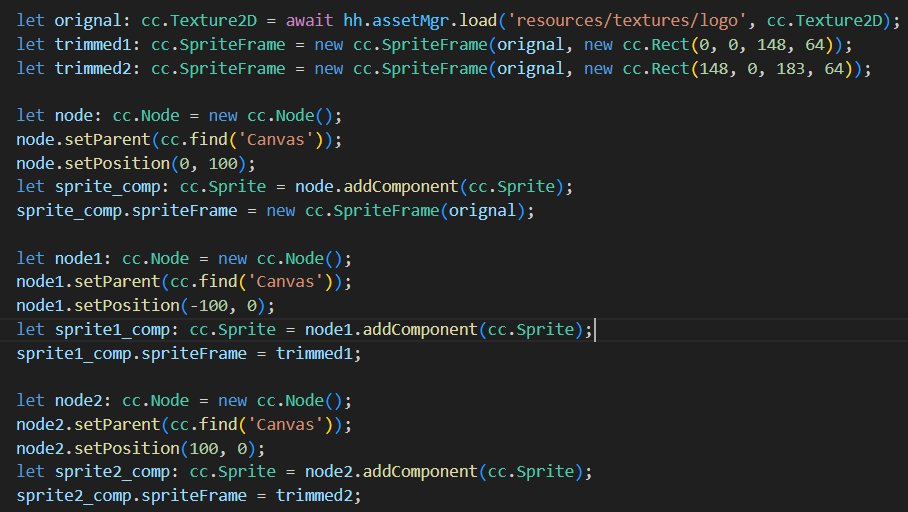
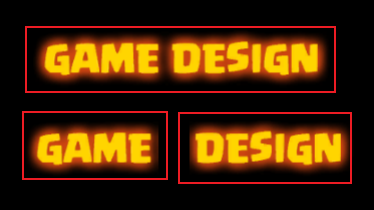
加载texture然后拿来根据矩形区域构造spriteFrame 至于这个矩形区域的位置和大小就需要根据你自己的图片用for循环来写逻辑了
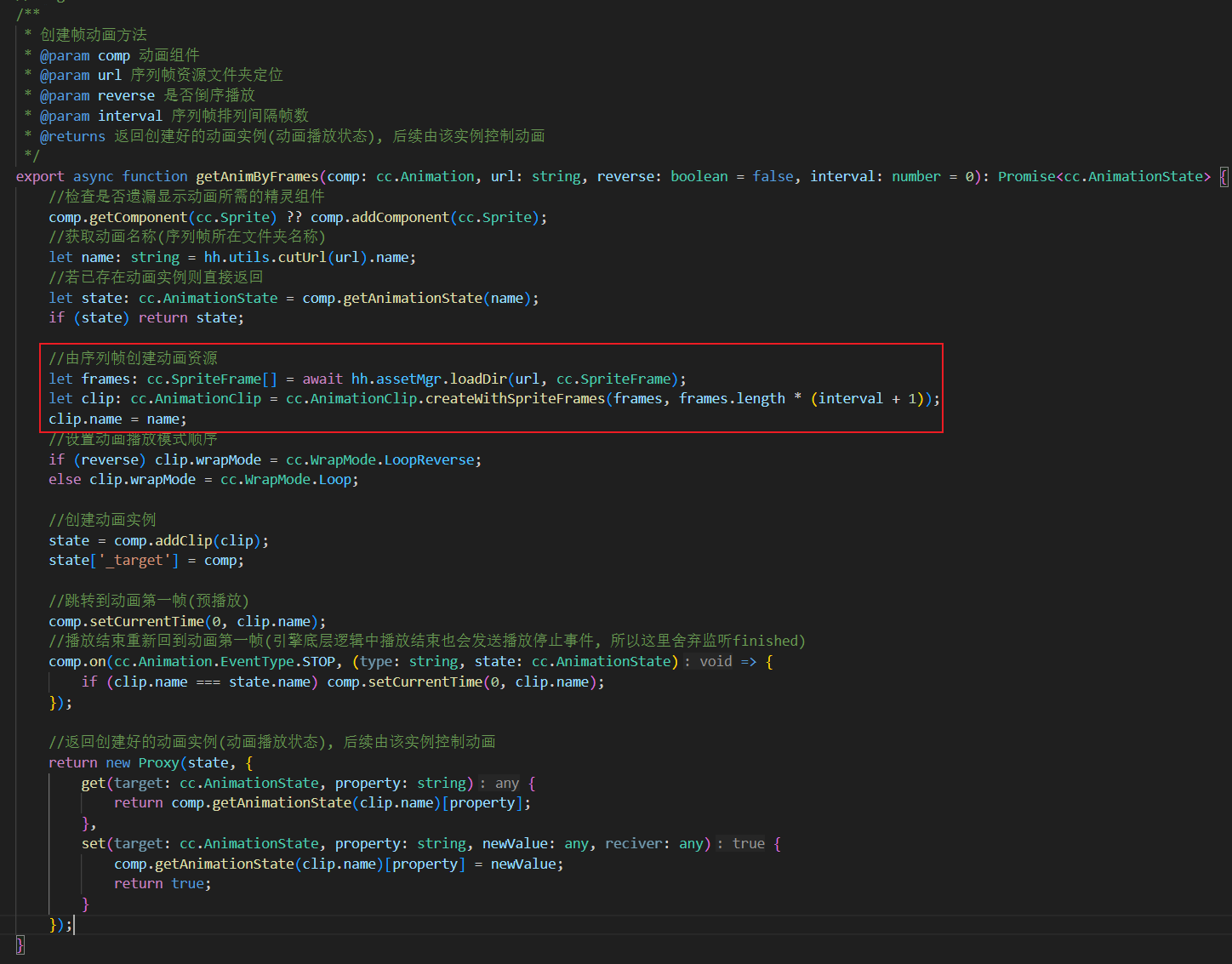
代码创建序列帧动画的逻辑我是直接贴的我自己的学习代码我是新手用的2.x 只要看核心代码就好了 官方使用手册上也是有的
是不是不能像unity一样,编辑器自动切割精灵图集?
自己写脚本切一下或者商店找个插件切一下很多
感谢, 就是正常的流程是, 将这种图片 切成小图块. , 再制作成animtionClip
不能直接使用这种图集是吧?
现在帧动画要图集的,单png好像不行
也可以自己写个shader 通过uv来切换
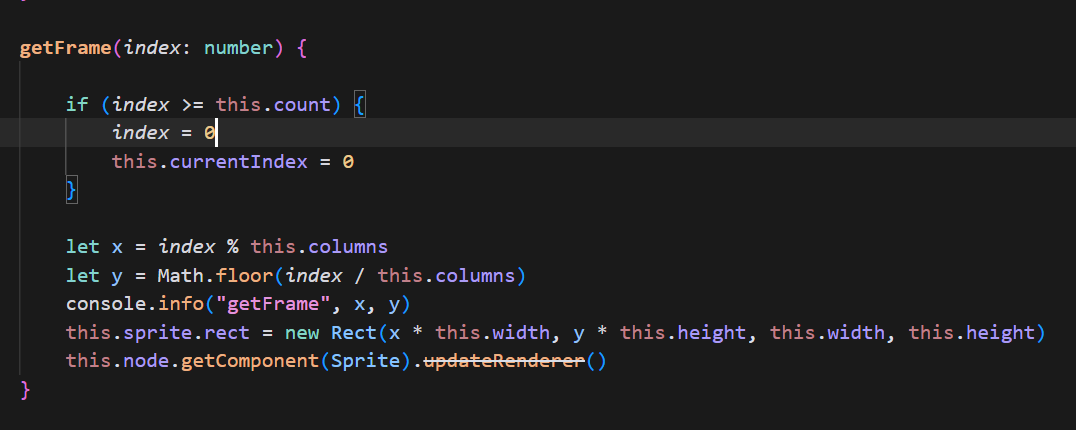
研究了半天, 找到了核心就是修改SpriteFrame 的 rect 写了一个播放这种精灵力集的小脚本, 有需要的可以拿走参考:
import { _decorator, Button, Component, director, Node, Rect, Sprite, SpriteFrame } from 'cc';
import { utils } from '../core/utils';
const { ccclass, property } = _decorator;

@ccclass('SpriteAnimation')
export class SpriteAnimation extends Component {

    sprite: SpriteFrame;
    @property({ tooltip: '每帧的宽度' })
    width = 128;
    @property({ tooltip: '每帧的高度' })
    height = 128;
    @property
    rows = 1;
    @property
    columns = 1;
    @property({tooltip: '总帧数, 默认为 rows x columns, 因为并不是所有的都是行列全满'})
    count = 0
    @property({ tooltip: '每帧间隔的秒数' })
    speed = .1;
    @property({ tooltip: '是否自动播放' })
    autoPlay = true
    @property({ tooltip: '用于标识此热点, 在点击事件时可用' })
    tag = ''

    currentIndex = 0;

    start() {
        this.sprite = this.node.getComponent(Sprite).spriteFrame

        if (!this.count) {
            this.count = this.rows * this.columns
        }

        // 默认显示第一帧
        this.getFrame(0)

        if (this.autoPlay) {
            this.play()
        }
    }

    getFrame(index: number) {
        if (index >= this.count) {
            index = 0
            this.currentIndex = 0
        }

        let x = index % this.columns
        let y = Math.floor(index / this.columns)
        this.sprite.rect = new Rect(x * this.width, y * this.height, this.width, this.height)
    }

    play() {
        this.schedule(() => {
            this.getFrame(this.currentIndex)
            this.currentIndex += 1
        }, this.speed)
    }
}
3.8.5 好像没法用