
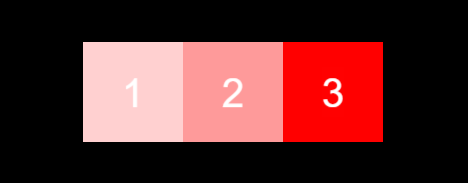
初始状态:
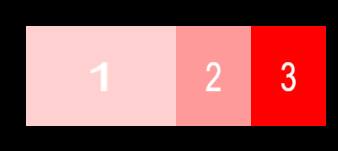
点击1:
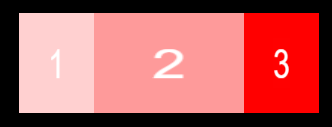
点击2:
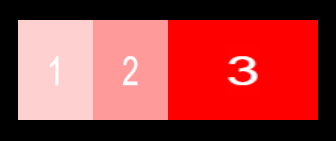
点击3:
代码(数据全部手动填的哈哈哈):
引用
cc.Class({
extends: cc.Component,

onLoad() {

    this._children = [...this.node.children]

    this._children.forEach((child, i) => {

        this.addClickEvent(child, i)

    });

},

addClickEvent(node, i) {

    var onTouchEnd = () => {

        if (i == 0) {

            cc.tween(this._children[0])

                .to(0.085, { scaleX: 1.5 })

                .start()

            cc.tween(this._children[1])

                .to(0.085, {

                    x: 0, scaleX: 0.75

                })

                .start()

            cc.tween(this._children[2])

                .to(0.085, { x: 75, scaleX: 0.75 })

                .start()

        }

        if (i == 1) {

            cc.tween(this._children[0])

                .to(0.085, { scaleX: 0.75 })

                .start()

            cc.tween(this._children[1])

                .to(0.085, {

                    x: -75, scaleX: 1.5

                })

                .start()

            cc.tween(this._children[2])

                .to(0.085, { x: 75, scaleX: 0.75 })

                .start()

        }

        if (i == 2) {

            cc.tween(this._children[0])

                .to(0.085, { scaleX: 0.75 })

                .start()

            cc.tween(this._children[1])

                .to(0.085, {

                    x: -75, scaleX: 0.75

                })

                .start()

            cc.tween(this._children[2])

                .to(0.085, { x: 0, scaleX: 1.5 })

                .start()

        }

    }

    node.on('touchend', onTouchEnd, this);

}
});