
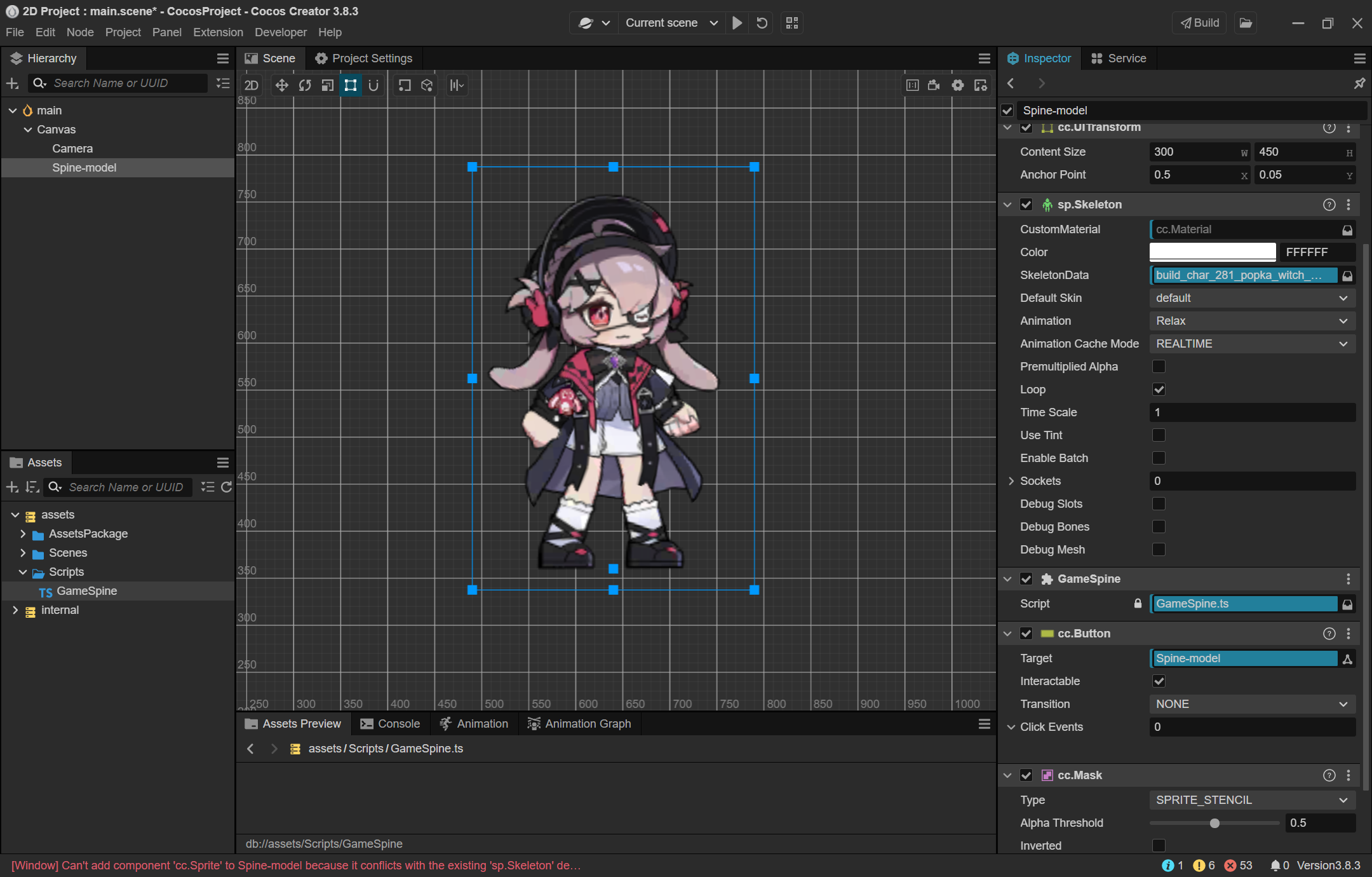
我刚开始学习使用Cocos, Spine, TypeScript,我遇到了一个问题——我应该如何使Spine组件的点击判定为不规则的(自动贴合动画),我现在进行了一些尝试,但是好像他就是使用的cc.UlTransform作为检测的框架,我希望当点击在透明区域的时候透过,只有下层元素受到点击,请问我应该怎么做。
下面是目前的进展,可能没什么作用还是贴一下。
import { _decorator, Button, Component, Node, sp } from 'cc';  // sp 命名空间;

const { ccclass, property } = _decorator;

@ccclass('GameSpine')

export class GameSpine extends Component {


    private currentAnimationIndex: number = 0; // 当前动画索引

    private animations: string[] = ['Move', 'Move', 'Move', 'Relax', 'Relax', 'Move', 'Move', 'Relax', 'Relax', 'Special']; // 动画列表

    start() {

        // Step 1 : 获取组件实例, 哪个节点上的哪个组件实例; this.node / find;

        var animCom: sp.Skeleton = this.node.getComponent(sp.Skeleton);  // animCom 动画组件实例;


        // Step 2 : 绑定按钮事件

        var spineButton: Button = this.node.getComponent(Button);

        spineButton.node.on(Button.EventType.CLICK, this.onButtonClick, this);

        // Step 3: 获取 AnimationState 实例

        var animationState = animCom.getState();

        // Step 4: 设置动画混合时间

        for (let i = 0; i < this.animations.length; i++) {

            const fromAnim = this.animations[i];

            const toAnim = this.animations[(i + 1) % this.animations.length];

            animationState.data.setMix(fromAnim, toAnim, 0.5);

        }

        // Step 5: 开始播放第一个动画

        this.playNextAnimation(animCom, 0);

        // Tip 1: 改变动画的尺寸, 改为负的即为镜像

        this.node.setScale(1.5, 1.5, 1);

        // Tip 2: 设置节点的位置到在本地坐标系中

        this.node.setPosition(150, -300, 0);

        // Tip 3: 设置动画播放速度倍率

        animationState.timeScale = 0.5;

    }


    // 列表播放动作

    playNextAnimation(animCom: sp.Skeleton, index: number) {

        // 获取 AnimationState 实例

        var animationState = animCom.getState();

        // 播放下一个动画

        const nextAnimationName = this.animations[index];

        const loop = true; // 循环播放

        animationState.setAnimation(0, nextAnimationName, loop);

        // 设置监听器,以便在动画结束时播放下一个动画

        animCom.setCompleteListener((track: sp.spine.TrackEntry) => {

            console.log(`setCompleteListener ${track.animation.name}`);

            const nextIndex = (index + 1) % this.animations.length;

            this.currentAnimationIndex += 1

            this.playNextAnimation(animCom, nextIndex);

        });

    }

    // 临时插入一个动作

    temporaryInsertAction(actionName: string, flag: boolean) {

        // 获取 Spine 动画组件实例

        var animCom: sp.Skeleton = this.getComponent(sp.Skeleton);

        // 获取 AnimationState 实例

        var animationState = animCom.getState();

        // 移除完成监听器

        animCom.setCompleteListener(null);

        // 添加临时动作

        const tempEntry = animationState.setAnimation(0, actionName, flag);

        // 当临时动作结束时,不恢复原来的动作播放,而是继续播放列表的下一个动作

        if (!flag) {animCom.setCompleteListener(() => {

            this.currentAnimationIndex += 1

            // 获取下一个动画

            const nextAction = this.animations[this.currentAnimationIndex % this.animations.length];

            // 设置混合时间

            animationState.data.setMix(actionName, nextAction, 0.5);

            // 播放下一个动画

            this.playNextAnimation(animCom, this.currentAnimationIndex % this.animations.length);

        })};

    }

    onButtonClick() {

        // 这里是按钮被点击时执行的代码

        this.temporaryInsertAction('Interact', false)

        console.log('Button was clicked!');

    }

    printNodes(node: Node) {

        // 打印当前节点的名称

        console.log(node.name);

        // 遍历所有子节点

        const children = node.children;

        for (let i = 0; i < children.length; i++) {

            // 递归打印每个子节点及其子节点

            this.printNodes(children[i]);

        }

    }

    update(deltaTime: number) {

        // 每一帧更新 AnimationState

        var animCom = this.getComponent(sp.Skeleton);

        animCom.getState().update(deltaTime);

    }

}