
纯新手,学做快速上手2d游戏的时候遇到的问题,版本3.8.4
https://docs.cocos.com/creator/3.8/manual/zh/getting-started/first-game-2d/#创建主角
完善角色的时候创建了两个动画OneStep、TwoStep,按照教程拖入Player的属性里面了
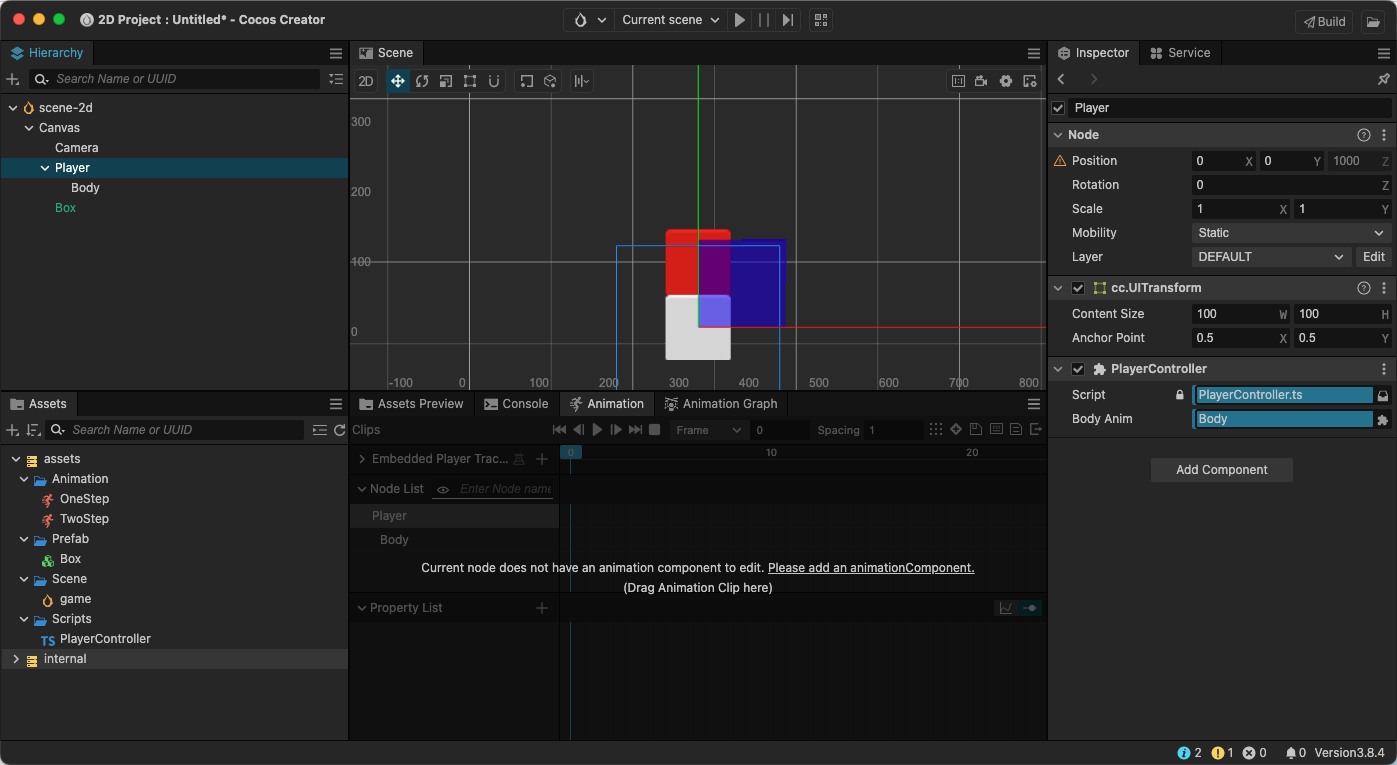
然后单独播放两个动画也都正常跳跃的,但是运行游戏之后,发现方块是先横着移动40像素,再播放纵轴跳跃的动画的,代码和教程都一模一样的,但是教程是横移和跳跃动画同时进行的,为啥啊
代码实现如下
import { _decorator, Component, Node, Vec3, EventMouse, input, Input, Animation} from ‘cc’;
const { ccclass, property } = _decorator;
export const BLOCK_SIZE = 40; // 添加一个放大比
@ccclass(‘PlayerController’)
export class PlayerController extends Component {
@property(Animation)
BodyAnim:Animation = null;

private _startJump: boolean = false;
private _jumpStep: number = 0;
private _curJumpTime: number = 0;
private _jumpTime: number = 0.1;
private _curJumpSpeed: number = 0;
private _curPos: Vec3 = new Vec3();
private _deltaPos: Vec3 = new Vec3(0, 0, 0);
private _targetPos: Vec3 = new Vec3();
private _finalJumpStep: number = 0;

start() {
    input.on(Input.EventType.MOUSE_UP, this.onMouseUp, this);
}
onMouseUp(event: EventMouse) {
    if (event.getButton() === 0) {
        this.jumpByStep(1);
    } else if (event.getButton() === 2) {
        this.jumpByStep(2);
    }
}

jumpByStep(step: number) {
    if (this._startJump) {
        return;
    }
    this._startJump = true;  // 标记开始跳跃
    this._jumpStep = step; // 跳跃的步数 1 或者 2
    this._finalJumpStep = this._jumpStep * BLOCK_SIZE; // 计算出最终的跳跃步数
    this._curJumpTime = 0; // 重置开始跳跃的时间
    this._curJumpSpeed = this._finalJumpStep / this._jumpTime; // 根据时间计算出速度
    this.node.getPosition(this._curPos); // 获取角色当前的位置
    Vec3.add(this._targetPos, this._curPos, new Vec3(this._finalJumpStep, 0, 0));    // 计算出目标位置

    if (this.BodyAnim) {
        if (step === 1) {
            this.BodyAnim.play('OneStep');
        } else if (step === 2) {
            this.BodyAnim.play('TwoStep');
        }
    }

}


update (deltaTime: number) {
    if (this._startJump) {
        this._curJumpTime += deltaTime; // 累计总的跳跃时间
        if (this._curJumpTime > this._jumpTime) { // 当跳跃时间是否结束
            // end
            this.node.setPosition(this._targetPos); // 强制位置到终点
            this._startJump = false;               // 清理跳跃标记
        } else {
            // tween
            this.node.getPosition(this._curPos);
            this._deltaPos.x = this._curJumpSpeed * deltaTime; //每一帧根据速度和时间计算位移
            Vec3.add(this._curPos, this._curPos, this._deltaPos); // 应用这个位移
            this.node.setPosition(this._curPos); // 将位移设置给角色
        }
    }
}
}

