
功能描述:
实现将一张纹理显示为单色LED灯的效果。
效果:
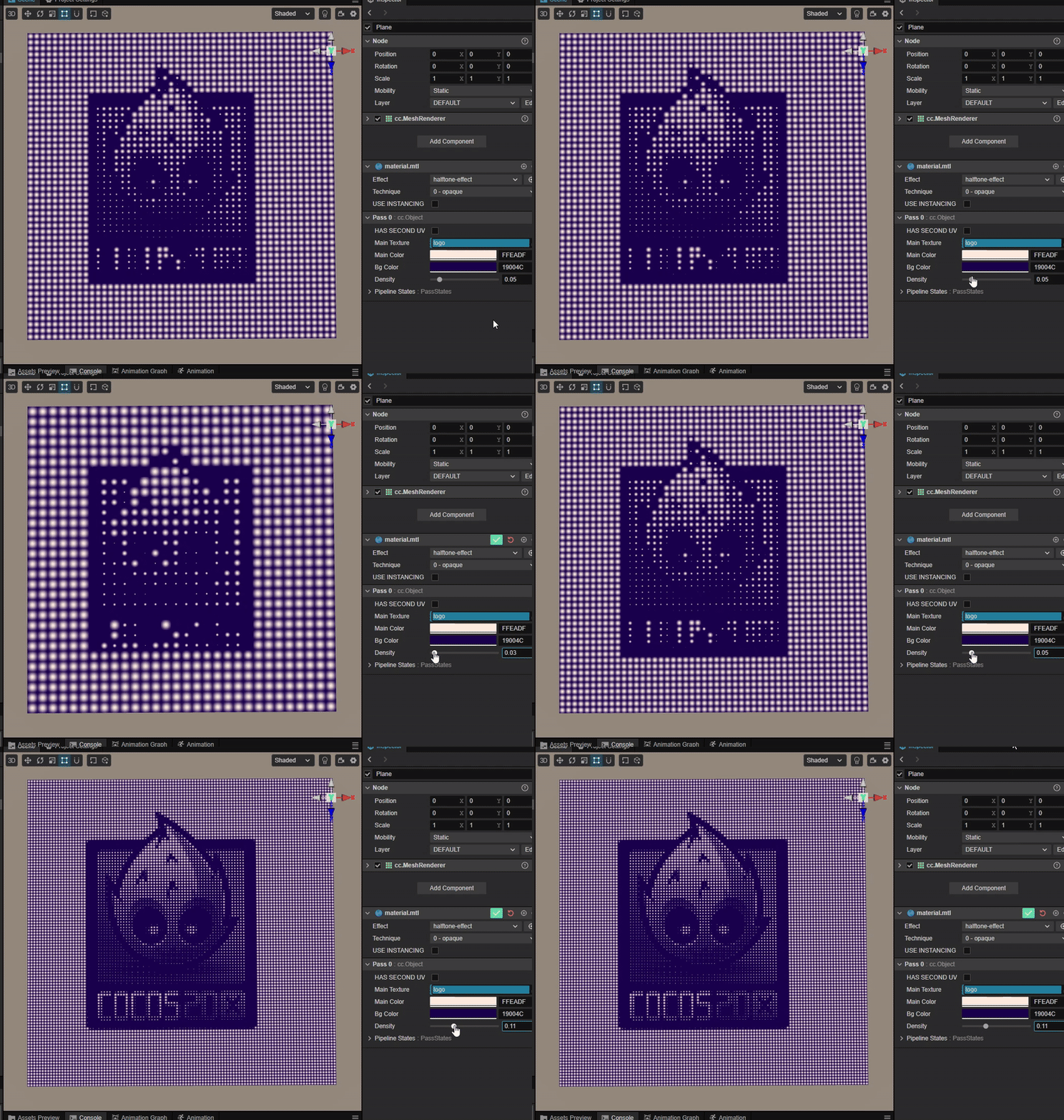
参数:
//待转换纹理
mainTexture:    { value: white }
//灯的颜色
mainColor:      { value: [0.7, 1.0, 1.0, 1.0], editor: { type: color } }
//背景颜色
bgColor:        { value: [0.1, 0.0, 0.3, 1.0], editor: { type: color } }
//灯的密度
density:        { value: 0.05, editor: { slide : true, range : [0.01,0.3], step: 0.01 } }
核心思路:
对于LED灯珠来说,亮度与灯珠呈现的光斑大小成比例,利用这个原理可以采样纹理后将其灰度值作为比例因子控制灯点半径。
vec2 segUV(vec2 uv, float repetitve) {
    vec2 scalex = uv * repetitve;
    return vec2(floor(scalex)) / repetitve;
  }

  vec4 drawCircle(vec2 center, float radius, vec4 mainCol, vec4 bgCol) {
    float dist = distance(v_uv, center);
    return dist < radius ? mix(bgCol, mainCol, smoothstep(0.1,1.0,(radius - dist) / radius)) : bgCol ;
  }

  vec4 frag () {
    vec4 col = bgColor;

    //计算灯点密度
    float segment = density * 1000.0;
    float pixSize = (1.0 / segment) * 0.5;

    //计算灯点中心
    vec2 center = segUV(v_uv, segment) + vec2(pixSize);

    //采样获取灰度值
    vec4 texCol = texture(mainTexture, center);
    float gray = dot(texCol.rgb, vec3(0.299, 0.587, 0.114));

    //计算光斑大小
    float radius = 1.5 * pixSize * gray;

    //绘制灯点光斑
    col = drawCircle(center, radius, mainColor, col);

    return CCFragOutput(col);
  }