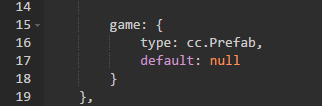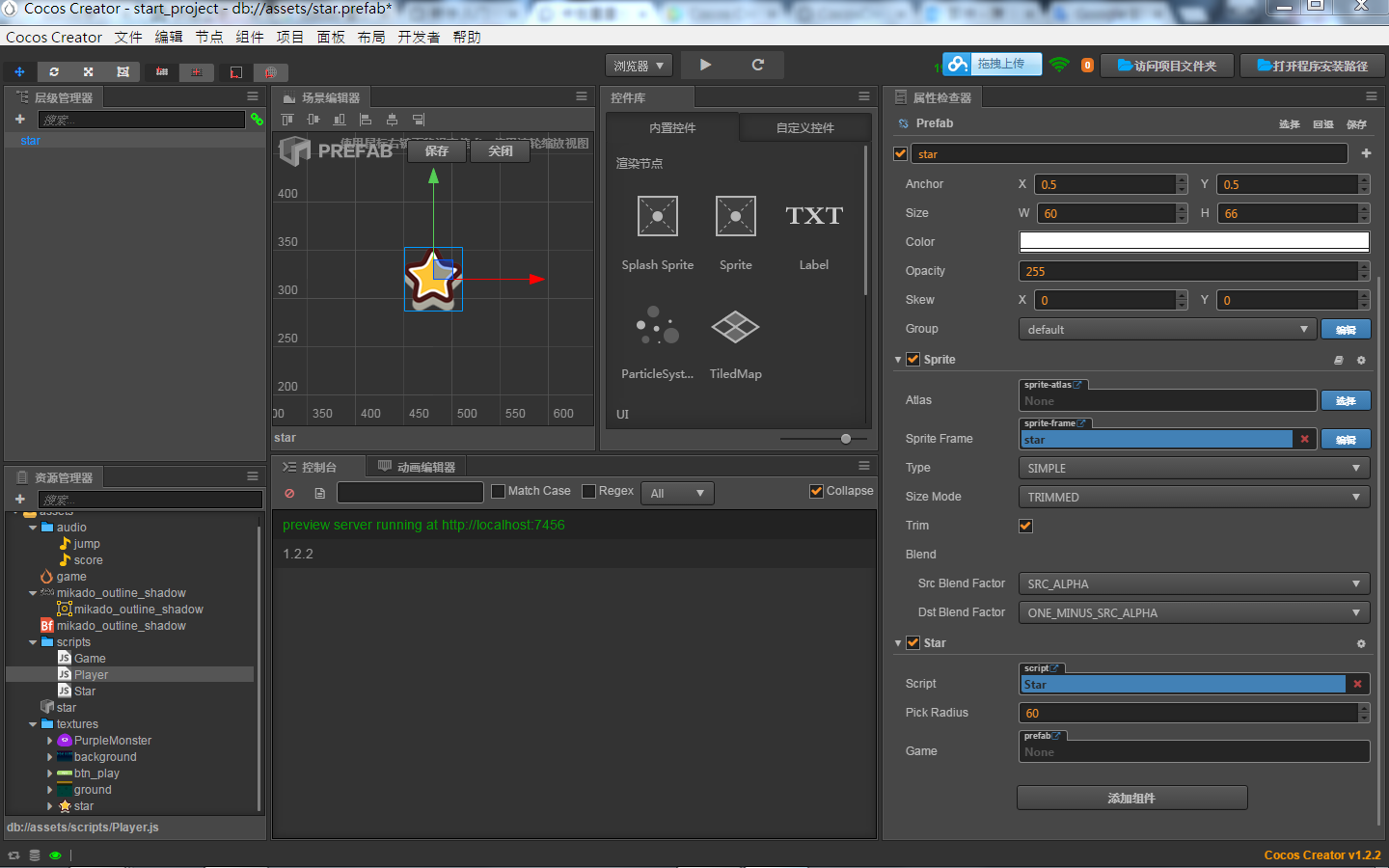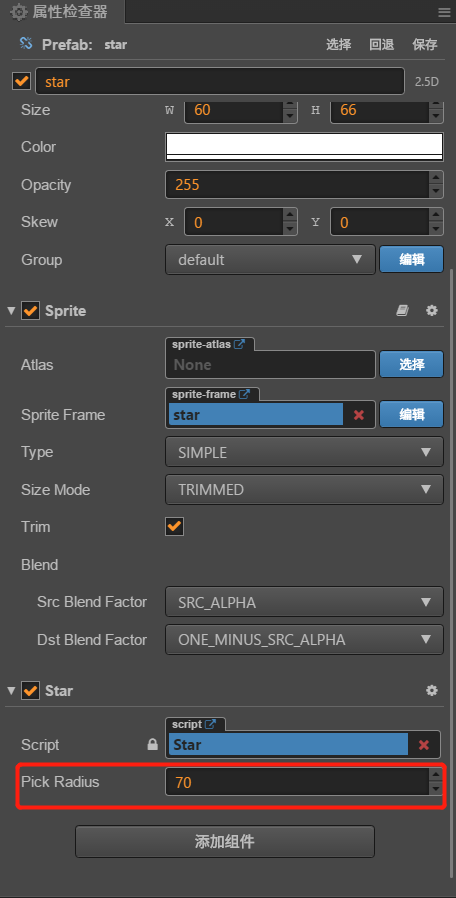
上图是官方demo
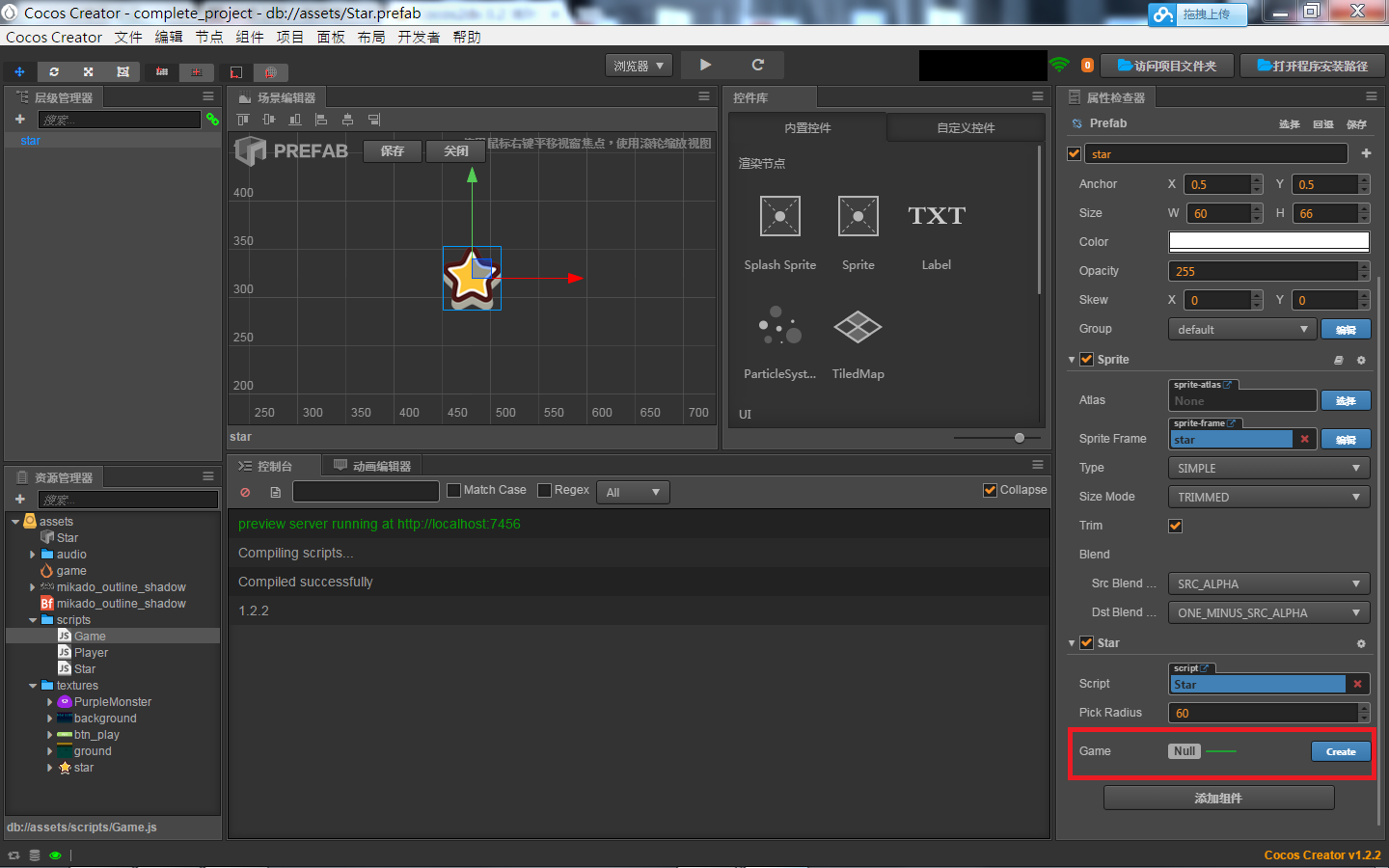
自己做的Player能正常弹跳移动,star有随机生成,卡星星無法触碰
问题:star prefab的红框处要怎么生出??(已解決)
问题:卡星星無法触碰(层级管理器ground问题-已解决)

上图是官方demo
自己做的Player能正常弹跳移动,star有随机生成,卡星星無法触碰
问题:star prefab的红框处要怎么生出??(已解決)
问题:卡星星無法触碰(层级管理器ground问题-已解决)
名字要正确,cc.Prefab
Game.js 的 properties type 大小写没错
能把脚本里面的代码贴上来下么?
cc.Class({
extends: cc.Component,
properties: {

    starPrefab:{
        default: null,
        type: cc.Prefab
    },

    maxStarDuration: 0,
    minStarDuration: 0,

    ground: {
        default: null,
        type: cc.Node
    },

    player: {
        default: null,
        type: cc.Node
    },

    scoreDisplay: {
        default: null,
        type: cc.Label
    },
    // foo: {
    //    default: null,      // The default value will be used only when the component attaching
    //                           to a node for the first time
    //    url: cc.Texture2D,  // optional, default is typeof default
    //    serializable: true, // optional, default is true
    //    visible: true,      // optional, default is true
    //    displayName: 'Foo', // optional
    //    readonly: false,    // optional, default is false
    // },
    // ...
},

// use this for initialization
onLoad: function () {

    this.groundY = this.ground.y + this.ground.height/2;

    this.spawnNewStar();

    this.score = 0;
},

spawnNewStar: function(){

    var newStar = cc.instantiate(this.starPrefab);

    this.node.addChild(newStar);

    newStar.setPosition(this.getNewStarPosition());


    newStar.getComponent('Star').game = this;
},

getNewStarPosition: function(){
    var randX = 0;

    var randY = this.groundY + cc.random0To1() * this.player.getComponent('Player').jumpHeight + 50;

    var maxX = this.node.width/2;
    randX = cc.randomMinus1To1() * maxX;

    return cc.p(randX, randY);
},

// called every frame, uncomment this function to activate update callback
/*update: function (dt) {

},*/

gainScore:function(){

        this.score += 1;

        this.scoreDisplay.string = 'Score:' + this.score.toString();
}
});
/Game.js檔/
cc.Class({
extends: cc.Component, //扩展自cc.Component

properties: {

    jumpHeight: 0,
    jumpDuration: 0,
    maxMoveSpeed: 0,
    accel: 0,
    // foo: {
    //    default: null,
    //    url: cc.Texture2D,  // optional, default is typeof default
    //    serializable: true, // optional, default is true
    //    visible: true,      // optional, default is true
    //    displayName: 'Foo', // optional
    //    readonly: false,    // optional, default is false
    // },
    // ...
},
setJumpAction:function(){
     var jumpUp = cc.moveBy(this.jumpDuration, cc.p(0, this.jumpHeight)).easing(cc.easeCubicActionOut());
    // 下落
    var jumpDown = cc.moveBy(this.jumpDuration, cc.p(0, -this.jumpHeight)).easing(cc.easeCubicActionIn());
    // 不断重复
    return cc.repeatForever(cc.sequence(jumpUp, jumpDown));
},
setInputControl: function () {
    var self = this;

    // 添加键盘事件监听
    cc.eventManager.addListener({
        event: cc.EventListener.KEYBOARD,
        // 有按键按下时,判断指定的方向控制键,并设置向对应方向加速
        onKeyPressed: function(keyCode, event) {
            switch(keyCode) {
                case cc.KEY.a:
                    self.accLeft = true;
                    self.accRight = false;
                    break;
                case cc.KEY.d:
                    self.accLeft = false;
                    self.accRight = true;
                    break;
            }
        },
        // 松开按键时,停止向该方向的加速
        onKeyReleased: function(keyCode, event) {
            switch(keyCode) {
                case cc.KEY.a:
                    self.accLeft = false;
                    break;
                case cc.KEY.d:
                    self.accRight = false;
                    break;
            }
        }
    }, self.node);
},

// use this for initialization
onLoad: function () {
    this.jumpAction = this.setJumpAction();  //类本身没有定义jumpAction啊,这种写法是?

    this.node.runAction(this.jumpAction);

    this.accLeft = false;
    this.accRight = false;
    // 主角当前水平方向速度
    this.xSpeed = 0;

    // 初始化键盘输入监听
    this.setInputControl();
},
update: function (dt) {
    // 根据当前加速度方向每帧更新速度
    if (this.accLeft) {
        this.xSpeed -= this.accel * dt;
    } else if (this.accRight) {
        this.xSpeed += this.accel * dt;
    }
    // 限制主角的速度不能超过最大值
    if ( Math.abs(this.xSpeed) > this.maxMoveSpeed ) {
        // if speed reach limit, use max speed with current direction
        this.xSpeed = this.maxMoveSpeed * this.xSpeed / Math.abs(this.xSpeed);
    }

    // 根据当前速度更新主角的位置
    this.node.x += this.xSpeed * dt;
},

// called every frame, uncomment this function to activate update callback
// update: function (dt) {

// },
});
/Player.js檔/
cc.Class({
extends: cc.Component,
properties: {

    pickRadius: 0
    // foo: {
    //    default: null,      // The default value will be used only when the component attaching
    //                           to a node for the first time
    //    url: cc.Texture2D,  // optional, default is typeof default
    //    serializable: true, // optional, default is true
    //    visible: true,      // optional, default is true
    //    displayName: 'Foo', // optional
    //    readonly: false,    // optional, default is false
    // },
    // ...
},

// use this for initialization
/*onLoad: function () {
    //在onLoad方法后面添加名为getPlayerDistance和onPicked的方法
},*/

getPlayerDistance: function(){

    var playerPos = this.game.player.getPosition();

    var dist = cc.pDistance(this.node.position, playerPos);
    return dist;

},

onPicke:function(){

    this.game.spawnNewStar();

    this.game.gainScore();


    this.node.destroy();

},


// called every frame, uncomment this function to activate update callback
update: function (dt) {

    if(this.getPlayerDistance < this.pickRadius){

        this.onPicked();
        return;
    }
},
});
/Star.js檔/
没看到你 start.js 里面有定义 Game 这个字段。
如果你只是要定义一个 prefab 的话,这样子写那边就会生成一个 Prefab。