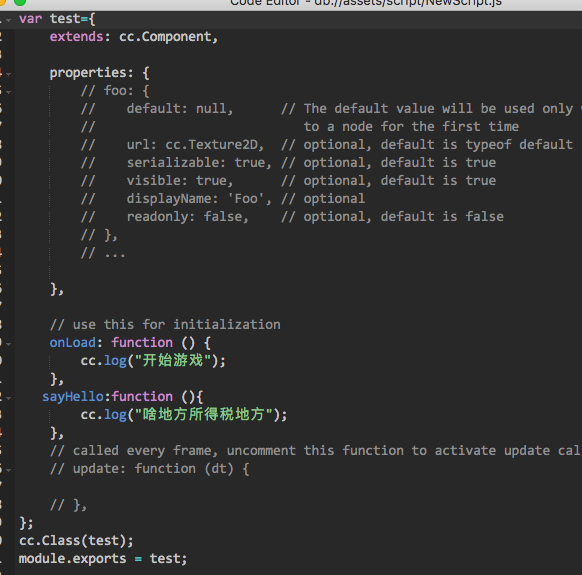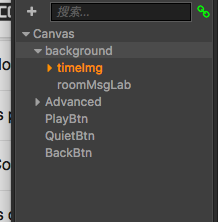
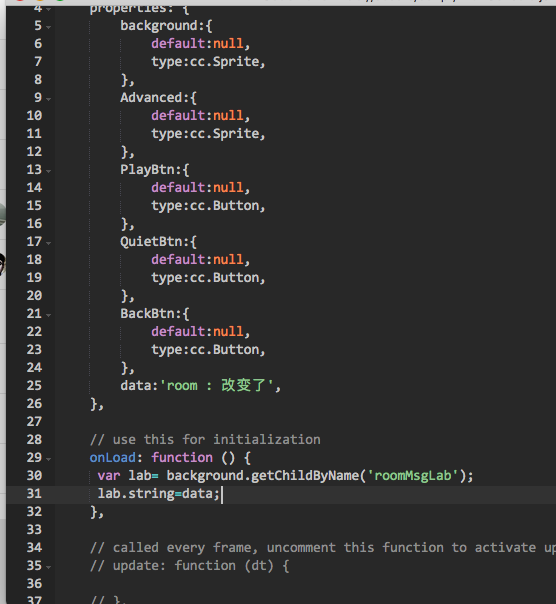
报错。。。

this.background.node.getChildByName(“roomMsgLab”);
[quote=“atmy, post:2, topic:42959”]
background.node.getChildByName(“roomMsgLab”);
[/quote]相关教程在什么位置。。。请大神给个链接。控件属性,方法
http://www.cocos.com/docs/creator/scripting/access-node-component.html
http://www.cocos.com/docs/creator/api/classes/Node.html
http://www.cocos.com/docs/creator/api/classes/Component.html
http://www.cocos.com/docs/creator/api/classes/Sprite.html
我不是大神
[quote=“atmy, post:2, topic:42959, full:true”]
this.background.node.getChildByName(“roomMsgLab”);
[/quote]还想请问一下? onLoad: function () {
// var lab= background.node.getChildByName(‘roomMsgLab’);
var lab=this.background.node.getChildByName(“roomMsgLab”);
// var a= ‘zsfdsfd’;
lab.string=this.data;
},在onLoad中改变这个label赋值为this.data界面上为什么还是我在编辑界面的时候的默认文字。
getChildByName返回值是node,而你赋值的是label组件的string属性,所以代码应该是
lab.getComponent(cc.Label).string = this.data
<删除线>如果你是新手</删除线>如果是刚刚接触creator,建议你把文档先看完一遍
http://www.cocos.com/docs/creator/getting-started/index.html
好的,多谢多谢
不用客气
文档里多数是介绍界面的编辑的,js代码部分的文档在什么地方
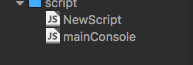 我想在mainConsole中调用NewScript中的一个方法,该怎么写。var test = require(‘NewScript’);
test.sayHello();直接找会报错。