
@nantas @dumganhar cocoscreator 版本1.4.2
如何实现截屏并且压缩图片生成缩略图能够指定缩略图的大小,我是用来做ios微信图片分享的,官方有提供api吗?好多人也是ios微信分享用不了
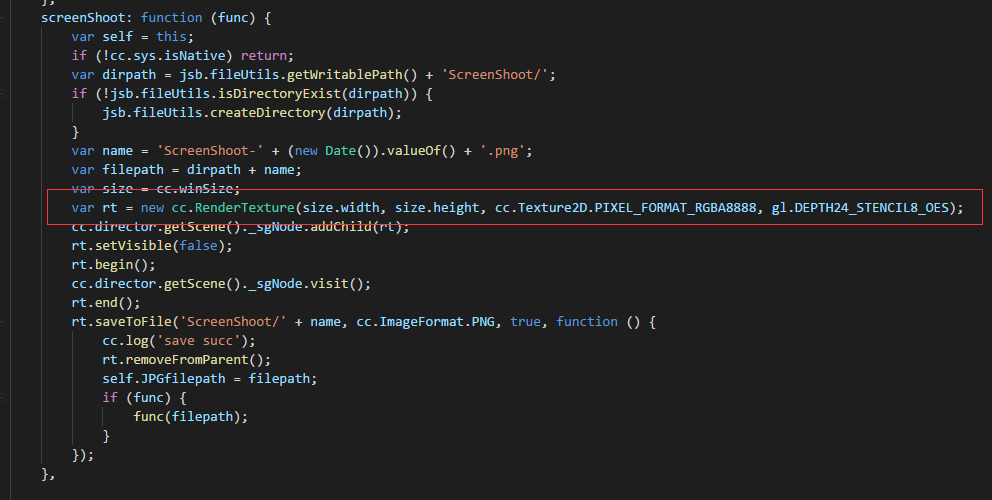
你把截图render出来 缩放一下 再render,得到图片保存下来即可。
这是我微信分享的IOS版本代码中的缩略图部分 我觉得你可能有用
C++或者JS保存到本地后,分别在IOS 和JAVA里去处理, 我就是这样干的。
这是IOS的
+(UIImage*) getImgFromPath :(NSString*) imgPathOrUrl
{
NSString *path = [[NSBundle mainBundle] bundlePath];
UIImage *img;
if([imgPathOrUrl hasPrefix:path]){
//这个是属于嵌入的图片
NSString * fileName=[imgPathOrUrl stringByReplacingOccurrencesOfString:path withString:@""];
    NSLog(@"getImgFromPath 这个是属于嵌入的图片 fileName:%@  fullpath:%@",fileName ,imgPathOrUrl);
    //img=[UIImage imageNamed:fileName];

    img=[UIImage imageWithContentsOfFile:imgPathOrUrl];
}else if([imgPathOrUrl hasPrefix:@"http://"] || [imgPathOrUrl hasPrefix:@"https://"]){
    //这是网络图片
         NSURL *url = [NSURL URLWithString:imgPathOrUrl];
         NSData *imageData = [NSData dataWithContentsOfURL:url];
    img= [UIImage imageWithData:imageData  ];
    NSLog(@"getImgFromPath 这是网络图片 fileName:%@",imgPathOrUrl);
         img= [UIImage imageWithData:imageData];
}else{
    //这是本地图片
     NSLog(@"getImgFromPath 这是本地图片 fileName:%@",imgPathOrUrl);
      img=[UIImage imageWithContentsOfFile:imgPathOrUrl];
}


return img;
}
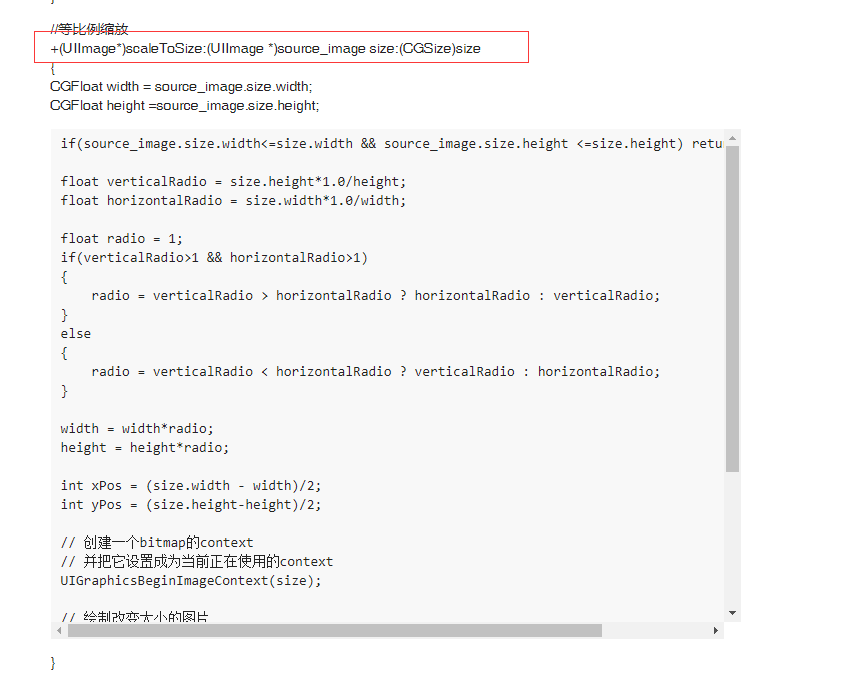
//等比例缩放
+(UIImage*)scaleToSize:(UIImage *)source_image size:(CGSize)size
{
CGFloat width = source_image.size.width;
CGFloat height =source_image.size.height;
if(source_image.size.width<=size.width && source_image.size.height <=size.height) return source_image;

float verticalRadio = size.height*1.0/height;
float horizontalRadio = size.width*1.0/width;

float radio = 1;
if(verticalRadio>1 && horizontalRadio>1)
{
    radio = verticalRadio > horizontalRadio ? horizontalRadio : verticalRadio;
}
else
{
    radio = verticalRadio < horizontalRadio ? verticalRadio : horizontalRadio;
}

width = width*radio;
height = height*radio;

int xPos = (size.width - width)/2;
int yPos = (size.height-height)/2;

// 创建一个bitmap的context
// 并把它设置成为当前正在使用的context
UIGraphicsBeginImageContext(size);

// 绘制改变大小的图片
[source_image drawInRect:CGRectMake(xPos, yPos, width, height)];

// 从当前context中创建一个改变大小后的图片
UIImage* scaledImage = UIGraphicsGetImageFromCurrentImageContext();

// 使当前的context出堆栈
UIGraphicsEndImageContext();

// 返回新的改变大小后的图片
return scaledImage;
}
谢谢,我先看一下,你是用anysdk吗?oc的我不是很懂
没必要用那个啊
我自己写了一套 觉得接起来也挺方便
用的插件越多 问题越多
能分享一下demo吗?用了anysdk发现好多东西不支持,你是通过js调用java和obc的代码实现的吗
是啊 JS端口 代码如下:
/**
 * 分享社交内容
 * @param url 分享WEB才填写
 * @param title 分享WEB才填写
 * @param text 分享WEB和文字
 * @param thumbPath 分享图片必须填写  分享web可以不填
 * @param isTimeline 是否发到朋友圈 否则发给好友
 */
AppManagerObj.share = function (url, title, text, thumbPath, isTimeline, shareId) {
    var _self = this;
    _self.currentShareId = shareId;

    var analytics_plugin = agentManager.getAnalyticsPlugin();
    if (analytics_plugin && analytics_plugin.logEvent) {
        analytics_plugin.logEvent("share_click", {shareId: shareId, url: url});

    }

    if (App.isNativeAndroid) {


        App.callNative(App.AndroidJNIName, "share", "(Ljava/lang/String;Ljava/lang/String;Ljava/lang/String;Ljava/lang/String;ZLjava/lang/String;)V", url, title, text, thumbPath, isTimeline, "weixin");

        return true;
    } else if (App.isNativeIOS) {


        try {
            App.callNative("AppHelper", "share:title:text:thumbPath:isTimeline:", url, title, text, thumbPath, isTimeline);
        } catch (e) {
            trace("AppManager share error:");
            trace(e);
        }


        return true;
    } else {
        return false;
    }
};

/**
 * 判断分享是否可用
 * @returns {boolean}
 */
AppManagerObj.isShareAvailable = function () {
    "use strict";

    var _self = this;


    if (App.isNativeAndroid) {


        return App.callNative(App.AndroidJNIName, "isShareAvailable", "()Z");

    } else if (App.isNativeIOS) {


        try {
            return App.callNative("ShareKit", "isAvailable");
        } catch (e) {
            trace("AppManager share error:");
            trace(e);
        }


        return false;
    } else {
        return false;
    }
};Appmanagerobj 是你自己写的类吗?官网使用的是:var result = jsb.reflection.callStaticMethod(className, methodNmae, arg1, arg2, …); 调用ios的代码应该写在哪里
呃,是的 我自己做了封装 我提供你思路而已 你可以自己写合适你们自己项目需求的代码
需要导入什么头文件吗
不能转化 你把图片可以保存为JPG文件 ,在OC里面读取进来 我上不是写了方法么 你抄过去就能用了
png 格式可以吗
可以啊
那请问ob-c内该如何保存图片,得到保存路径呢?
我把图片保存到本地了,ios分享时还是没有缩略图,android都正常.
大小多少,我这低于32kb可能不显示,设置在39kb可以