从 jsb.AssetsManager有哪些接口的 从哪可以看到文档或代码 继续讨论:
ccc版本号:1.8.2
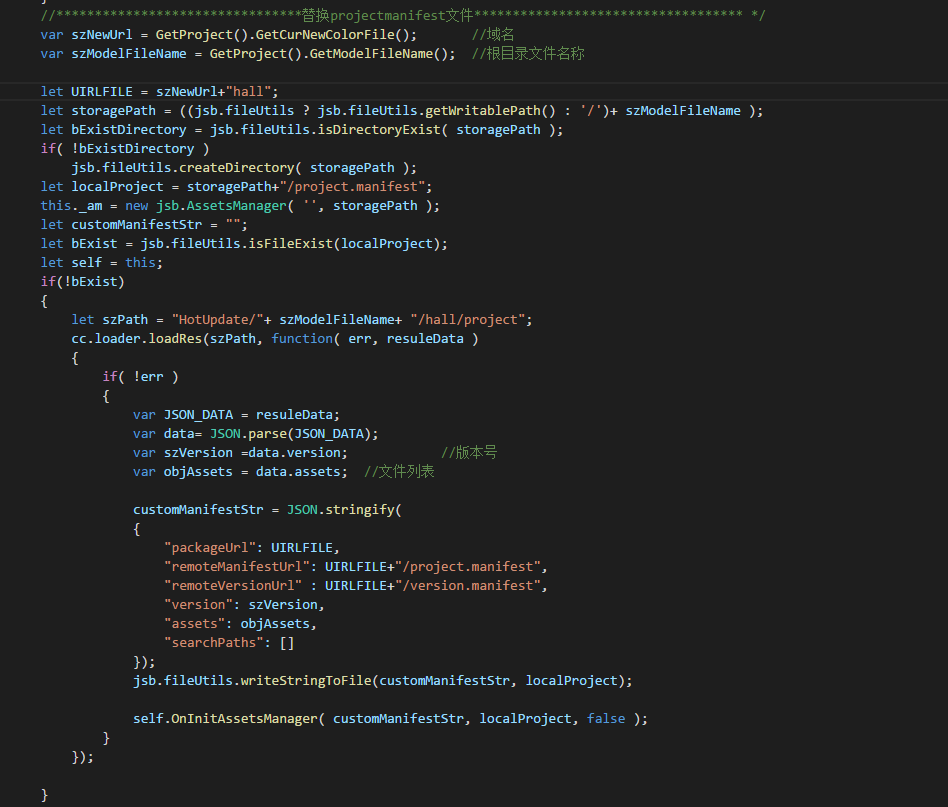
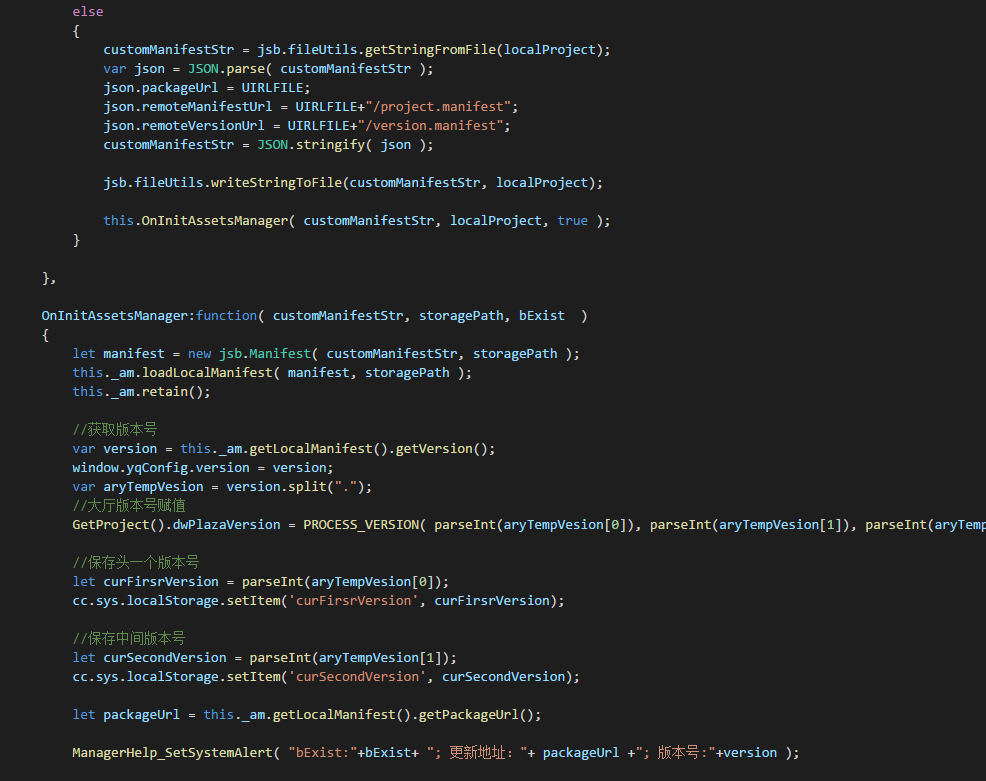
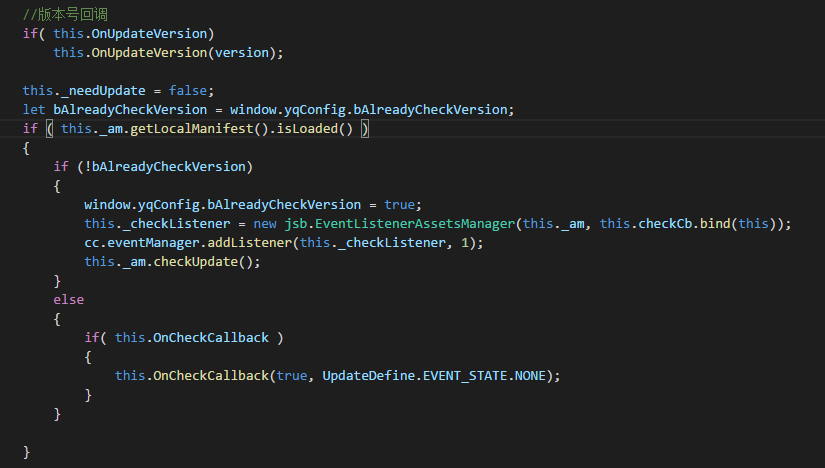
我参照修改了代码,更新完之后。不晓得为啥没有读取到更新后的文件,版本号一直是初始的。到时一直死循环更新。main.js有加修改搜索路径代码的。我的代码如下:

从 jsb.AssetsManager有哪些接口的 从哪可以看到文档或代码 继续讨论:
ccc版本号:1.8.2
我参照修改了代码,更新完之后。不晓得为啥没有读取到更新后的文件,版本号一直是初始的。到时一直死循环更新。main.js有加修改搜索路径代码的。我的代码如下:
{2个地方修改
1:自定义内容地址修改
2:保存地址
}
{自定义内容地址修改
//然後, 判斷update資料夾是否存在, 不存在則建立
if (!jsb.fileUtils.isDirectoryExist(this._storagePath)) {
jsb.fileUtils.createDirectory(this._storagePath);
}
var path_Manifest_Cache = this._storagePath + ‘/project.manifest’;
var jsonString = ‘’; //預留變數
var netData = JSON.parse(vCustomManifestStr);
if (!jsb.fileUtils.isFileExist(path_Manifest_Cache)) {
Log.debug(‘没有更新的文件’ + path_Manifest_Cache + ‘文件’);
var vData = cc.loader.getRes(‘project’);
if (vData) {
let vvJson = JSON.parse(vData);
let json = {};
json.packageUrl = netData.packageUrl; //远程资源包的根路径
json.remoteManifestUrl = netData.remoteManifestUrl; //远程Manifest文件地址
json.remoteVersionUrl = netData.remoteVersionUrl; //远程Version文件地址(非必需)
json.version = vvJson.version;
json.assets = vvJson.assets;
jsonString = JSON.stringify(json);
}
} else {
Log.debug(‘有更新的文件’ + path_Manifest_Cache + ‘文件’);
jsonString = jsb.fileUtils.getStringFromFile(path_Manifest_Cache);
let json = JSON.parse(jsonString);
json.packageUrl = netData.packageUrl; //远程资源包的根路径
json.remoteManifestUrl = netData.remoteManifestUrl; //远程Manifest文件地址
json.remoteVersionUrl = netData.remoteVersionUrl; //远程Version文件地址(非必需)
jsonString = JSON.stringify(json);
}
Log.debug('\t\t使用自定配置 ' + vType + '  amState:' + this._am.getState() + '\t amState-UNINITED:' + jsb.AssetsManager.State.UNINITED);
if (this._am.getState() === jsb.AssetsManager.State.UNINITED) {
    var vManifest = new jsb.Manifest(jsonString, this._storagePath);
    this._am.loadLocalManifest(vManifest, this._storagePath);
    this.info.string = 'Using custom manifest ' + vType;
}
}
{保存地址
Log.debug(‘设置搜索路径搜索-本地存储路径:’ + this._storagePath);
cc.sys.localStorage.setItem(‘HotUpdateSearchPaths’, JSON.stringify(searchPaths));
jsb.fileUtils.setSearchPaths(searchPaths);
}
现在我的问题是 打开更新,成功 重启了。然后登陆后再切回检测更新的时候, 文件又被移除了。 检测文件不存在。 附上代码:
let storagePath = ((jsb.fileUtils ? jsb.fileUtils.getWritablePath() : ‘/’)+“asset” );
let bExistDirectory = jsb.fileUtils.isDirectoryExist( storagePath );
if( !bExistDirectory )
jsb.fileUtils.createDirectory( storagePath );let _tempProject = storagePath +"/project.manifest";
this._am = new jsb.AssetsManager( ‘’, storagePath );
let customManifestStr = “”;
let bExist = jsb.fileUtils.isFileExist(_tempProject);
let self = this;
if(!bExist)
{
let szPath = “HotUpdate/”+ szModelFileName+ “/hall/project”;
cc.loader.loadRes(szPath, function( err, resuleData )
{
if( !err )
{
var JSON_DATA = resuleData;
var data= JSON.parse(JSON_DATA);
var szVersion =data.version; //版本号 var objAssets = data.assets; //文件列表
                customManifestStr = JSON.stringify(
                {
                    "packageUrl": UIRLFILE,
                    "remoteManifestUrl": UIRLFILE+"/project.manifest",
                    "remoteVersionUrl" : UIRLFILE+"/version.manifest",
                    "version": szVersion,
                    "assets": objAssets,
                    "searchPaths": []
                });
                jsb.fileUtils.writeStringToFile(customManifestStr, _tempProject);

                self.OnInitAssetsManager( customManifestStr, storagePath, false );
            }
        });
    }else
    {
        customManifestStr = jsb.fileUtils.getStringFromFile(_tempProject);
        var json = JSON.parse( customManifestStr );
        // ManagerHelp_SetSystemAlert("初始地址:"+ json.packageUrl  +"; 写入地址: "+ UIRLFILE );
        json.packageUrl = UIRLFILE;
        json.remoteManifestUrl = UIRLFILE+"/project.manifest";
        json.remoteVersionUrl = UIRLFILE+"/version.manifest";
        customManifestStr = JSON.stringify( json );
        jsb.fileUtils.writeStringToFile(customManifestStr, _tempProject);

        this.OnInitAssetsManager( customManifestStr, storagePath, true );
    }
OnInitAssetsManager:function( customManifestStr, storagePath, bExist )
{
let manifest = new jsb.Manifest( customManifestStr, storagePath );
this._am.loadLocalManifest( manifest, storagePath );
this._am.retain();
this._checkListener = new jsb.EventListenerAssetsManager(this._am, this.checkCb.bind(this));
cc.eventManager.addListener(this._checkListener, 1);
this._am.checkUpdate();
}
bExis 一开始是检测是false,更新成功重启后是 true。再然后切回登陆界面重新执行这个代买,bExist又是false。 为啥我更新后更新的内容被移除了。 ?
// 因为现在还不方便更新到1.5,所以最终还是采用了类似于你的一个方法:
// 1. http从远程服务器获取到到现在热更新服务器的信息(packageUrl等)
// 2. 获取本地的project.Manifest文件,转化成json对象{MANI}
// 3. 将{MANI}中的packageUrl等信息替换成从远程获取到的信息
// 4. 将{MANI}写入到一个临时文件temp.manifest中
// 5. 将temp.manifest的路径作为参数 new 一个 jsb.AssetsManager
// 6. 剩下的流程就是走原来的热更新了
let storagePath = ((jsb.fileUtils ? jsb.fileUtils.getWritablePath() : ‘/’)+“asset” );//asset 这个最好不要写固定的,固定的会出问题
this._am = new jsb.AssetsManager(’’, tstoragePath, this.versionCompareHandle);
结构有点不太对
Http.postJson(vVersionUrl, {}, function(resp) {
var vObjectData = JSON.stringify(resp);
Log.debug("------回包内容:" + vObjectData);
this.setUpdataInit(vObjectData);
this.loadCustomManifest(vObjectData); //使用自定配置
this.checkUpdate(); //检测更新
}.bind(this));
旧城凉1分钟前
因为其他事,耽搁先简单实现了个功能,我是直接切整个目录的。 现在优化了, 我按按照写了还是没用,方便给个QQ请教问题么,或者加我Q 1024359215 指点一下我。