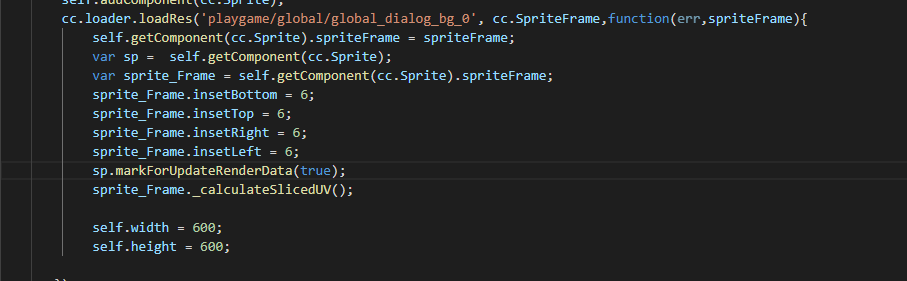
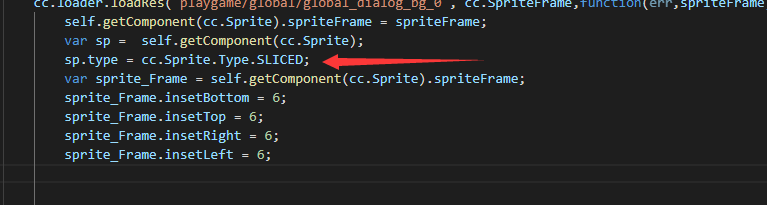
设置sprite的类型是cc.Sprite.Type.SLICED;后,要如何设置通过代码设置九宫格的分割线????
吐槽1:网上找了半天,一个答案都没有?官方的人都不写代码的吗?
好不容易找到个东西,结果还是错的
let sp = this.packageItem.texture;
sp.insetLeft = 20;//rect.x;
sp.insetTop =  20;//rect.y;
sp.insetRight =  20;//this.packageItem.width-rect.width-rect.x;
sp.insetBottom =  20;//this.packageItem.height-rect.height-rect.y;

this._sprite.type = cc.Sprite.Type.SLICED;
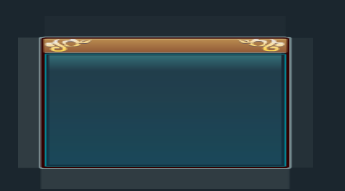
上面的代码的效果如下图,真不知道那四个20像素的边是什么鬼东西!!!
吐槽2:cc.Sprite.Type在creator.d.ts里的定义是Type,且只定义了两个,而真实的代码里是SpriteType,有4个值,你逗我呢???!!!
export module Sprite {
    /** !#en Enum for sprite type.
    !#zh Sprite 类型 */
    export enum Type {
        SIMPLE = 0,
        SLICED = 0,
    }
}

/**
 * !#en Enum for sprite type.
 * !#zh Sprite 类型
 * @enum Sprite.Type
 */
var SpriteType = cc.Enum({
    /**
     * !#en The simple type.
     * !#zh 普通类型
     * @property {Number} SIMPLE
     */
    SIMPLE: 0,
    /**
     * !#en The sliced type.
     * !#zh 切片(九宫格)类型
     * @property {Number} SLICED
     */
    SLICED: 1,
    /*
     * !#en The tiled type.
     * !#zh 平铺类型
     * @property {Number} TILED
     */
    TILED: 2,
    /*
     * !#en The filled type.
     * !#zh 填充类型
     * @property {Number} FILLED
     */
    FILLED: 3,
    /*
     * !#en The mesh type.
     * !#zh 以 Mesh 三角形组成的类型
     * @property {Number} MESH
     */
    MESH: 4
});