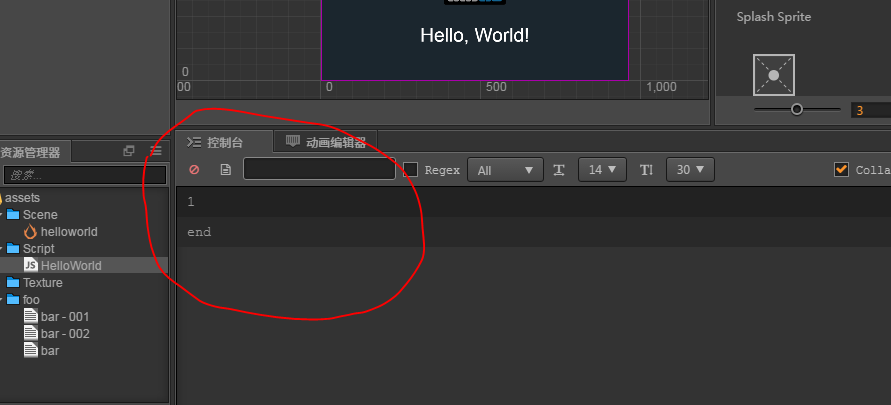
查看文档Editor,
editor: {
executeInEditMode: true,
},
上面这句可以是你的脚本里的onload在编辑模式下执行(好像是这样)。saveExists和 Editor.assetdb.create看下文档也就知道了。不常用,可万一需要用了呢。
``
``cc.Class({
    extends: cc.Component,

    properties: {

    },

    editor: {
        executeInEditMode: true,
    },

    getMapData(  array, node  ){

        if( !node.children ) return

        var mapChilds = node.children
        for( var i=0; i<mapChilds.length; ++i ){
            var mapChild = mapChilds[ i ]
            var parent = { index:i, name:mapChild.name, position: mapChild.position}
            array.push( parent )

            if( mapChild.children && mapChild.children.length>0 ){
                parent[ 'child' ] = []
                for( var j=0; j<mapChild.children.length; ++j ){
                    var child = {  name:mapChild.children[j].name, position:mapChild.children[j].position }
                    parent[ 'child' ].push( child )
                    this.getMapData(  parent[ 'child' ] , mapChild.children  )
                }
            }
        }
    },

    onLoad () {
        this.canvas = this.node
        this.map = this.canvas.getChildByName( 'Map' )
        this.nodes1 = [ ]


        this.getMapData( this.nodes1, this.map )

        var data = this.nodes1


        Editor.assetdb.saveExists( 'db://assets/foo/bar.json', JSON.stringify( data ), function ( err, results ) {
            Editor.assetdb.refresh;
            Editor.log( 'end' )
        });
    },

    start () {

    },

    // update (dt) {},
});``````