
各位大牛好。想绘制一个带点击事件的圆弧预制体,可是点击不起作用。
//下为自定义带点击圆弧预制体,点击事件不响应
const {ccclass, property} = cc._decorator;
@ccclass
export default class Arc extends cc.Component {
// LIFE-CYCLE CALLBACKS:

// onLoad () {}
private context:cc.Graphics;
private btn:cc.Button;

start () {
}

public draw(x: number, y: number, r: number, startAngle: number, endAngle: number){
    this.context=this.node.getComponent(cc.Graphics);
    this.context.strokeColor=cc.Color.RED;
    this.context.lineWidth=15;
    this.context.arc(x,y, r,startAngle,endAngle,false);
    this.context.stroke();

    var clickEventHandler = new cc.Component.EventHandler();
    clickEventHandler.target = this.node; //这个 node 节点是你的事件处理代码组件所属的节点
    clickEventHandler.component = "Arc";//这个是代码文件名
    clickEventHandler.handler = "btnClick";

    this.btn = this.node.getComponent(cc.Button);
    this.btn.clickEvents.push(clickEventHandler);
    cc.log(this.btn);
}

btnClick(event){
    cc.log(event.currentTarget)
}

// update (dt) {}
}
以下为调用
let arv=cc.instantiate(this.arc);
arv.getComponent(“Arc”).draw(0,0,10,0,0.25*Math.PI);
this.node.getChildByName(“btn”).addChild(arv);
    let arv2=cc.instantiate(this.arc);
    arv2.getComponent("Arc").draw(0,0,30,0.25*Math.PI,0.5*Math.PI);
    this.node.getChildByName("btn").addChild(arv2);

    let arv1=cc.instantiate(this.arc);
    arv1.getComponent("Arc").draw(0,0,50,0.5*Math.PI,0.75*Math.PI);
    this.node.getChildByName("btn").addChild(arv1);

    let arv3=cc.instantiate(this.arc);
    arv3.getComponent("Arc").draw(0,0,70,0.75*Math.PI,1*Math.PI);
    this.node.getChildByName("btn").addChild(arv3);
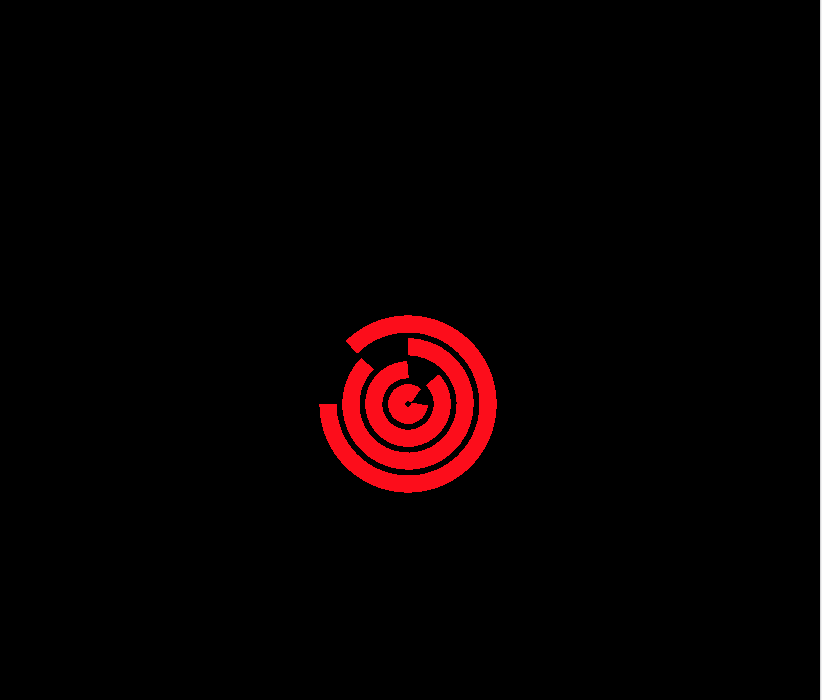
效果图,只是触摸点击不响应
是调用的时候定事件,还是定义的时候呢?