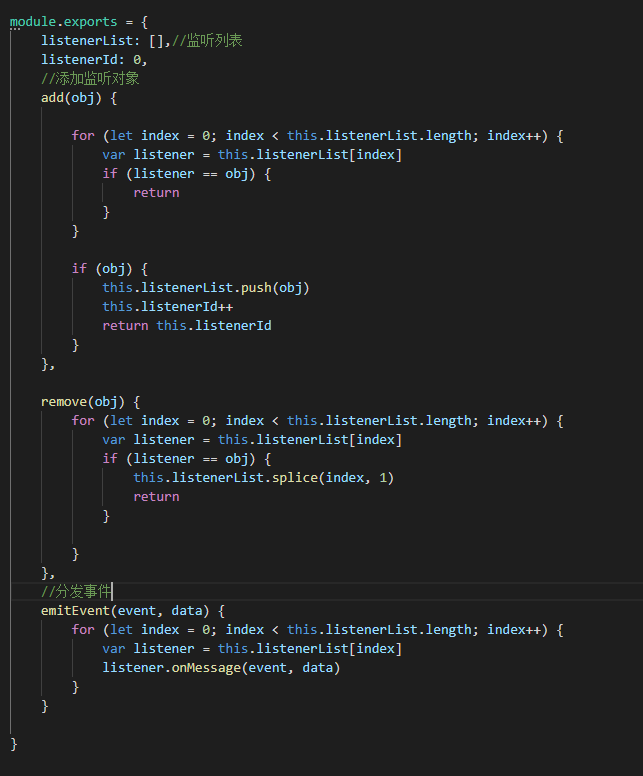
事件类eventManage
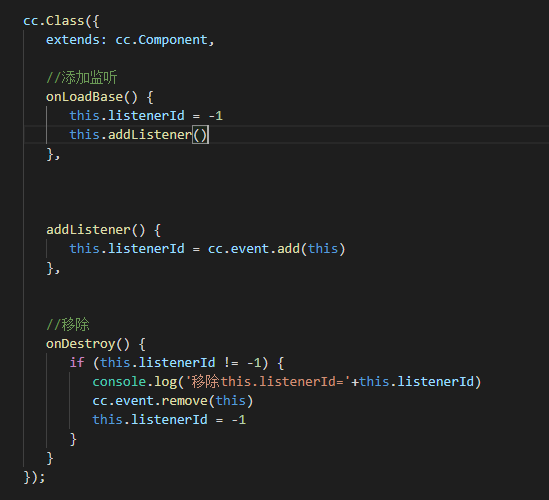
base类
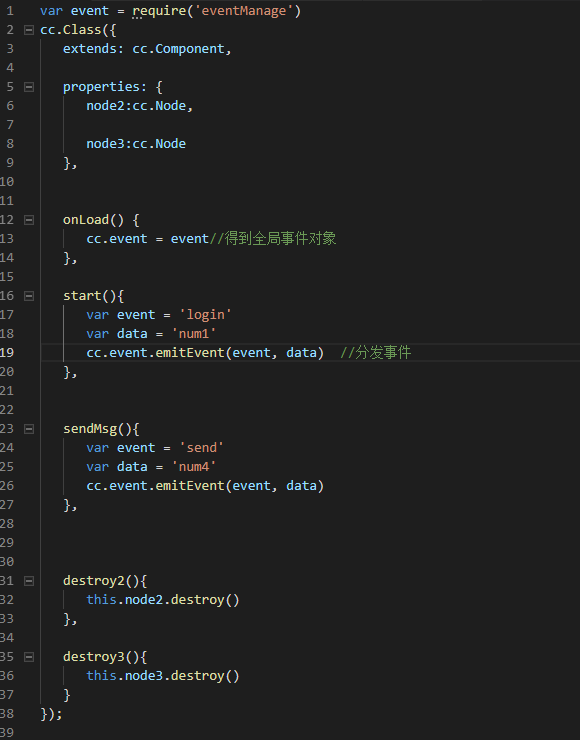
ctrl类
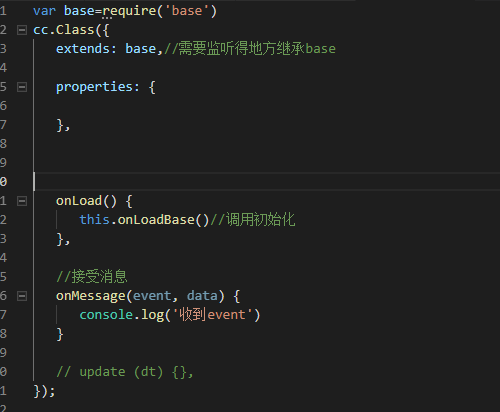
test1类
不知道我这种写法如何 欢迎吐槽

有现成的
例子
@ccclass
export default class LoadingDialogCtrl extends cc.Component {
    private static SHOW_LOADING_DIALOG = "show_loading_dialog";

    private static HIDE_LOADING_DIALOG = "hide_loading_dialog";

    @property(cc.Prefab)
    loadingDialogPrefab: cc.Prefab = null;

    @property(cc.Node)
    loadingDialogParentNode: cc.Node = null;

    private _loadingDialogNode: cc.Node = null;

    static showLoadingDialog(param?: { animation: LoadingDialogAnimation }) {
        cc.director.emit(LoadingDialogCtrl.SHOW_LOADING_DIALOG, param);
    }

    static hideLoadingDialog(param?: { animation: LoadingDialogAnimation }) {
        cc.director.emit(LoadingDialogCtrl.HIDE_LOADING_DIALOG, param);
    }

    onEnable() {
        cc.director.on(LoadingDialogCtrl.SHOW_LOADING_DIALOG, this._showLoadingDialog, this);
        cc.director.on(LoadingDialogCtrl.HIDE_LOADING_DIALOG, this._hideLoadingDialog, this);
    }

    onDisable() {
        cc.director.off(LoadingDialogCtrl.SHOW_LOADING_DIALOG, this._showLoadingDialog, this);
        cc.director.off(LoadingDialogCtrl.HIDE_LOADING_DIALOG, this._hideLoadingDialog, this);
    }

    private _showLoadingDialog(param?: { animation: LoadingDialogAnimation }) {
        if (this._loadingDialogNode == null) {
            this.loadingDialogParentNode.getComponent(cc.Widget).updateAlignment();
            this._loadingDialogNode = cc.instantiate(this.loadingDialogPrefab);
            this._loadingDialogNode.width = this.loadingDialogParentNode.width;
            this._loadingDialogNode.height = this.loadingDialogParentNode.height;
            this._loadingDialogNode.setPosition(0, 0);
            this._loadingDialogNode.setParent(this.loadingDialogParentNode);
        }
        this._loadingDialogNode.getComponent(LoadingDialogPrefab).show(param);
    }

    private _hideLoadingDialog(param?: { animation: LoadingDialogAnimation }) {
        if (this._loadingDialogNode == null) {
            return;
        }
        this._loadingDialogNode.getComponent(LoadingDialogPrefab).hide(param);
    }
}
定义一个全局的cc.EventTarget对象即可,为何要绕这么多
我一般用 cc.find(‘Canvas’).on 和 cc.find(‘Canvas’).emit。 切换场景,所有事件自动销毁,爽得很。
这种我也用 那网络消息呢
这种没用过 学习了
【求助】有什么方法能扫描全部类么, 全局变量__modular 能找到,目前正在用它。