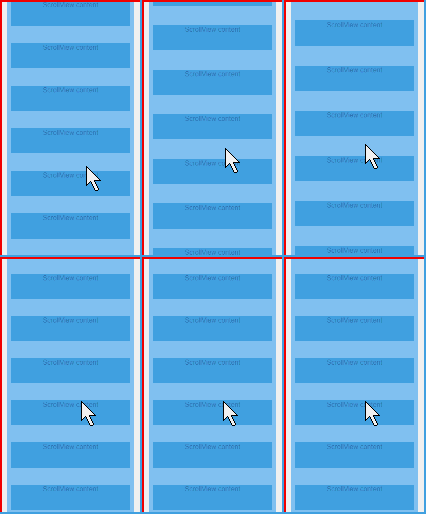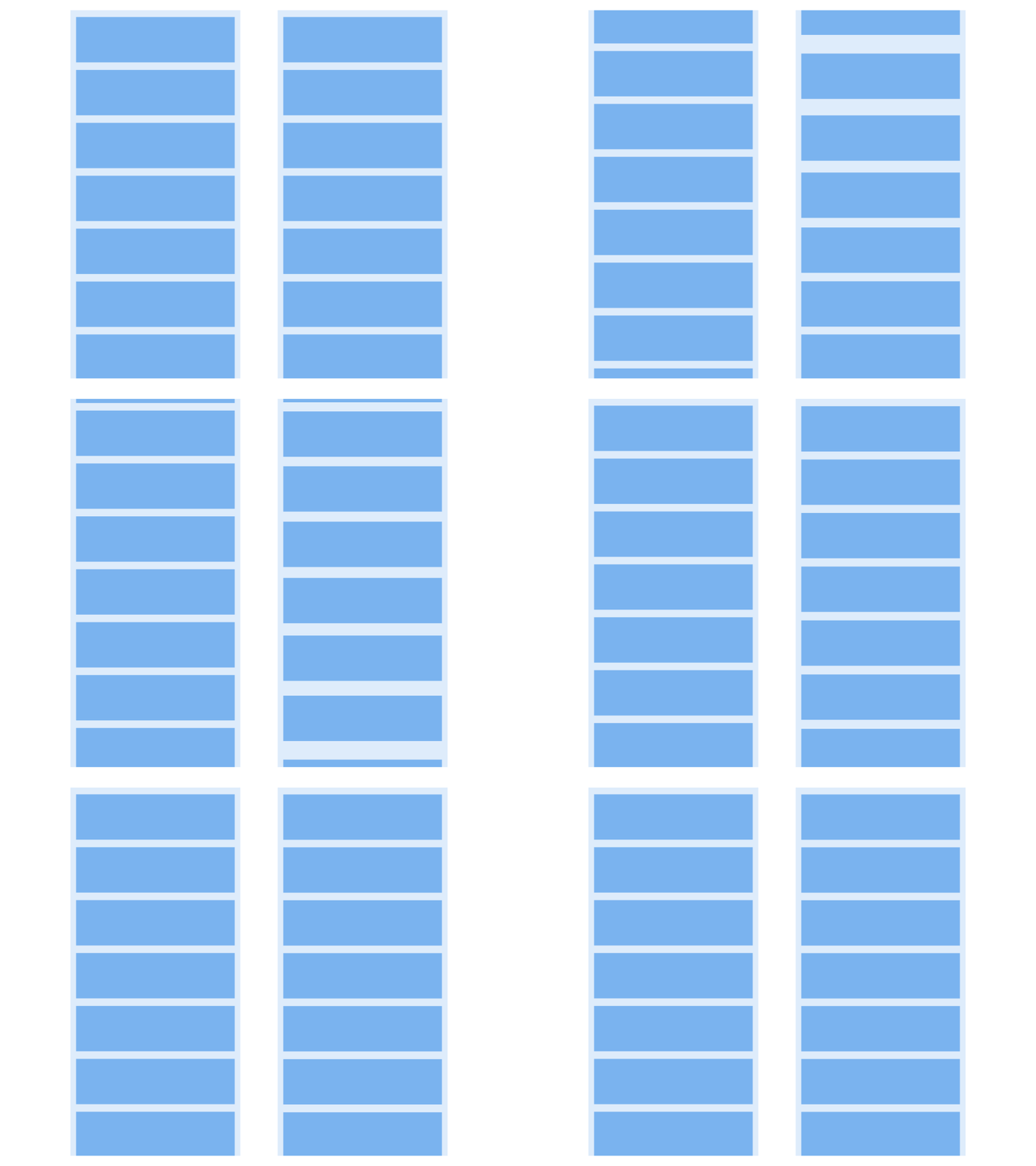
creator自带的左边这样的,但策划想做出右边那样的,有没有好的方法啊
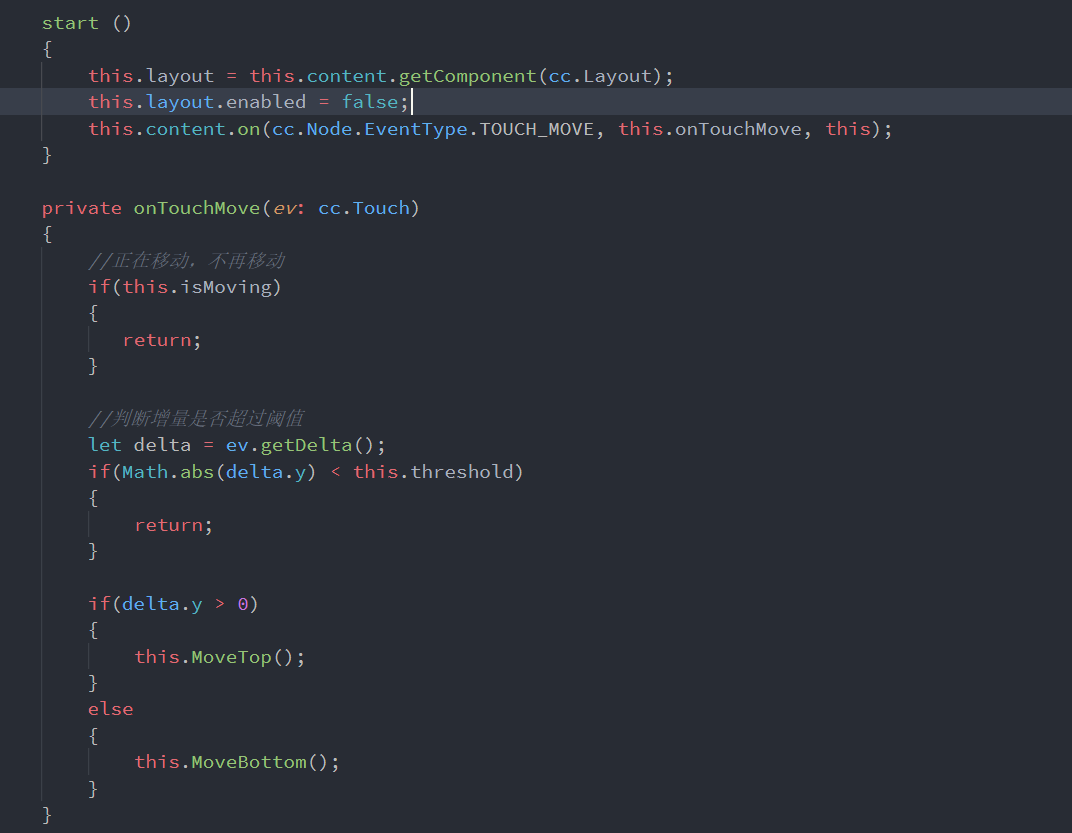
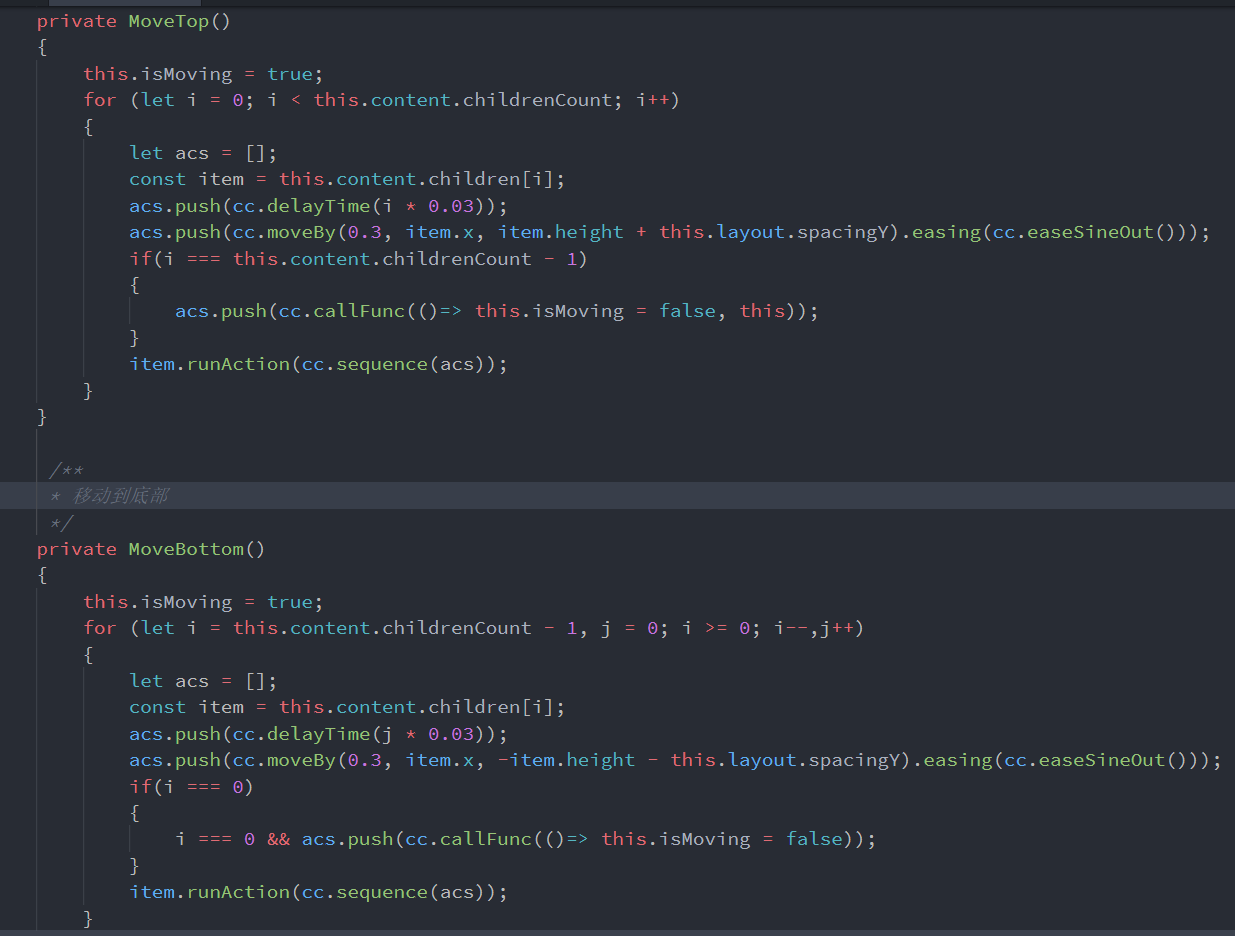
我尝试着将节点提到和scrollview中content同级的位置,通过监听滚动层的scroll-ended事件,手动调用各个节点的runAction方法进行moveto操作,代码如下:
const {ccclass, property} = cc._decorator;

@ccclass
export default class ScrollViewAni extends cc.Component {
    scrollView:cc.ScrollView = null;
    maskChild:cc.Node[] = [];
    onLoad(){
        this.scrollView = this.getComponent(cc.ScrollView);
        this.node.on("scroll-ended",this.onScrollingEnd.bind(this));
    }
    start () {

    }
    startPos = cc.v2(0,0);
    onScrollingEnd(){
        if(this.maskChild.length<1){
            this.maskChild = cc.find("view",this.node).children;
        }
        let offset = this.scrollView.getScrollOffset();
        let index = 0;
        for(let i =0;i<this.maskChild.length;i++){
            if(this.scrollView.horizontal){
                let node:any = this.maskChild[i];
                if(!node.oldX){
                    node.oldX = node.x;
                }
                let posX = node.oldX+offset.x;
                let time;
                if(posX>0){
                    time = 0.1*(this.maskChild.length-index);
                }else{
                    time = 0.1*index;
                }
                node.stopAllActions();
                node.runAction(cc.sequence(cc.delayTime(time),cc.moveTo(0.2,posX,node.y)));
                index++;
            }
        }
        this.startPos = offset;
    }
}
但是效果并不是很好,哪位大佬有好的方法么?