笔记:自由/约束的绳索效果

更多笔记和源码请访问公众号

演示

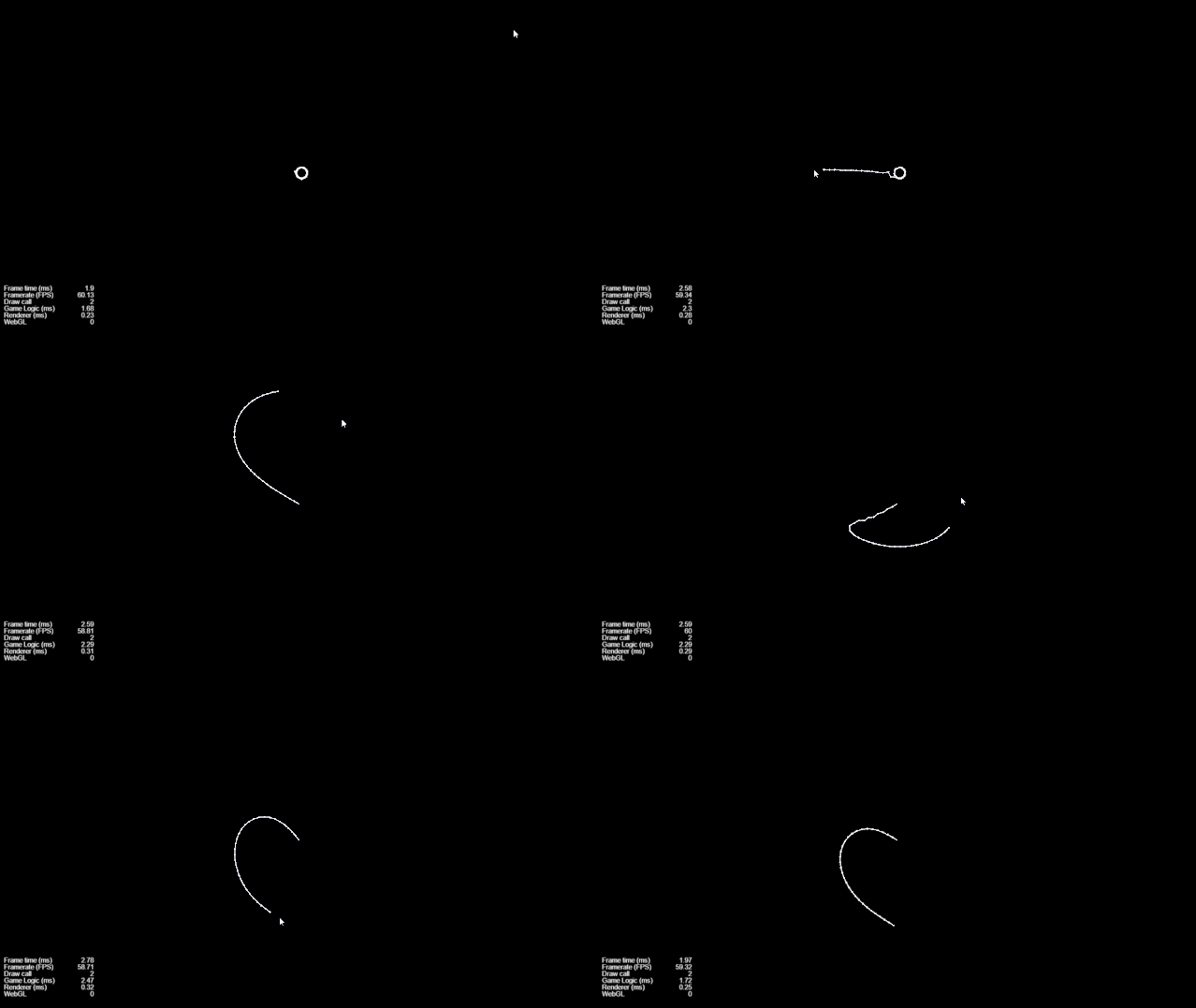
根节点约束:
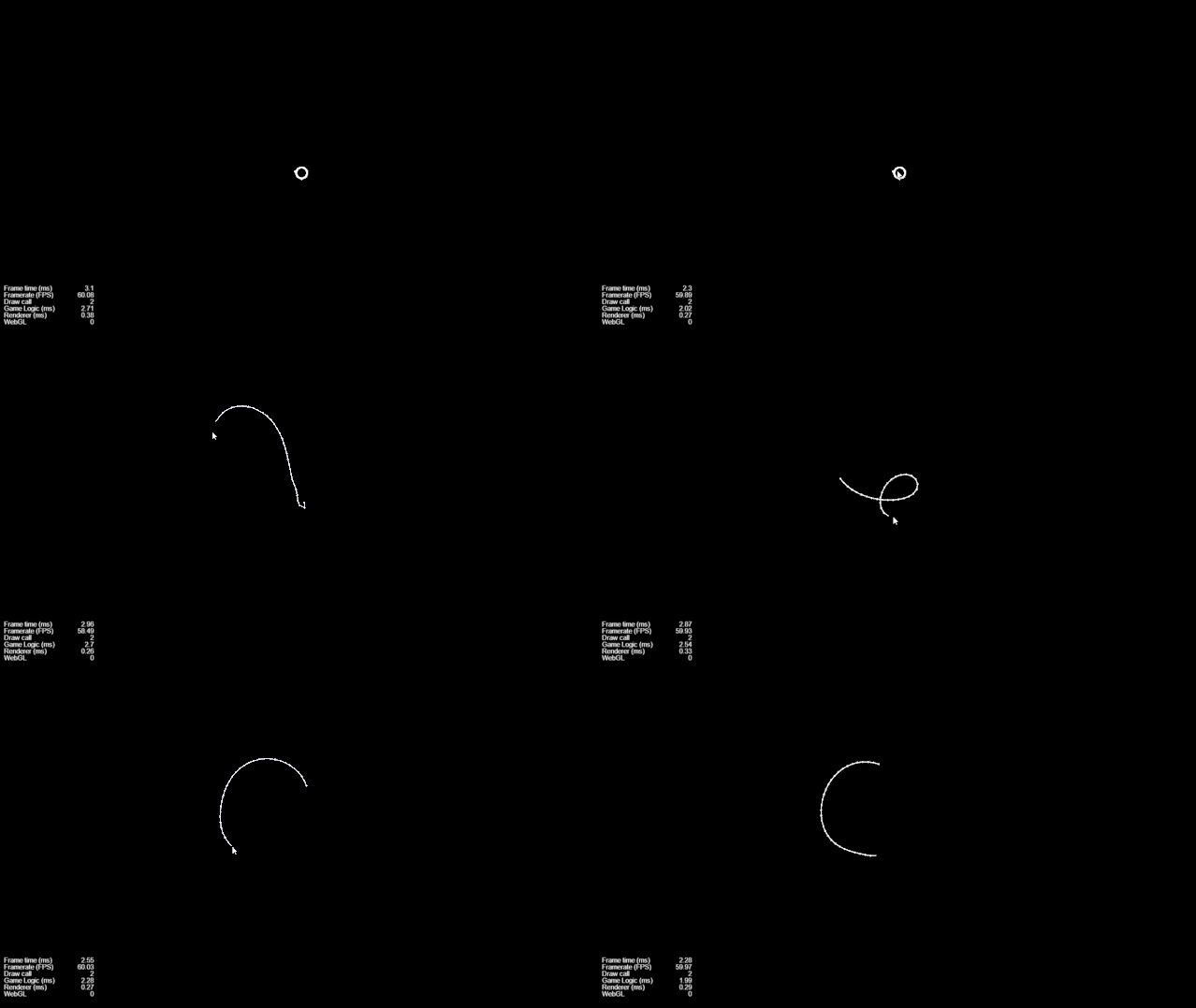
根节点自由:
实现

看到一个unity实现的绳索效果,觉得挺不错,就用咱自己的引擎实现下img

ps:源码需在公众号回复:绳索

unity 反向动力学超精简入门,实现一个绳子效果:

https://blog.csdn.net/a003655/article/details/88563855

**正向动力学:**是指完全遵循父子关系的层级,用父层级带动子层级的运动

**反向动力学:**一种通过先确定子骨骼的位置,然后反求推导出其所在骨骼链上n级父骨骼位置,从而确定整条骨骼链的方法

自由:

触摸点坐标作为子节点,依次算出父节点的坐标(反向)

for (let index = this._arrayRope.length - 1; index >= 0; index--) {
  let script = this._arrayRope[index].getComponent(Rope);
  if (index == this._arrayRope.length - 1) {
    script.calcSelf(this._touchLocation);
  } else {
    let last = this._arrayRope[index + 1].getComponent(Rope);
    script.calcSelf(last.getSelfPoint());
  }
  script.calcTarget();
}

约束:

设定根节点的坐标后,根据之前算出的各节点坐标,依次求出子节点坐标(正向)

this._arrayRope[0].getComponent(Rope).setSelfPoint(cc.Vec2.ZERO);
this._arrayRope[0].getComponent(Rope).calcTarget();

for (let index = 1; index < this._arrayRope.length; index++) {
  let script = this._arrayRope[index].getComponent(Rope);
  let last = this._arrayRope[index - 1].getComponent(Rope);
  script.calcSelf(last.getSelfPoint());
  script.calcTarget();
}

节点:

根据目标节点坐标算出自身节点坐标:

calcSelf(ptTarget: cc.Vec2) {
  let dir = ptTarget.sub(this._ptSelf).normalizeSelf();
  this._angle = Math.atan2(dir.y, dir.x);
  dir = dir.mul(-1 * this._length);
  this._ptSelf = ptTarget.add(dir);

  this.node.position = this._ptSelf;
}

根据自身节点坐标算出目标节点坐标:

calcTarget() {
  let dx = this._length * Math.cos(this._angle);
  let dy = this._length * Math.sin(this._angle);
  this._ptTarget = cc.v2(this._ptSelf.x + dx, this._ptSelf.y + dy);
}

—END—

声明:发布此文是出于传递更多知识以供交流学习之目的。若有来源标注错误或侵犯了您的合法权益,请作者持权属证明与我联系,我将及时更正、删除,谢谢。

作者:请容我安眠

更多笔记和源码请关注:【微信公众号】 CocosCreator笔记
26赞

感谢大佬分享

我这个 笔芯 怎么样:joy:

差评,把另一半也加上

另一半可能需要你们来补了:yum:

mark 插眼以后抄袭

向鸦哥学习 :heart_eyes:

鸦哥yyds

来了来了,来学习学习IK

总整一些没用的专业名词,挺简单的一个逻辑让你说的极其复杂,你太擅长把简单的问题复杂化!我愤怒!这不就是一个后面的节点跟随前面节点的逻辑么!你又在这正向反向的动力学,就不说人话!

import { _decorator, Camera, Component, EventTouch, Graphics, Input, input, Vec2, Vec3 } from 'cc';
const { ccclass, property } = _decorator;

@ccclass('Main')
export class Main extends Component {
    @property({ type: Camera })
    public camera: Camera;
    private rope: Rope;
    private brush: Graphics;

    start() {
        this.createRope();
        this.brush = this.getComponent(Graphics) || this.addComponent(Graphics);
        this.drawRope();
        input.on(Input.EventType.TOUCH_MOVE, this.onTouchMove, this);
    }

    onTouchMove(event: EventTouch) {
        // 将鼠标的屏幕坐标转换为此节点的本地坐标
        const screenpos = event.getLocation();
        const worldpos = this.camera.screenToWorld(new Vec3(screenpos.x, screenpos.y, 0));
        console.log('worldpos', worldpos);
        let localpos = new Vec3();
        this.node.inverseTransformPoint(localpos, worldpos);
        console.log('localpos', localpos);

        // 移动绳子
        this.rope.updateHead(new Vec2(localpos.x, localpos.y), false); // 拽着头部移动, 尾部不固定
        // this.rope.updateHead(new Vec2(localpos.x, localpos.y), true); // 拽着头部移动, 尾部固定
        this.drawRope();
    }

    // 创建绳子
    createRope() {
        const items = [];
        const count = 100;
        const length = 5;
        for (let i = 0; i < count; i++) {
            items.push(new Vec2(i * length, 0));
        }
        this.rope = new Rope(items, length);
    }

    drawRope() {
        this.brush.clear();
        this.brush.strokeColor.fromHEX('#888888');
        this.brush.lineWidth = 2;
        this.brush.moveTo(this.rope.items[0].x, this.rope.items[0].y);
        for (let i = 1; i < this.rope.items.length; i++) {
            this.brush.lineTo(this.rope.items[i].x, this.rope.items[i].y);
        }
        this.brush.stroke();
    }
}

class Rope {
    public items: Vec2[]; // 所有节点的位置
    private length: number; // 节点之间的距离
    private originHead: Vec2; // 头部原始位置,用于固定头部
    private originTail: Vec2; // 尾部原始位置,用于固定尾部

    // items: 节点初始位置 length: 节点之间的距离
    constructor(items: Vec2[], length: number) {
        this.items = items;
        this.length = length;
        this.originHead = items[0];
        this.originTail = items[items.length - 1];
    }

    // 拽着头部移动
    public updateHead(head: Vec2, fixedTail: boolean) {
        this.items[0] = head;
        // debugger;
        for (let i = 1; i < this.items.length; i++) {
            this.items[i] = this.getPosition(this.items[i].clone(), this.items[i - 1].clone());
        }
        if (fixedTail) {
            this.updateTail(this.originTail, false);
        }
    }

    // 拽着尾部移动
    public updateTail(tail: Vec2, fixedHead: boolean) {
        this.items[this.items.length - 1] = tail;
        for (let i = this.items.length - 2; i >= 0; i--) {
            this.items[i] = this.getPosition(this.items[i].clone(), this.items[i + 1].clone());
        }
        if (fixedHead) {
            this.updateHead(this.originHead, false);
        }
    }

    // 计算节点位置 current: 节点当前位置 flow: current跟随的节点的位置
    private getPosition(current: Vec2, flow: Vec2): Vec2 {
        // 初中知识: 两向量相减, 方向指向被减
        return flow.add(current.subtract(flow).normalize().multiplyScalar(this.length));
    }
}

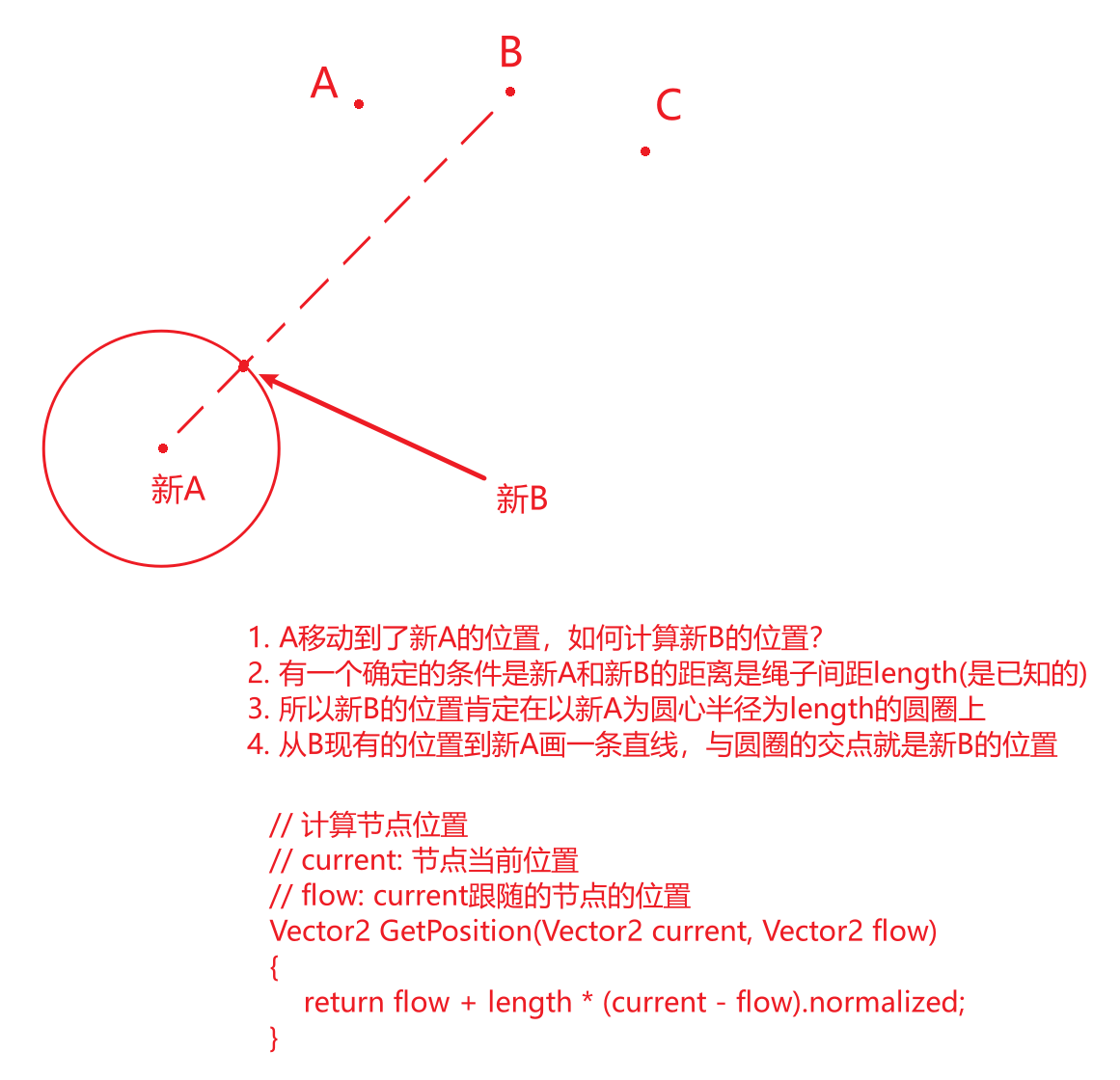
一个绳子由ABC三个点组成,这时候我拖拽A来移动这个绳子,所以A点的位置要实时与鼠标的位置一致。有了A点的位置,我们就能够计算B点的位置,有了B点的位置就能够计算C点的位置。

3赞

ik约束了解一下 搞不懂为啥你要喷楼主

因为我讨厌程序员自以为是,总说一些别人不容易理解的话。如果你的知识或技术别人不理解,不是别人蠢,是你蠢,ok?程序员总拿别人不理解来彰显自己的聪明,其实是弱智!如果一个知识初中生理解不了,你得想办法让初中生理解,而不是让初中生去上高中。别把代码搞复杂,保持简单,有那么难么?

如果我是你,我就会拿出一份更简单的代码来让更多人看懂,然后再回来骂我。到时候我不会跟你道歉,但是我不会跟你顶嘴。

哥们 我觉得你挺抽象的 在明天有其他人点开你个人信息之前我觉得你还是把简介改掉吧 没别的意思 你是不是被朋友恶搞了

我没有被恶搞,我认为你的这种行为比我的简介更加抽象,聊代码就聊代码,你看我简介干什么?你看我简介我不介意,因为我的简介写出来就是让人看的,我疑惑的是你为什么要建议我修改我的简介,我不在意我是任何东西,我只在意代码。我今天是狗,明天是猫,大后天是橘子,大大后天是水,跟代码有任何关系么?这些都是简单的疑问,没有任何抱怨和攻击,希望你按照字面意思来理解。

你肯定没用Spine编辑过人物动作,IK反向动力学是基础,你不知道反而不让别人说是吧

我觉得大佬这图很容易让人理解,,

一元帮庙号征婚,36D,180以上大长腿,照片联系方式先发我过审,审核不过不给钱,事成之后给你1元大红包。

感觉这贴要火,提前占楼。

1赞

你多少k在这叫?