Creator 版本:2.0.10
依官方文档配置代码编辑环境,无法调测
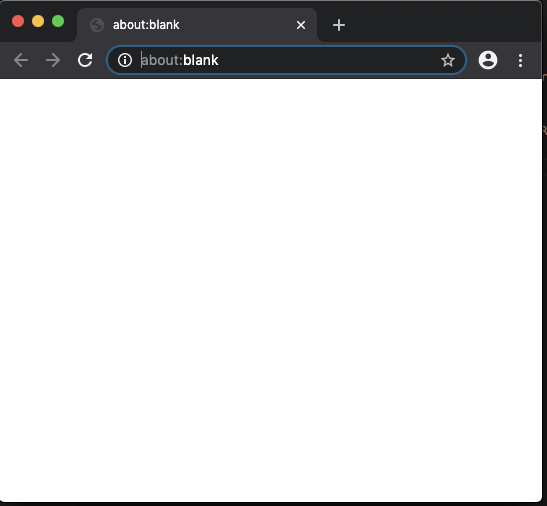
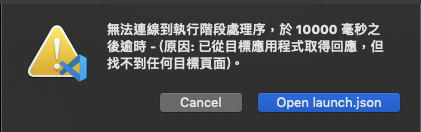
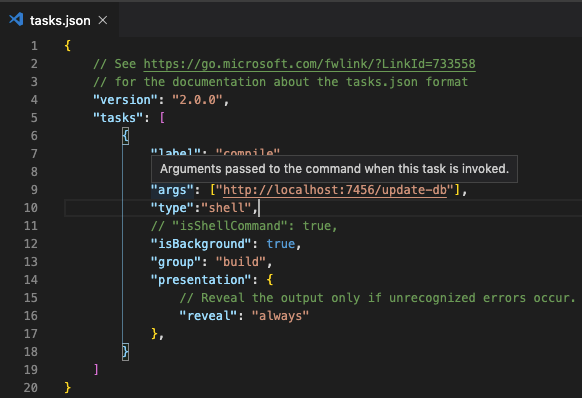
task.json
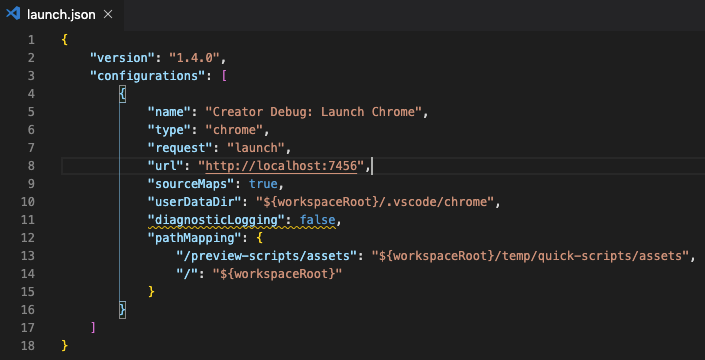
lauch.json
求助请问有人知道原因吗?

已解決
.vscode/
新增 launch.json
{
“version”: “1.4.0”,
“configurations”: [
{
“name”: “Creator Debug: Launch Chrome”,
“type”: “chrome”,
“request”: “launch”,
“url”: “http://localhost:7456”,
“sourceMaps”: true,
“userDataDir”: “${workspaceRoot}/.vscode/chrome”,
“preLaunchTask”: “compile”,
“diagnosticLogging”: false,
“pathMapping”: {
“/preview-scripts/assets”: “${workspaceRoot}/temp/quick-scripts/assets”,
“/”: “${workspaceRoot}”
}
}
]
}
新增 tasks.json
{
// See https://go.microsoft.com/fwlink/?LinkId=733558
// for the documentation about the tasks.json format
“version”: “2.0.0”,
“tasks”: [
{
“label”: “compile”,
“command”: “curl”,
“args”: [
“http://localhost:7456/update-db”
],
“type”: “shell”,
“isBackground”: false,
“group”: {
“kind”: “build”,
“isDefault”: true
},
“presentation”: {
“reveal”: “silent”,
“clear”: true
},
“problemMatcher”: [
“$eslint-compact”
]
}
]
}
如果開了不同的專案,要將前一個專案開啟的 chrome 關閉
该主题在最后一个回复创建后7天后自动关闭。不再允许新的回复。