-
Creator 版本:
-
目标平台:
-
详细报错信息,包含调用堆栈:
-
重现方式:
-
之前哪个版本是正常的 :
-
手机型号 :
-
手机浏览器 :
-
编辑器操作系统 :
-
编辑器之前是否有其它报错 :
-
出现概率:
-
额外线索:

Creator 版本:
目标平台:
详细报错信息,包含调用堆栈:
重现方式:
之前哪个版本是正常的 :
手机型号 :
手机浏览器 :
编辑器操作系统 :
编辑器之前是否有其它报错 :
出现概率:
额外线索:
android : private void fullscreen(boolean enable) {
    if (enable) { //显示状态栏

        WindowManager.LayoutParams lp = getWindow().getAttributes();

        lp.flags |= WindowManager.LayoutParams.FLAG_FULLSCREEN;

        getWindow().setAttributes(lp);

        getWindow().addFlags(WindowManager.LayoutParams.FLAG_LAYOUT_NO_LIMITS);

    } else { //隐藏状态栏

        WindowManager.LayoutParams lp = getWindow().getAttributes();

        lp.flags &= (~WindowManager.LayoutParams.FLAG_FULLSCREEN);

        getWindow().setAttributes(lp);

        getWindow().clearFlags(WindowManager.LayoutParams.FLAG_LAYOUT_NO_LIMITS);

    }

}
ios : 在 Appdelegate的didFinishLaunchingWithOptions里面添加如下代码[[UIApplicationsharedApplication] setStatusBarHidden:YES];
并没有效果哦
两个平台都没效果吗?
安卓反正没效果
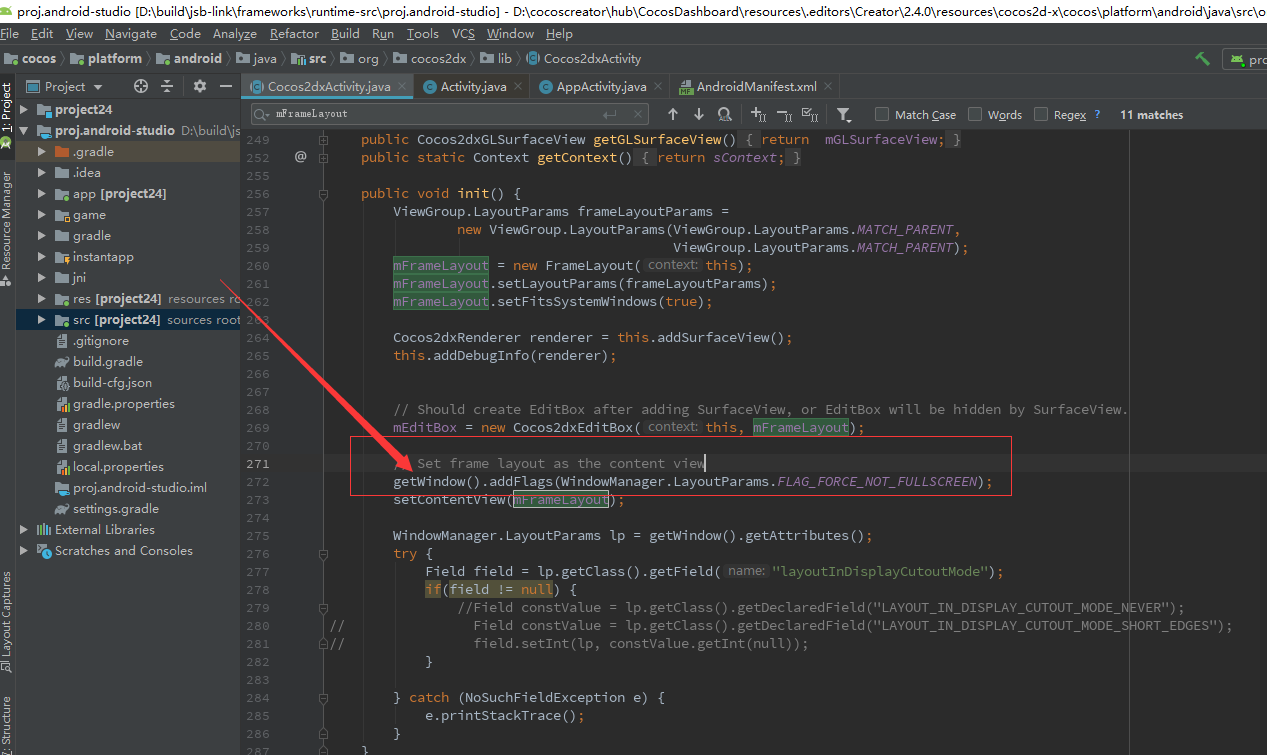
cocos2dxActivity 的setContentView 之前用
还是不行哦
我自己就可以,不知道你为什么不行。
底部是调用了原生的吗?还是说自己写的
原生的啊啊
android:configChanges=“orientation|keyboardHidden|screenSize”
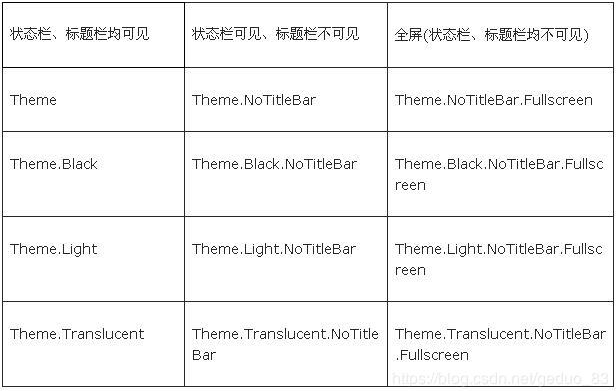
android:theme="@android:style/Theme.NoTitleBar.Fullscreen"
activity 的配置对了吗
我就是这么设置的啊 这样应该是都不显示
哦原来你是要显示,看半天以为你不想显示
那这个theme设置成
android:theme="@android:style/Theme"
应该就行了
我也找到这个了 但是下不下来 你成功了吗
你成功了吗
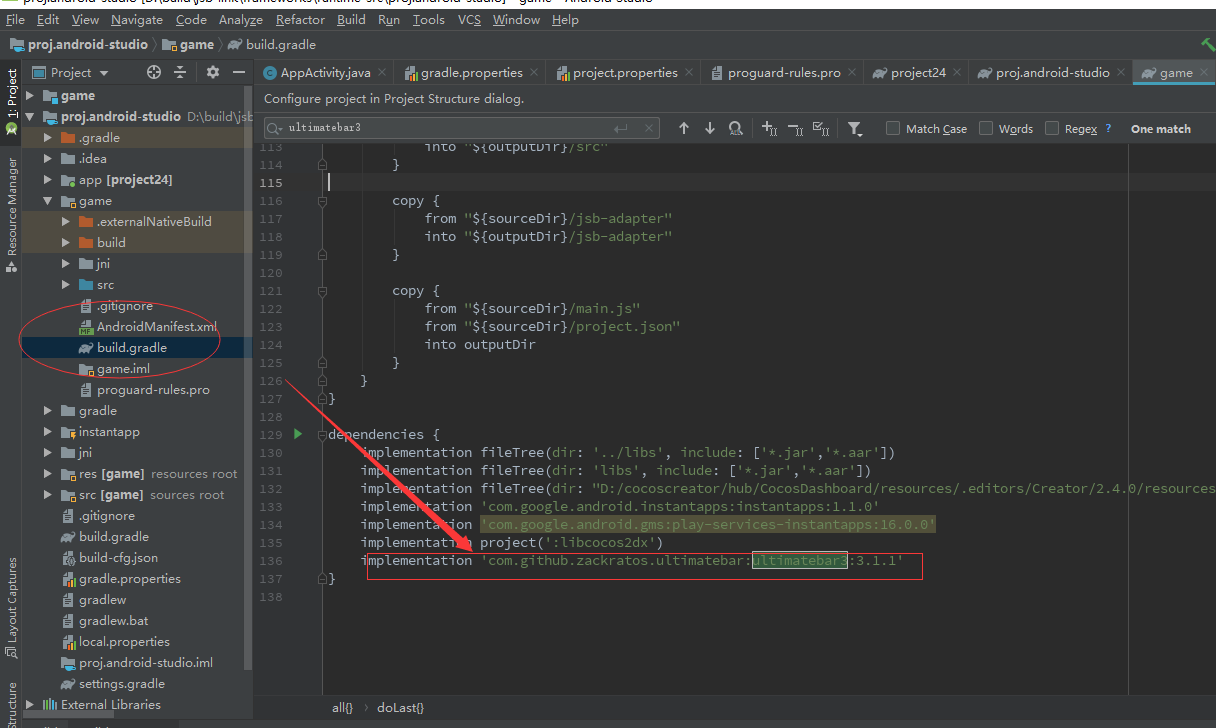
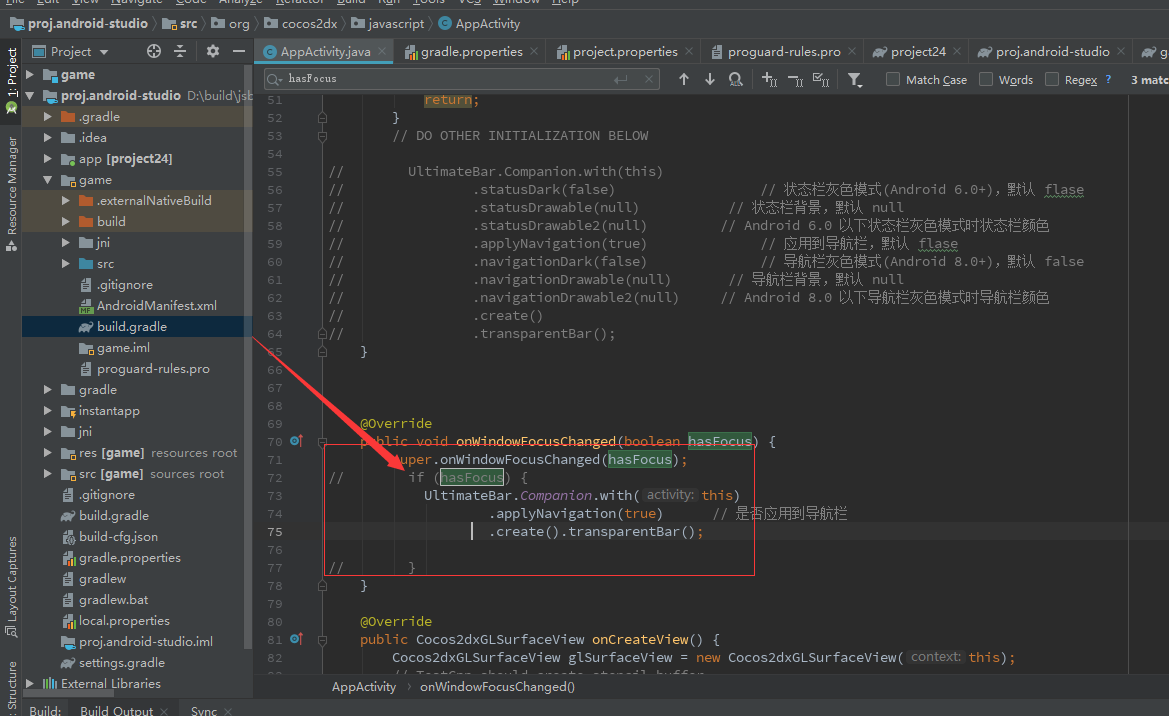
嗯,亲测有效,你的地址是错的,你看我的地址 implementation ‘com.github.zackratos.ultimatebar:ultimatebar3:3.1.1’
Could not resolve all files for configuration ‘:MergeTemplate:releaseCompileClasspath’.
Could not download kotlin-stdlib.jar (org.jetbrains.kotlin:kotlin-stdlib:1.2.60)
Could not get resource ‘https://jcenter.bintray.com/org/jetbrains/kotlin/kotlin-stdlib/1.2.60/kotlin-stdlib-1.2.60.jar’.
Could not GET ‘https://jcenter.bintray.com/org/jetbrains/kotlin/kotlin-stdlib/1.2.60/kotlin-stdlib-1.2.60.jar’.
d29vzk4ow07wi7.cloudfront.net
我那个方法试了吗