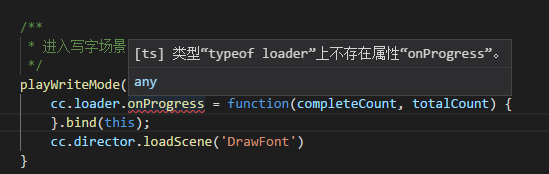
这个是preloadScene源码:
    /**
     * !#en
     * Preloads the scene to reduces loading time. You can call this method at any time you want.
     * After calling this method, you still need to launch the scene by `cc.director.loadScene`.
     * It will be totally fine to call `cc.director.loadScene` at any time even if the preloading is not
     * yet finished, the scene will be launched after loaded automatically.
     * !#zh 预加载场景,你可以在任何时候调用这个方法。
     * 调用完后,你仍然需要通过 `cc.director.loadScene` 来启动场景,因为这个方法不会执行场景加载操作。
     * 就算预加载还没完成,你也可以直接调用 `cc.director.loadScene`,加载完成后场景就会启动。
     *
     * @method preloadScene
     * @param {String} sceneName - The name of the scene to preload.
     * @param {Function} [onLoaded] - callback, will be called after scene loaded.
     * @param {Error} onLoaded.error - null or the error object.
     */
    preloadScene: function (sceneName, onLoaded) {
        var info = this._getSceneUuid(sceneName);
        if (info) {
            this.emit(cc.Director.EVENT_BEFORE_SCENE_LOADING, sceneName);
            cc.loader.load({ uuid: info.uuid, type: 'uuid' }, function (error, asset) {
                if (error) {
                    cc.errorID(1210, sceneName, error.message);
                }
                if (onLoaded) {
                    onLoaded(error, asset);
                }
            });
        }
        else {
            var error = 'Can not preload the scene "' + sceneName + '" because it is not in the build settings.';
            onLoaded(new Error(error));
            cc.error('preloadScene: ' + error);
        }
实测下面这个方式,可以准确获取场景加载进度的.
        var info = cc.director._getSceneUuid(this.sceneName);
        var self = this;
        if (info) {
            cc.loader.load({ uuid: info.uuid, type: 'uuid' }, (completedCount, totalCount, item) => {
                cc.log("已完成Items:" + completedCount);
                cc.log("全部Items:" + totalCount);
                cc.log("当前Item:" + item.url);
                self._loadingNextStep = parseInt(completedCount / totalCount * 100);
                cc.log("加载进度:" + self._loadingNextStep);
            }, (error, asset) => {
                if (error) {
                    cc.errorID(1210, this.sceneName, error.message);
                } else {
                    cc.log("加载完成");
                }
            });
        }