
最近在学习cocos2dx lua编程,开发环境是cocos2dx 3.17.2+sublime 3,开发环境搭建都没问题,hello world 项目可以正常运行,自己学习新建一个hello world 提示LUA ERROR] load “.\app/views/CLogonLayer.lua”, error: syntax error during pre-compilation.我查了很多遍觉得没有问题,网络搜索了一天没找到解决方案,麻烦大侠帮忙看看。
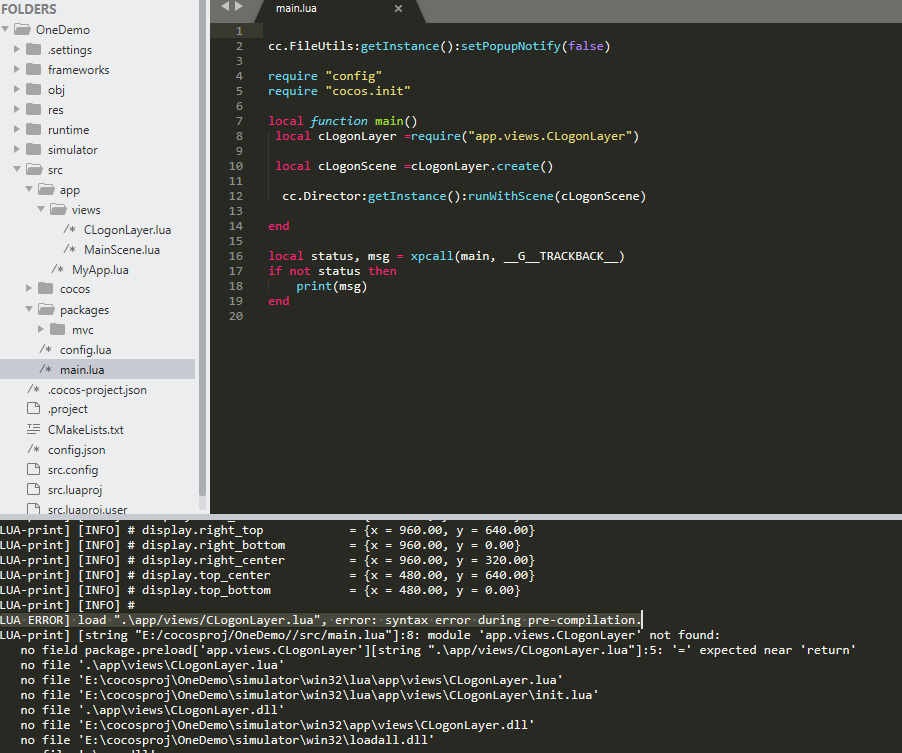
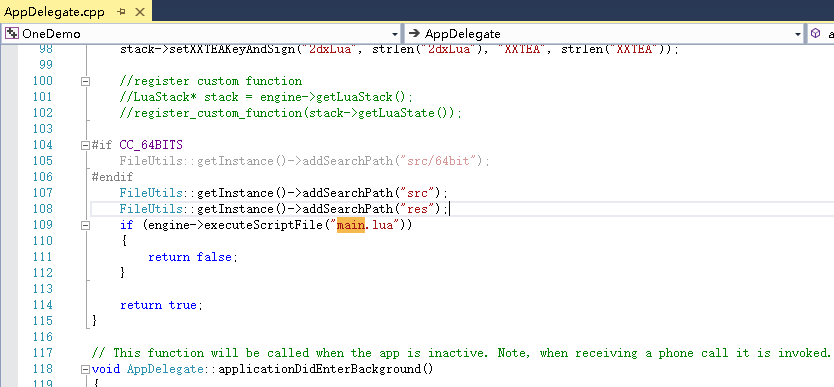
这提示是CLogonLayer.lua文件里边有语法错误吧
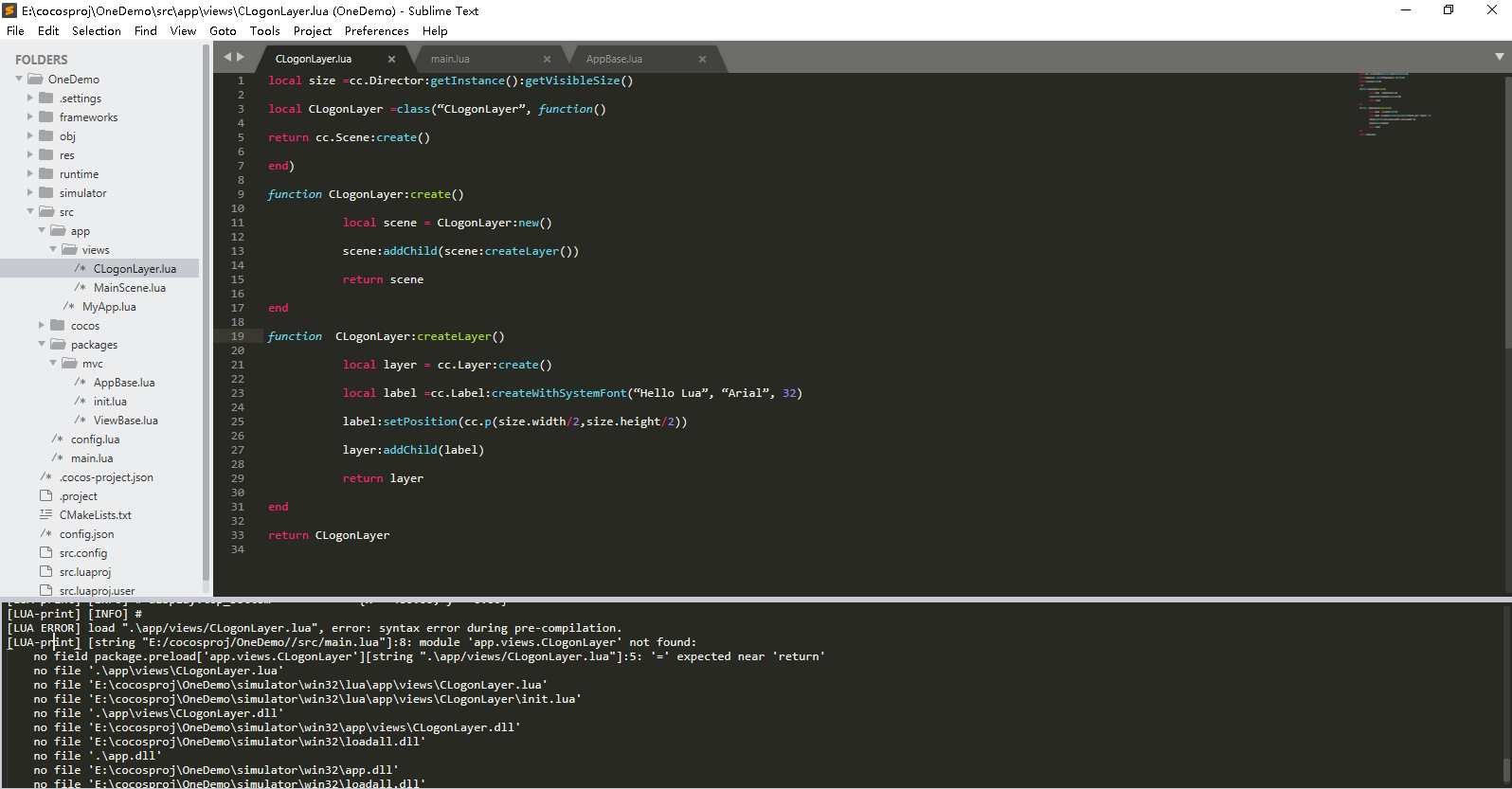
第五行在end附近少了个等号
谢谢了,我重新敲了一遍代码,出现了[LUA-print] USE " cc.exports.createLayer = value " INSTEAD OF SET GLOBAL VARIABLE
要崩溃了,一个hello world 学的太艰难了
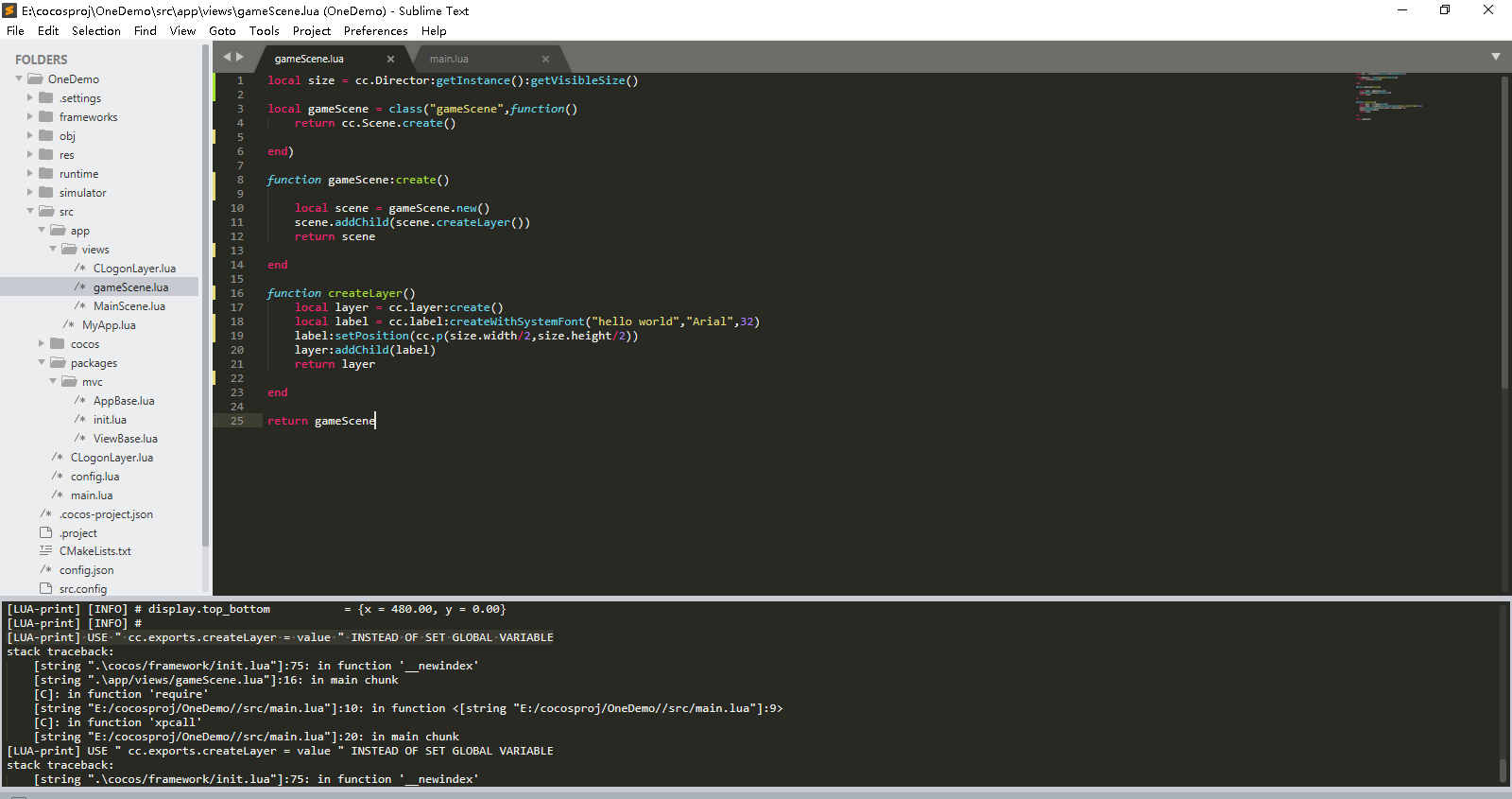
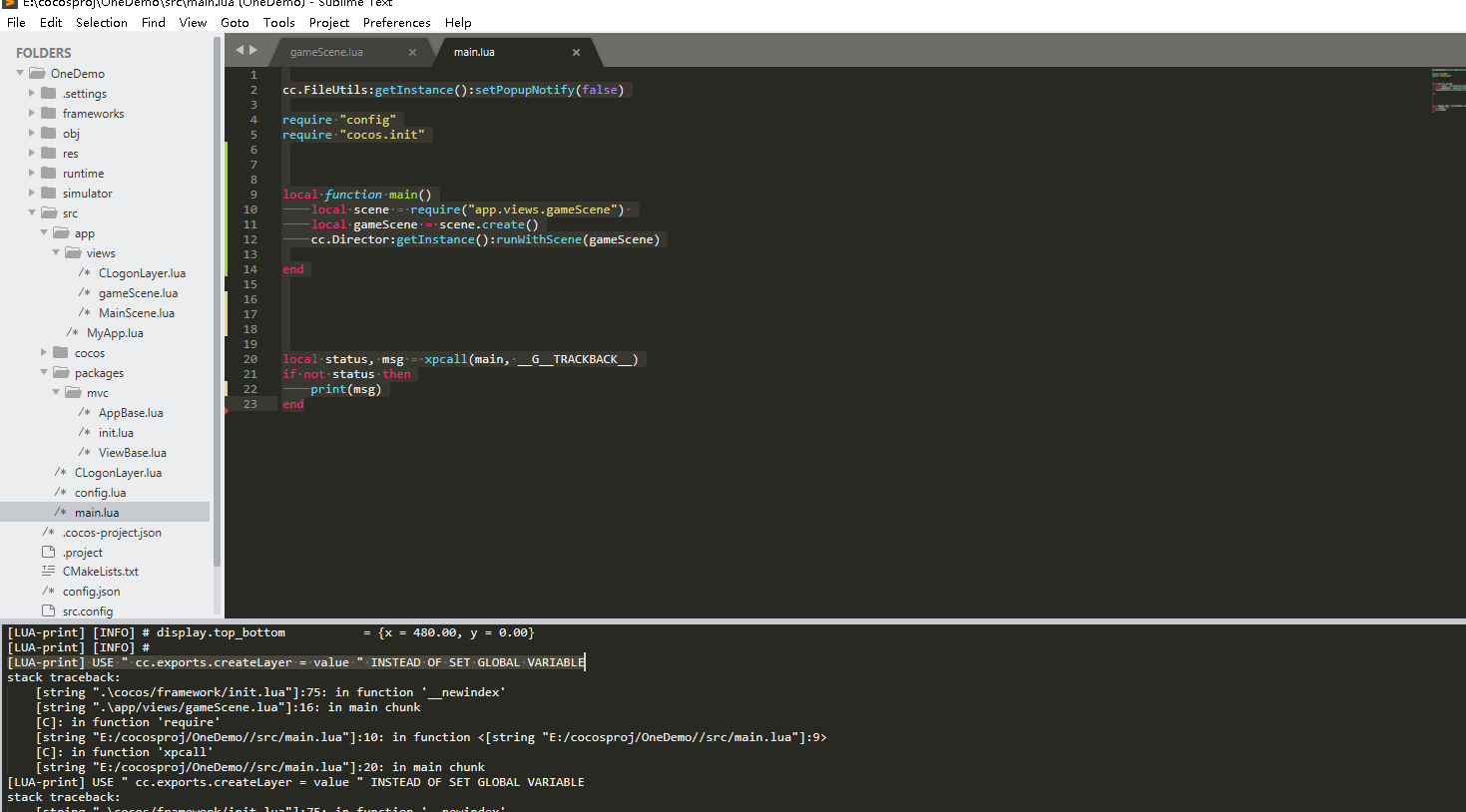
哪位大哥帮忙看看,编译不过去自己写抄写的hello world,信心严重受损,这个代码我是抄写,意思我感觉理解了,到底哪里出错了
Hello Lua和Arial的引号用了中文的引号“”,应该用英文的引号""。以上是我猜的
谢谢回复,我查了一下是英文的引号,没有问题hello world.rar (1.1 KB)
local size = cc.Director:getInstance():getVisibleSize()
local gameScene = class(“gameScene”,function()
return cc.Scene.create()
end)
function gameScene:create()
local scene = gameScene.new()
scene.addChild(scene.createLayer())
return scene
end
function createLayer()
local layer = cc.layer:create()
local label = cc.label:createWithSystemFont(“hello world”,“Arial”,32)
label:setPosition(cc.p(size.width/2,size.height/2))
layer:addChild(label)
return layer
end
return gameScene
cc.FileUtils:getInstance():setPopupNotify(false)
require “config”
require “cocos.init”
local function main()
local scene = require(“app.views.gameScene”)
local gameScene = scene.create()
cc.Director:getInstance():runWithScene(gameScene)
end
local status, msg = xpcall(main, G__TRACKBACK)
if not status then
print(msg)
end
报错信息
[LUA-print] [INFO] # display.c_top = 320.00
[LUA-print] [INFO] # display.c_bottom = -320.00
[LUA-print] [INFO] # display.center = {x = 480.00, y = 320.00}
[LUA-print] [INFO] # display.left_top = {x = 0.00, y = 640.00}
[LUA-print] [INFO] # display.left_bottom = {x = 0.00, y = 0.00}
[LUA-print] [INFO] # display.left_center = {x = 0.00, y = 320.00}
[LUA-print] [INFO] # display.right_top = {x = 960.00, y = 640.00}
[LUA-print] [INFO] # display.right_bottom = {x = 960.00, y = 0.00}
[LUA-print] [INFO] # display.right_center = {x = 960.00, y = 320.00}
[LUA-print] [INFO] # display.top_center = {x = 480.00, y = 640.00}
[LUA-print] [INFO] # display.top_bottom = {x = 480.00, y = 0.00}
[LUA-print] [INFO] #
[LUA-print] USE " cc.exports.createLayer = value " INSTEAD OF SET GLOBAL VARIABLE
stack traceback:
[string “.\cocos/framework/init.lua”]:75: in function ‘__newindex’
[string “.\app/views/gameScene.lua”]:16: in main chunk
[C]: in function ‘require’
[string “E:/cocosproj/OneDemo//src/main.lua”] in function <[string “E:/cocosproj/OneDemo//src/main.lua”]:11>
[C]: in function ‘xpcall’
[string “E:/cocosproj/OneDemo//src/main.lua”]:22: in main chunk
[LUA-print] USE " cc.exports.createLayer = value " INSTEAD OF SET GLOBAL VARIABLE
stack traceback:
[string “.\cocos/framework/init.lua”]:75: in function ‘__newindex’
[string “.\app/views/gameScene.lua”]:16: in main chunk
[C]: in function ‘require’
[string “E:/cocosproj/OneDemo//src/main.lua”] in function <[string “E:/cocosproj/OneDemo//src/main.lua”]:11>
[C]: in function ‘xpcall’
[string “E:/cocosproj/OneDemo//src/main.lua”]:22: in main chunk
两个lua文件,一个简单的创建场景,一个main,hello world这也太…,local status, msg = xpcall(main, G__TRACKBACK)楼上代码复制不知为何缺少了__,原始代码没问题我查过了,哪位高人帮忙看一下什么原因,整了两天了没找出问题
禁用了全局变量吧
谢谢回复,禁用了也没一样 ,又弄了大半天,还是没得希望
是禁用了全局变量,而你使用了全局变量。可以用 cc.exports. 声明全局变量 或者config.lua 把全局变量打开
function createLayer() 这个函数名改为function gameScene.createLayer()
config.lua禁用全局变量,CC_DISABLE_GLOBAL = flase,然后提示的更是未知的错误这个错误我在百度搜索不到
[LUA-print] [string “.\cocos/cocos2d/functions.lua”]:233: error in function ‘lua_cocos2dx_Scene_create’.
argument #1 is ‘[no object]’; ‘cc.Scene’ expected.
stack traceback:
[string “.\cocos/cocos2d/functions.lua”]:233: in function ‘new’
[string “.\app/views/gameScene.lua”] in function ‘create’
[string “E:/cocosproj/OneDemo//src/main.lua”] in function <[string “E:/cocosproj/OneDemo//src/main.lua”]:11>
[C]: in function ‘xpcall’
[string “E:/cocosproj/OneDemo//src/main.lua”]:22: in main chunk
[LUA-print] [string “.\cocos/cocos2d/functions.lua”]:233: error in function ‘lua_cocos2dx_Scene_create’.
argument #1 is ‘[no object]’; ‘cc.Scene’ expected.
stack traceback:
[string “.\cocos/cocos2d/functions.lua”]:233: in function ‘new’
[string “.\app/views/gameScene.lua”] in function ‘create’
[string “E:/cocosproj/OneDemo//src/main.lua”] in function <[string “E:/cocosproj/OneDemo//src/main.lua”]:11>
[C]: in function ‘xpcall’
[string “E:/cocosproj/OneDemo//src/main.lua”]:22: in main chunk
改了之后提示
LUA-print] [string “.\cocos/cocos2d/functions.lua”]:233: error in function ‘lua_cocos2dx_Scene_create’.
argument #1 is ‘[no object]’; ‘cc.Scene’ expected.
stack traceback:
[string “.\cocos/cocos2d/functions.lua”]:233: in function ‘new’
[string “.\app/views/gameScene.lua”] in function ‘create’
[string “E:/cocosproj/OneDemo//src/main.lua”] in function <[string “E:/cocosproj/OneDemo//src/main.lua”]:11>
[C]: in function ‘xpcall’
[string “E:/cocosproj/OneDemo//src/main.lua”]:22: in main chunk
[LUA-print] [string “.\cocos/cocos2d/functions.lua”]:233: error in function ‘lua_cocos2dx_Scene_create’.
argument #1 is ‘[no object]’; ‘cc.Scene’ expected.
stack traceback:
[string “.\cocos/cocos2d/functions.lua”]:233: in function ‘new’
[string “.\app/views/gameScene.lua”] in function ‘create’
[string “E:/cocosproj/OneDemo//src/main.lua”] in function <[string “E:/cocosproj/OneDemo//src/main.lua”]:11>
[C]: in function ‘xpcall’
[string “E:/cocosproj/OneDemo//src/main.lua”]:22: in main chunk
[Finished in 2.7s]
这个错误
一个hello world 之路也太复杂了,学习曲线也太。。。。。。,我都调试了一周都没解决,大老帮忙看一下
调用方法一般用 :号 . 和冒号是由区别的,:号默认带 self 的,你试一下
我定义方法一般都是 function className:func() end 然后调用用冒号
lua语法简单,但是cocos要有人带,不然自己摸索 是要花更多时间学习的 加油吧