CCEffect %{
  techniques:
  - name: opaque
    passes:
    - vert: unlit-vs:vert
      frag: unlit-fs:frag
      properties: &props
        Wind: { value: [1, 1, 0, 0] }
        WindEdgeFlutter: { value: [0.5, 0.5] }
        mainTexture:  { value: grey         }
        alphaTexture:  { value: grey         }
  - name: transparent
    passes:
    - vert: unlit-vs:vert
      frag: unlit-fs:frag
      rasterizerState: &r1 { cullMode: none }
      depthStencilState: &d1 { depthTest: true, depthWrite: false }
      blendState:
        targets:
        - blend: true
          blendSrc: src_alpha
          blendDst: one_minus_src_alpha
          blendSrcAlpha: src_alpha
          blendDstAlpha: one_minus_src_alpha
      properties: *props
}%

CCProgram unlit-vs %{
  precision mediump float;
  #include <cc-global>
  #include <cc-local-batch>
  #include <input>

  in vec4 a_color;
  out vec4 v_color;

  in vec3 a_normal;

  in vec2 a_texCoord;
  out vec2 v_uv;
  uniform TexCoords {
    vec4 Wind;
    vec2 WindEdgeFlutter;
  };

  vec4 SmoothTriangleWave(vec4 x) {
    vec4 curve = abs(fract(x + 0.5) * 2.0 - 1.0);
    return curve * curve * (3.0 - 2.0 * curve);
  }

  vec4 AnimateVertex2(vec4 pos, vec3 normal, vec4 animParams, vec4 wind, vec2 time, mat4 matWorldIT) {
    float fDetailAmp = 0.3;
    float fBranchAmp = 0.9;

    float fObjPhase = dot((matWorldIT[2].xyz), vec3(1,1,1));
    float fBranchPhase = fObjPhase + animParams.x;

    float fVtxPhaseTV = animParams.y + fBranchPhase;
    float fVtxPhase = dot(normalize(pos.xyz), vec3(fVtxPhaseTV, fVtxPhaseTV, fVtxPhaseTV));

    vec2 vWavesIn = time + vec2(fVtxPhase, fBranchPhase);

    vec4 vWaves = (fract( vWavesIn.xxyy * vec4(1.975, 0.793, 0.375, 0.193) ) * 2.0 - 1.0);

    vWaves = SmoothTriangleWave(vWaves);
    vec2 vWavesSum = vWaves.xz + vWaves.yw;

    vec3 bend = animParams.y * fDetailAmp * normal.xyz;
    bend.y = animParams.w * fBranchAmp;
    pos.xyz += ((vWavesSum.xyx * bend) + (wind.xyz * vWavesSum.y * animParams.w)) * wind.w;

    pos.xyz += animParams.z * wind.xyz;

    return pos;
  }

  highp vec4 vert () {
    vec4 position;
    CCVertInput(position);

    highp mat4 matWorld;
    highp mat4 matWorldIT;
    CCGetWorldMatrixFull(matWorld, matWorldIT);

    //mat4 pre_pos = cc_matProj * (cc_matView * matWorld);
    highp vec4 pos = position;

    vec4 wind;
    float bendingFact = a_color.a;
    wind = matWorldIT * Wind;
    wind.w = Wind.w * bendingFact / 3.;

    vec4 windParams = vec4(0, WindEdgeFlutter.x, bendingFact, bendingFact);
    vec2 windTime = cc_time.x * vec2(WindEdgeFlutter.y, 3.);
    vec4 mdlPos = AnimateVertex2(pos, a_normal, windParams, wind, windTime, matWorld);

    v_uv = a_texCoord;
    #if FLIP_UV
      v_uv.y = 1.0 - v_uv.y;
    #endif

    v_color = a_color;

    return cc_matProj * cc_matView * matWorld * mdlPos;
  }
}%

CCProgram unlit-fs %{
  precision mediump float;
  #include <output>

  in vec2 v_uv;
  uniform sampler2D mainTexture;
  uniform sampler2D alphaTexture;

  in vec4 v_color;

  vec4 frag () {
    vec4 o = texture(mainTexture, v_uv);
    o *= v_color;
    o.a = texture(alphaTexture, v_uv).b;

    return CCFragOutput(o);
  }
}%
飘旗.zip (333.8 KB)
参数设置
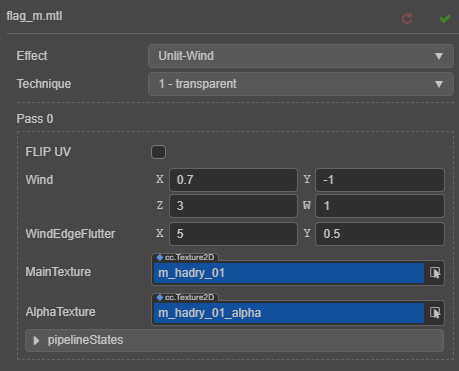
旗帜的参数
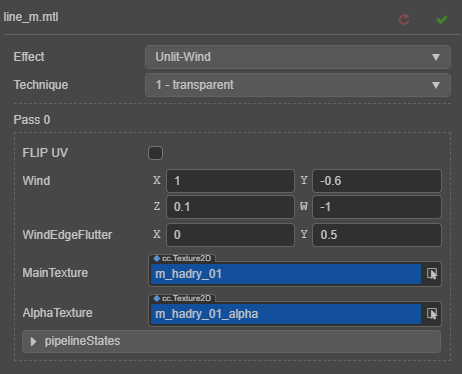
绳索的参数
使用办法:
- 在项目资源里创建一个Effect文件,然后把上面的的shader代码全放进去
- 再创建一个Material文件,然后选中Material文件,在右边属性栏处,Effect选择第1步创建的Effect
- 再把贴图拉进MainTexture里面。其它参数可以自行修改试试,会出现不同的效果。
- 最后再把这个材质拉到你的对象材质上。
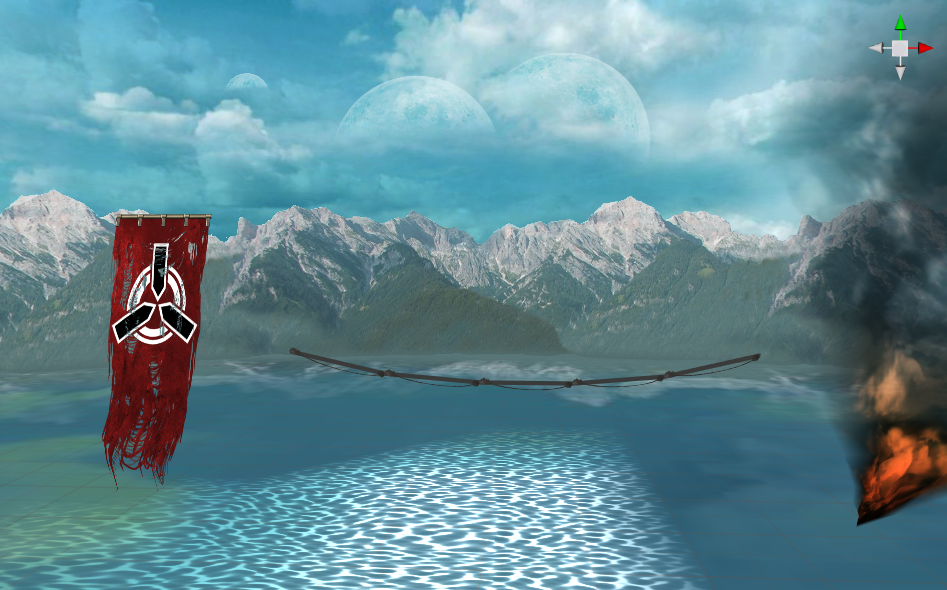
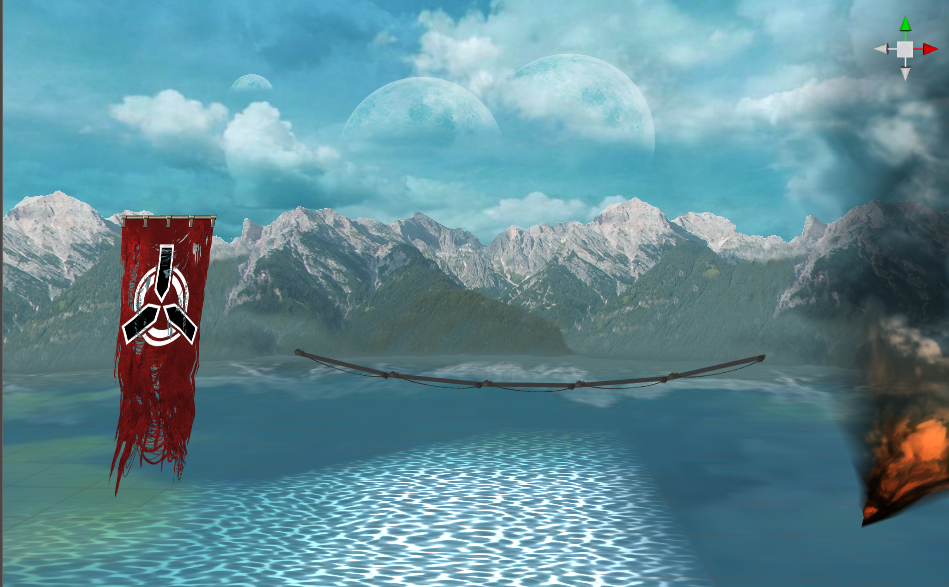
这个是个用shader代替模型动画或粒子动画的效果,简单而且直接地节省渲染资源的浪费。