
由于cocos 3D的shader资料真的很少,尤其是对于初学shader的人来说.
在磕磕绊绊的学习之后还是把他弄出来了,也是用的自带的shader改的.
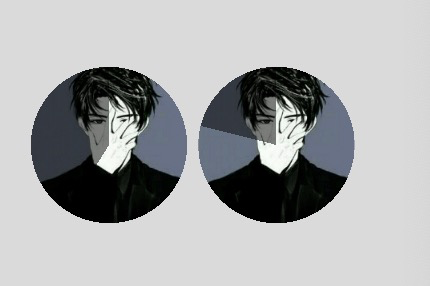
将任意图片裁剪为圆型,并可以通过uniform动态修改倒计时的转动进度.只要圆角效果把进度改为0就行了.
CCEffect %{
techniques:
- passes:
- vert: sprite-vs:vert
frag: sprite-fs:frag
depthStencilState:
depthTest: false
depthWrite: false
blendState:
targets:- blend: true
blendSrc: src_alpha
blendDst: one_minus_src_alpha
blendDstAlpha: one_minus_src_alpha
rasterizerState:
cullMode: none
properties: &props
precent: {value: 0, editor: { type: number } }
}%
- blend: true
- vert: sprite-vs:vert
CCProgram sprite-vs %{
precision highp float;
#include
#if USE_LOCAL
#include
#endif
in vec3 a_position;
in vec2 a_texCoord;
in vec4 a_color;
out vec4 color;
out vec2 uv0;
vec4 vert () {
vec4 pos = vec4(a_position, 1);
#if USE_LOCAL
  pos = cc_matWorld * pos;
#endif

#if USE_PIXEL_ALIGNMENT
  pos = cc_matView * pos;
  pos.xyz = floor(pos.xyz);
  pos = cc_matProj * pos;
#else
  pos = cc_matViewProj * pos;
#endif

uv0 = a_texCoord;

color = a_color;

return pos;
}
}%
CCProgram sprite-fs %{
precision highp float;
#include
#include
in vec4 color;
#if USE_TEXTURE
in vec2 uv0;
#pragma builtin(local)
layout(set = 2, binding = 10) uniform sampler2D cc_spriteTexture;
#endif
uniform Constant {
float precent;
};
vec4 frag () {
vec4 o = vec4(1, 1, 1, 1);
vec4 h = vec4(.0, .0, .0, 1);
float pi = 3.14159;
#if USE_TEXTURE
  o *= CCSampleTexture(cc_spriteTexture, uv0);
  #if IS_GRAY
    float gray  = 0.2126 * o.r + 0.7152 * o.g + 0.0722 * o.b;
    o.r = o.g = o.b = gray;
  #endif
#endif
vec2 center = vec2(1. / 2.0, 1. / 2.0);
float radius = 1./2.0;
float dy = uv0.y - center.y;
float dx = uv0.x - center.x;
float dis = sqrt(pow(uv0.x - center.x, 2.) + pow(uv0.y - center.y, 2.));
if(dis > radius) {
  o.a = .0;
}

float tan0 = atan(dy, dx);
float ang =(tan0 + pi*.5)/pi * 180.;
o *= color;

float te = mod(precent, 100.) * 3.6;
if(mod(ang, 360.) > te && mod(ang, 360.) < 360.) {
  o.xyz = mix(o.xyz, h.xyz, .5);
}

return o;
}
}%