Webassembly 隐藏代码实现
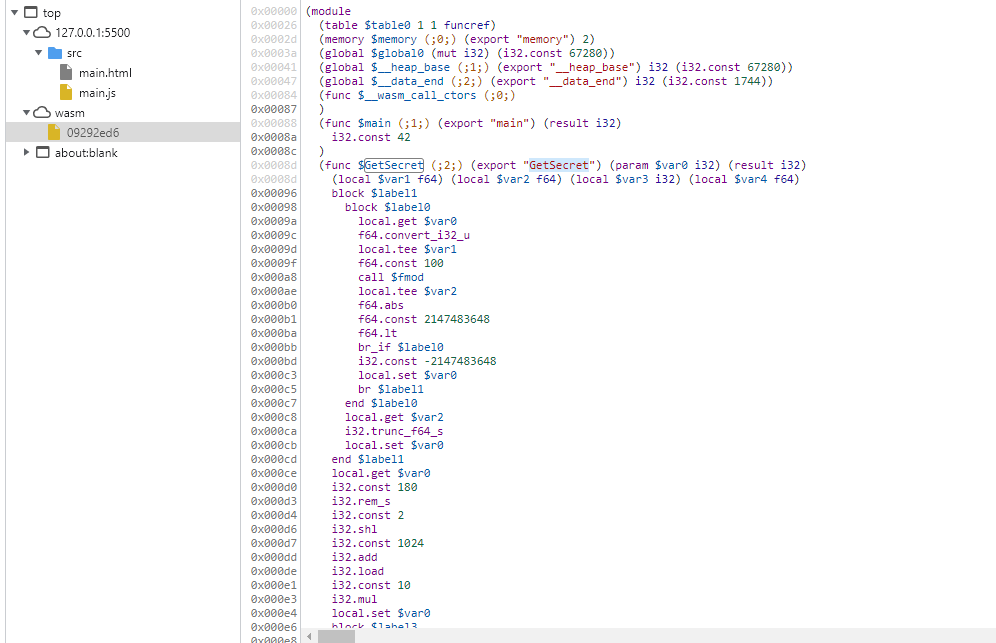
如您所见 在前端呈现的是汇编代码 其反编译难度不亚于重新写一个您的项目 可以有效的防止被扒代码
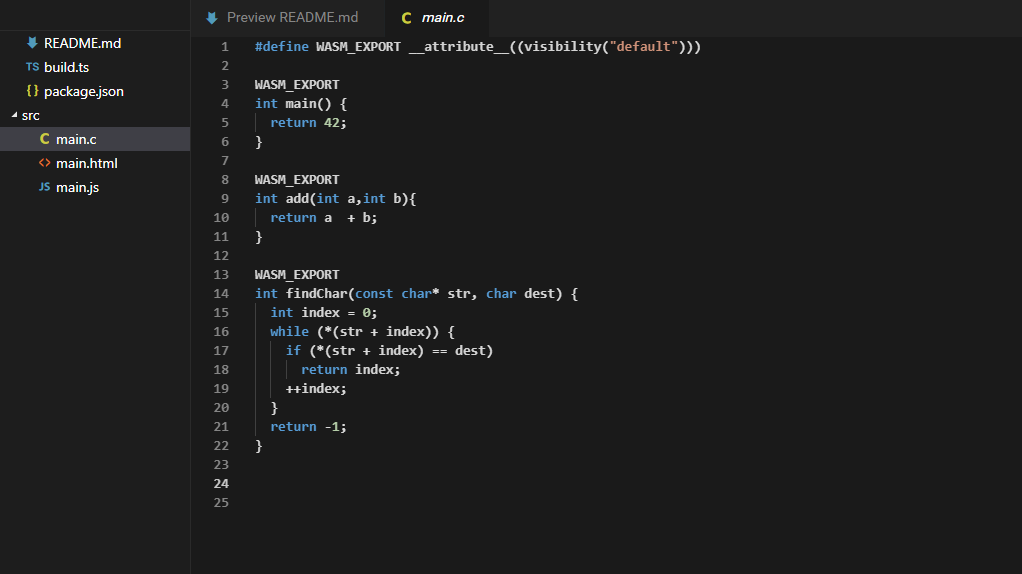
在Webassembly Studio 里编写你的C代码
Cocos2DX的小伙伴们 到了你们最喜欢的C Time~~~
因为在跨平台时 每个设备PI的计算结果是存在误差的
这里 我们需要兼容跨平台性 将PI后一个片段存在到数组里作为种子
这里用的是 PI后 10000~100180 位的一块
您也可以随机取 PI 后一块 作为种子
因为PI就目前而言是除不尽的
测试中用到的是8位的secertkey
同时 你可以选用32位的secert key 随君所愿
#define WASM_EXPORT __attribute__((visibility("default")))

WASM_EXPORT
int main() {
  return 42;
}

WASM_EXPORT
int add(int a,int b)
{
  return a  + b;
}

WASM_EXPORT
int findChar(const char* str, char dest) {
	int index = 0;
	while (*(str + index)) {
		if (*(str + index) == dest)
			return index;
		++index;
	}
	return -1;
}


WASM_EXPORT
unsigned long GetSecret(unsigned long ts) {
       //因为在跨平台时 每个设备PI的计算结果是存在误差的  这里 我们需要兼容跨平台性 将PI后一个片段存在到数组里作为种子
       // 这里用的是 PI后 10000~100180 位的一块  您也可以随机取 PI 后一块 作为种子  因为PI就目前而言是除不尽的
       // 密钥种子
	static int pi10000[] = { 3,0,1,3,0,5,2,7,9,3,2,0,5,4,2,7,4,6,2,8,6,5,4,0,3,6,0,3,6,7,4,5,3,2,8,6,5,1,0,5,7,0,6,5,8,7,4,8,8,2,2,5,6,9,8,1,5,7,9,3,6,7,8,9,7,6,6,9,7,4,2,2,0,5,7,5,0,5,9,6,8,3,4,4,0,8,6,9,7,3,5,0,2,0,1,4,1,0,2,0,6,7,2,3,5,8,5,0,2,0,0,7,2,4,5,2,2,5,6,3,2,6,5,1,3,4,1,0,5,5,9,2,4,0,1,9,0,2,7,4,2,1,6,2,4,8,4,3,9,1,4,0,3,5,9,9,8,9,5,3,5,3,9,4,5,9,0,9,4,4,0,7,0,4,6,9,1,2,0,9 };
	int arrLen = sizeof(pi10000) / sizeof(pi10000[0]);

	unsigned long ID = 0;
	for (int i = 0; i < 8; i++)
	{
		int index = fmod(ts, pow(10, i + 1));
		index %= arrLen;
		ID += pi10000[index] * pow(10, i);
	}

	return ID;
}
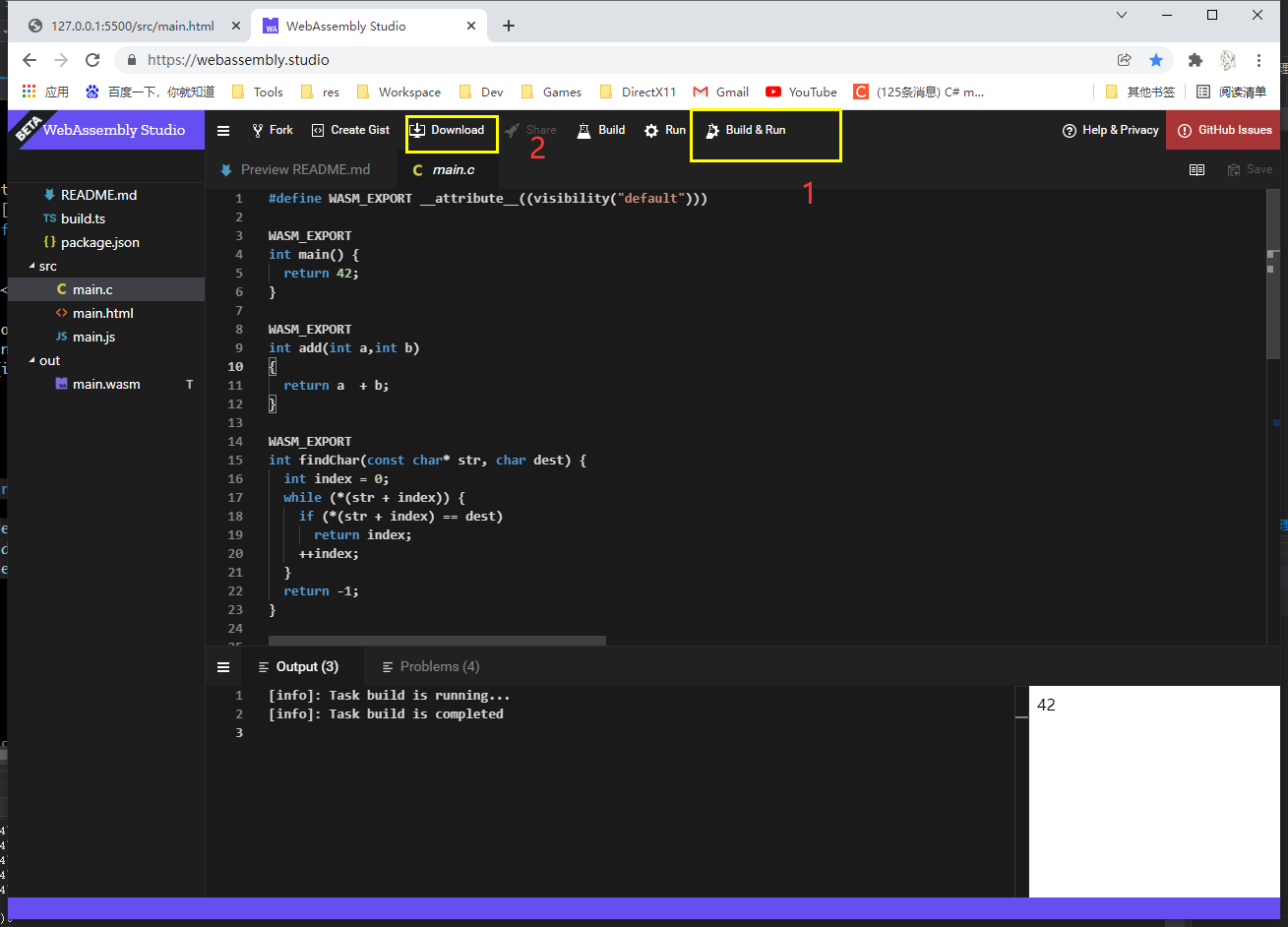
运行&编译 下载本地
按照步骤来
解压, 本地跨域运行
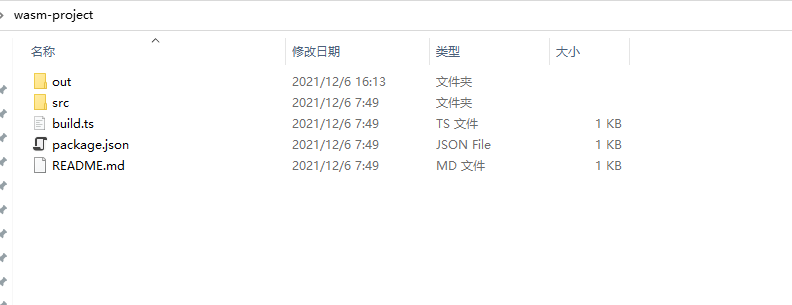
跨域工具
方案一 : 您可以用 vscode 下载插件 Live Server , 具体怎么用百度
方案二 : 您也可以用 我写的python工具拖入指定文件夹 来跨域 https://blog.csdn.net/qq_39162566/article/details/121764566
js 加载并使用 C方法
fetch('../out/main.wasm').then(response =>
  response.arrayBuffer()
).then(bytes => WebAssembly.instantiate(bytes)).then(results => {
  instance = results.instance;

  //获取时间戳
  const ts = Date.now();
  //获取函数指针
  const GetSecret = instance.exports.GetSecret;
  //获取secret key
  const secret = GetSecret(ts);

  //输出
  console.log(ts);
  console.log(secret);

  document.getElementById("container").textContent = secret;

}).catch(console.error);
效果
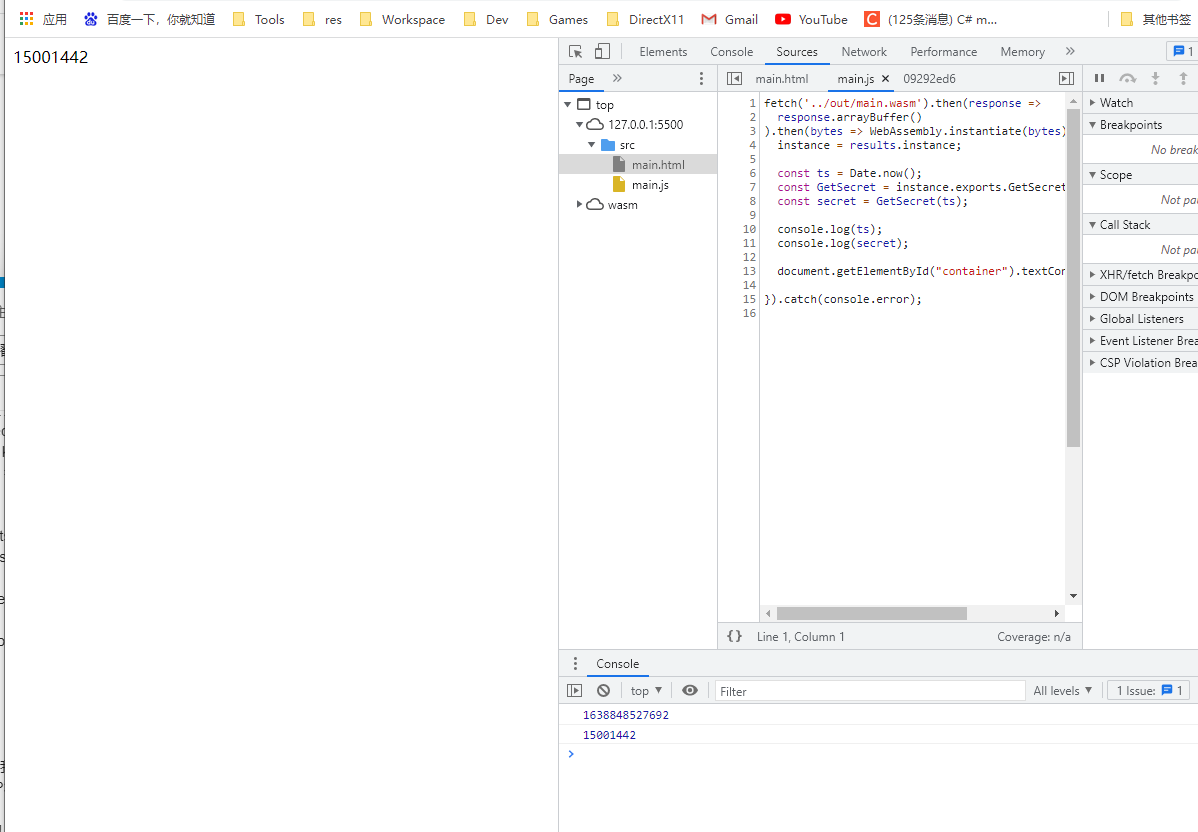
后端是C++ 我就不用讲了吧 代码都在上面

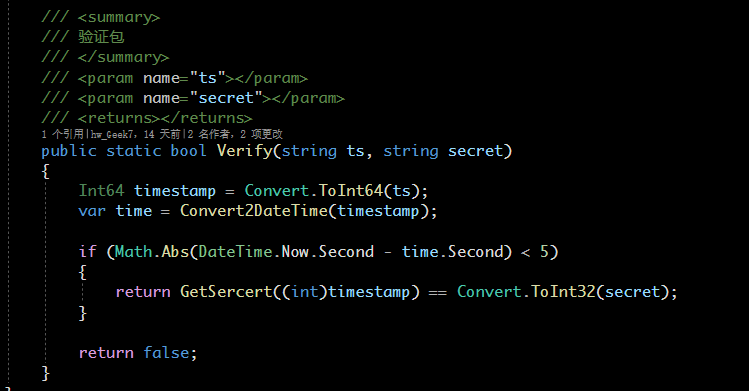
后端是C#的
       /// <summary>
        ///
        /// </summary>
        /// <param name="ts"> 时间戳 </param>
        /// <returns></returns>
        public static int GetSercert(int ts)
        {
            ts = ts < 0 ? 0 : ts;

            int[] cells = new int[8];
            int len = cells.Length;
            for (int i = 0; i < len; i++)
            {
                cells[i] = ts % (int)Math.Pow(10, i + 1);
            }
            int arrLen = pi10000.Length;
            int ID = 0;
            for (int i = 0; i < len; i++)
            {
                int index = cells[i] % arrLen;
                ID += pi10000[index] * (int)Math.Pow(10, i);
            }

            return ID;
        }
Java 省略… … 和 C# 差不多

nodejs的 一样的一样的

利用FormData 将数据 和 secretkey 和 时间戳传入服务器
  var formData = new FormData();
  formData.append('file', dropFile);
  let data = GetSecret();
  formData.append('ts', data[0]);
  formData.append('secret', data[1]);
考虑 文件传输的延迟 后端需要判断 传入的 时间戳 与 本地时间戳 做一个 5秒的容差
具体看文件大小 如果这个数据很小 你就用毫秒来判定 这样如果别人像作弊 也时不可能的