
-
Creator 版本: 3.4.0
-
目标平台:浏览器 web-mobile 这个不重要
-
重现方式:命令行打包
-
首个报错:
security: SecKeychainSearchCopyNext: The specified item could not be found in the keychain.ios:未查询到开发者信息
Error: Command failed: xcrun security find-certificate -c “” -p
security: SecKeychainSearchCopyNext: The specified item could not be found in the keychain.at checkExecSyncError (child_process.js:625:11) at Object.execSync (child_process.js:661:15) at Object.execSync (electron/js2c/asar_bundle.js:5:12288) at readOrganizationUnit (/Applications/CocosCreator/Creator/3.4.0/CocosCreator.app/Contents/Resources/app.asar/platforms/internal/ios/dist/builder/utils.ccc:1:3788) at /Applications/CocosCreator/Creator/3.4.0/CocosCreator.app/Contents/Resources/app.asar/platforms/internal/ios/dist/builder/utils.ccc:1:4427 at Array.map (<anonymous>) at Object.findSignIdentify (/Applications/CocosCreator/Creator/3.4.0/CocosCreator.app/Contents/Resources/app.asar/platforms/internal/ios/dist/builder/utils.ccc:1:4305) at Object.queryTeamInfo (/Applications/CocosCreator/Creator/3.4.0/CocosCreator.app/Contents/Resources/app.asar/platforms/internal/ios/dist/browser/index.ccc:1:331) at Package.load (/Applications/CocosCreator/Creator/3.4.0/CocosCreator.app/Contents/Resources/app.asar/platforms/internal/ios/dist/browser/index.ccc:1:235) at Package.execLifeFunc (/Applications/CocosCreator/Creator/3.4.0/CocosCreator.app/Contents/Resources/app.asar/node_modules/@editor/package/dist/browser/package.ccc:1:1193) { status: 44, signal: null, output: [ null, <Buffer >, <Buffer 73 65 63 75 72 69 74 79 3a 20 53 65 63 4b 65 79 63 68 61 69 6e 53 65 61 72 63 68 43 6f 70 79 4e 65 78 74 3a 20 54 68 65 20 73 70 65 63 69 66 69 65 64 ... 42 more bytes> ], pid: 57386, stdout: <Buffer >, stderr: <Buffer 73 65 63 75 72 69 74 79 3a 20 53 65 63 4b 65 79 63 68 61 69 6e 53 65 61 72 63 68 43 6f 70 79 4e 65 78 74 3a 20 54 68 65 20 73 70 65 63 69 66 69 65 64 ... 42 more bytes>}
-
编辑器操作系统: mac
-
重现概率: 100%
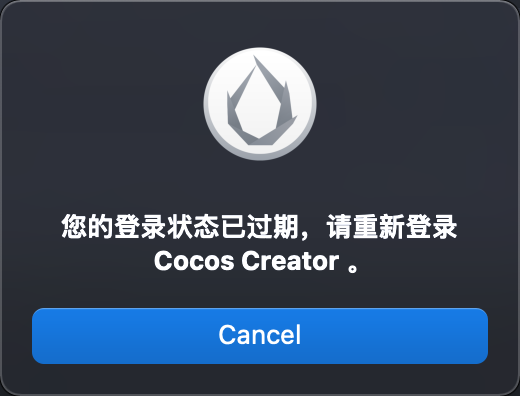
是这样,我现在很需要用打包机器打包生产产品,但是这个登陆窗口需要人操作,Creator Editor又不是开源的,我没办法修改源码,粗看了下,似乎是运行了一个.sh,我正在看打包过后的creator代码,请问有什么办法可以修复这个吗?