- Creator 版本: 3.4.2 web-mobile
- 目标平台: Chrome, 360浏览器, IE
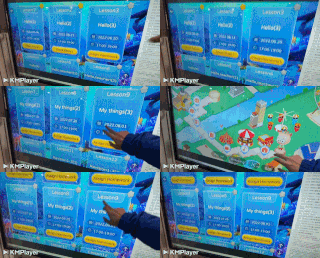
- 重现方式:触摸一体机, 学校,幼儿园大量使用
- 重现概率: 必现, 在WinXP,Win7,Win10都出现
PC浏览器鼠标正常, IOS和安卓手机触摸屏正常, 但在有触控的一体机上无法监听到鼠标Move事件.
方法1:失败
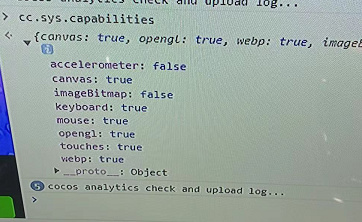
修改了框架 engine\cocos\core\platform\sys.ts
capabilities: {
    canvas: true,
    opengl: true,
    webp: systemInfo.hasFeature(Feature.WEBP),
    imageBitmap: systemInfo.hasFeature(Feature.IMAGE_BITMAP),
    // touches: systemInfo.hasFeature(Feature.INPUT_TOUCH),
    touches: true,
    mouse: systemInfo.hasFeature(Feature.EVENT_MOUSE),
    keyboard: systemInfo.hasFeature(Feature.EVENT_KEYBOARD),
    accelerometer: systemInfo.hasFeature(Feature.EVENT_ACCELEROMETER),
}
进行编译打版后, 也无法正常使用
方法2:无法面向市场
使用触摸屏设置软件 InfraRedTouch 可以改为单点模式会正常, 但几乎所有的一体机出厂都是触控模式, 所以无法挨个去客户那里进行设置