
鼠标点击,从节点池get 粒子节点,并设置位置为鼠标点击坐标、startRadius=75、totalParticles=200等属性后,0.2s 定时器后改变 startRadius为0,totalParticles为0,并put节点到节点池。
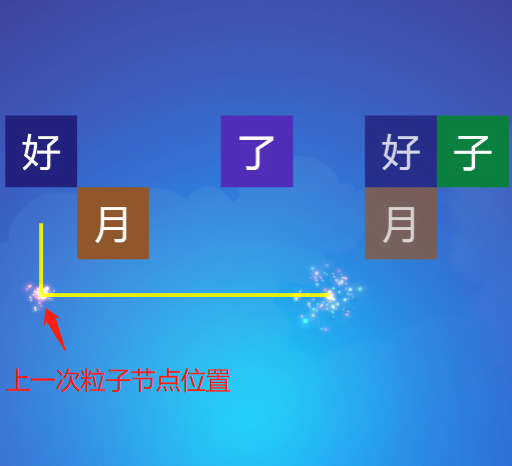
鼠标连续点击,上一次的粒子会残留,是怎么回事?
        let particleNode = PoolManager.instance().getNode(this.particle, this.uiGridsRoot);
        particleNode.setPosition(gridNode.position);
        particleNode.getComponentInChildren(ParticleSystem2D).startRadius = 75;
        particleNode.getComponentInChildren(ParticleSystem2D).totalParticles = 200;

        this.scheduleOnce(function() {
            particleNode.getComponentInChildren(ParticleSystem2D).startRadius = 0;
            particleNode.getComponentInChildren(ParticleSystem2D).totalParticles = 0;
            PoolManager.instance().putNode(particleNode);

       }, 0.2);
-
Creator 版本: 3.5
-
目标平台:chrome
