
上效果:
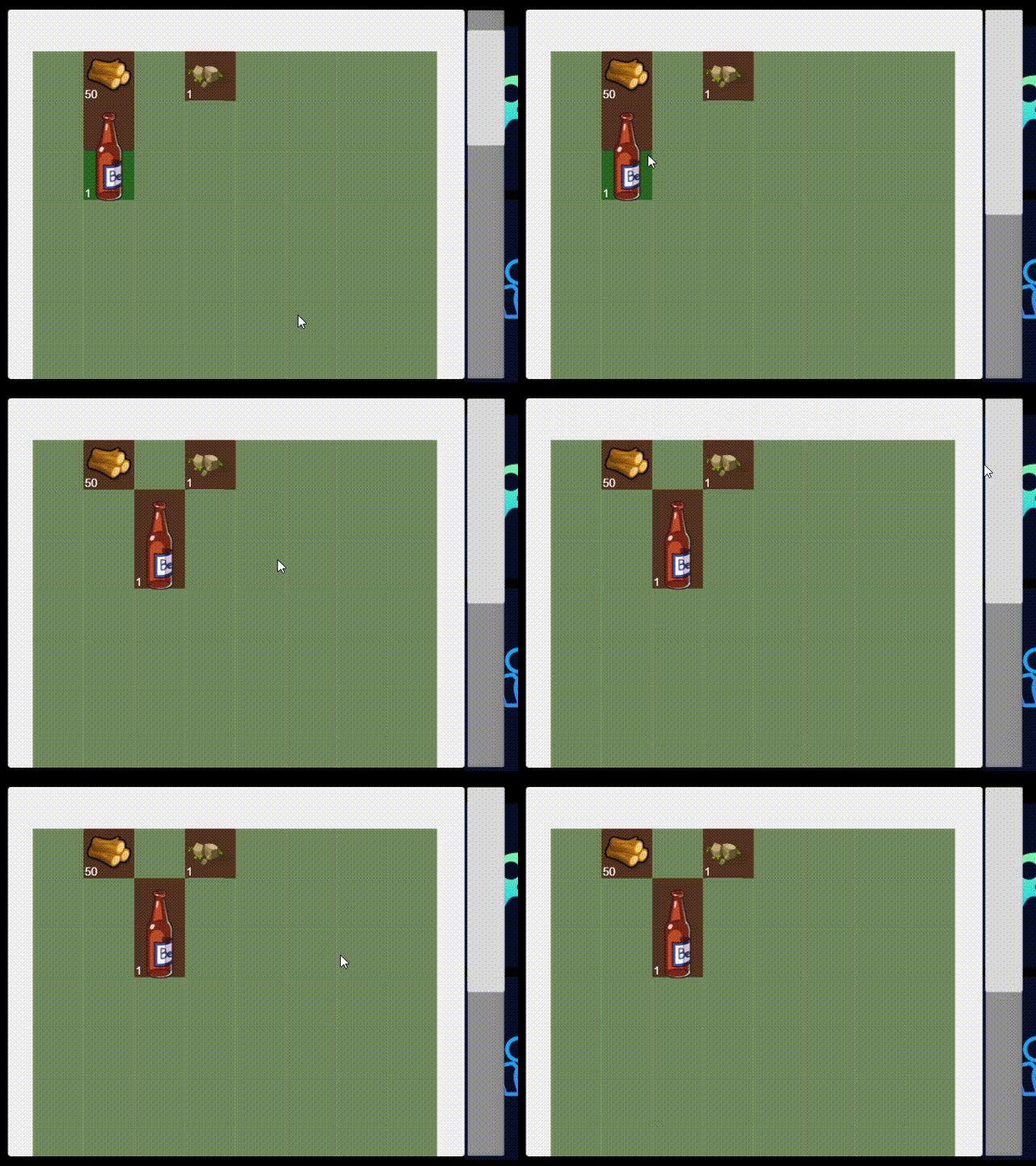
我看了一下网上的解决方案,是各种计算百分比,而且view中依然可以拖拽。
解决方案:
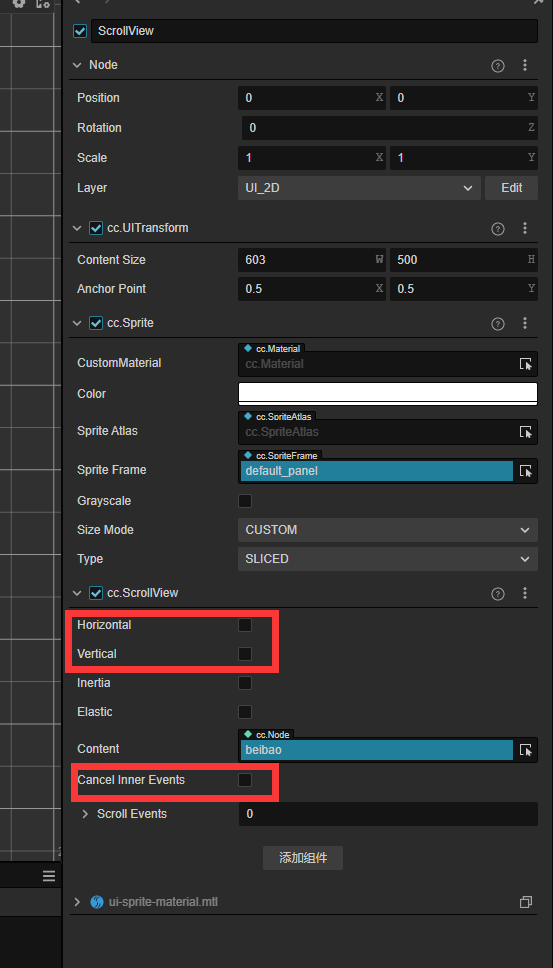
首先ScrollView组件中设置取消勾选:
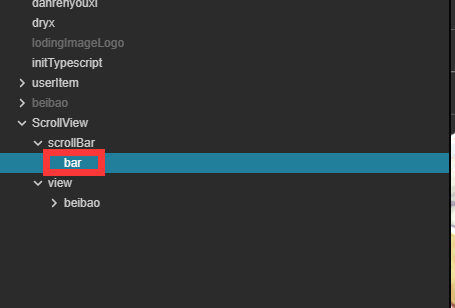
在给bar加一个触摸控制脚本
脚本如下,特别简单:
start() {
this.node.on(Node.EventType.TOUCH_MOVE, this._onTouchMove, this);
this.node.on(Node.EventType.TOUCH_END, this._onTouchEnd, this);
}
onDestroy() {
this.node.off(Node.EventType.TOUCH_MOVE, this._onTouchMove, this);
this.node.off(Node.EventType.TOUCH_END, this._onTouchEnd, this);
}
update(deltaTime: number) {} x = 1; _onTouchMove(event: EventTouch) { //获取一下当前的滚动视图的可滚动的最大偏移量 let scrollView = find("Canvas/ScrollView").getComponent(ScrollView); scrollView.vertical = true; let delta = event.getDelta().y;//移动的距离 if (delta > 0) { if (this.x <= 1) { this.x = this.x + 0.01; scrollView.scrollTo(v2(0, this.x)); } } else { if (this.x >=0) { this.x = this.x - 0.01; scrollView.scrollTo(v2(0, this.x)); } } scrollView.vertical = false; }
核心点就是触摸的时候启用滚动条,触摸完毕禁用滚动条
还有就是这个x,上拉就加0.01,下拉就是减0.01
效果就会特别流程以及运行快速。
如果还需要优化的话,可以监听触摸开始和结束,在开始和结束的时候在去启用、禁用垂直滚动条
scrollView.vertical = false