
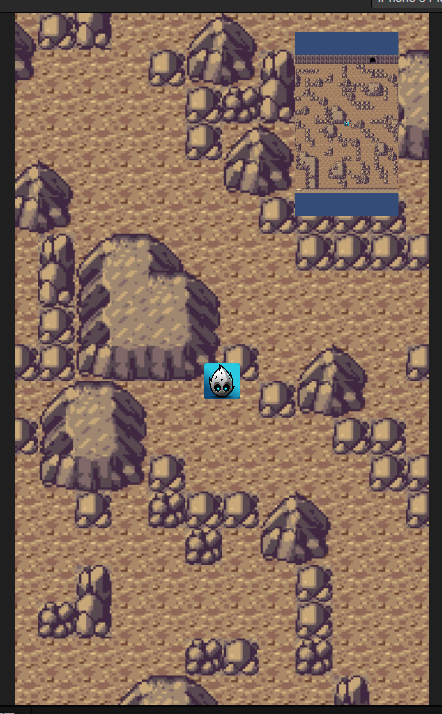
我的跟随相机跟随玩家在瓦片地图上移动,但跟随相机的移动范围计算好像有问题,只在设计分辨率下是正常的,换个设备分辨率就不对了,哪位大神能帮忙解答下吗?附件是我的测试用例
CameraDemo.zip (130.9 KB)
CameraFollow.ts
start() {
        ...
        //这个
        this.camera.orthoHeight = view.getVisibleSize().height / 2;
    }
private updateCameraPosition() {
        ...

        /***********这个*****/
        const visibleSize = view.getVisibleSize();
        this._cameraMaxX = (this._mapWidth - visibleSize.width) / 2;
        this._cameraMaxY = (this._mapHeight - visibleSize.height) / 2;
        /********************/

       ...
    }
但是原因我还没弄明白,也在学习 
搜到的就是正焦相机的orthoHeight 设置为viewsize高的一半,相机可视范围就和Canvas一样大。所以适配的时候别忘了更新orthoHeight。大概就是这样
可我跟随的相机是只渲染地图和角色啊,用的不是Canvas的相机,Canvas的相机只负责ui的渲染,而且我跟随的相机的orthoHeight是固定的
对呀 CameraFollow.ts 就是那个地图相机
GameFollow.ts被我改成这样了
import { _decorator, Component, Node, v3, Vec3, screen, view, log, TiledMap, clamp, director, Camera, UITransform } from 'cc';
const { ccclass, property } = _decorator;

@ccclass('CameraFollow')
export class CameraFollow extends Component {
    @property(Node)
    target: Node = null;

    @property(TiledMap)
    tileMap: TiledMap = null;

    @property(Camera)
    uiCamera: Camera = null;

    private camera: Camera = null;
    private cameraMoveSpeed = 2;

    private ratio: number = 1;
    private _mapWidth: number = 0;
    private _mapHeight: number = 0;
    private _cameraMaxX: number = 0;
    private _cameraMaxY: number = 0;

    private _cameraFollowPos = v3();
    private _cameraPos = v3();
    private _newCameraPos = v3();
    private _cameraMoveDir = v3();

    start() {
        let uiTransform = this.tileMap.getComponent(UITransform);
        this._mapWidth = uiTransform.width;
        this._mapHeight = uiTransform.height;

        this.camera = this.node.getComponent(Camera);
        log("地图尺寸:" + this._mapWidth + "," + this._mapHeight);

        this.camera.orthoHeight = view.getVisibleSize().height / 2;

    }

    update(deltaTime: number) {

    }

    lateUpdate(deltaTime: number) {
        this.HandleMovement(deltaTime);
    }

    private HandleMovement(deltaTime: number) {
        this.target.getPosition(this._cameraFollowPos);
        this.node.getPosition(this._cameraPos);
        this._cameraFollowPos.z = this._cameraPos.z;

        Vec3.subtract(this._cameraMoveDir, this._cameraFollowPos, this._cameraPos);
        Vec3.normalize(this._cameraMoveDir, this._cameraMoveDir);

        let distance = Vec3.distance(this._cameraFollowPos, this._cameraPos);
        if (distance > 0.1) {
            Vec3.scaleAndAdd(this._newCameraPos, this._cameraPos, this._cameraMoveDir, distance * this.cameraMoveSpeed * deltaTime);

            let distanceAfterMoving = Vec3.distance(this._newCameraPos, this._cameraFollowPos);
            if (distanceAfterMoving > distance) {
                this._newCameraPos = this._cameraFollowPos;
            }

            this.updateCameraPosition();

        }
    }

    private updateCameraPosition() {

        this.ratio = this.camera.orthoHeight / this.uiCamera.orthoHeight;

        log("ratio:" + this.ratio)

        log("screen.windowSize:" + screen.windowSize);

        const visibleSize = view.getVisibleSize();
        this._cameraMaxX = (this._mapWidth - visibleSize.width) / 2;
        this._cameraMaxY = (this._mapHeight - visibleSize.height) / 2;

        log("maxX:" + this._cameraMaxX + ";maxY:" + this._cameraMaxY);

        this._newCameraPos.x = clamp(this._newCameraPos.x, -this._cameraMaxX, this._cameraMaxX);
        this._newCameraPos.y = clamp(this._newCameraPos.y, -this._cameraMaxY, this._cameraMaxY);
        this.node.setPosition(this._newCameraPos);
    }
}
测了下没啥问题
貌似不对啊,我试了下,你没看到渲染的地图垂直方向显示了地图以外的区域了吗,而且水平方向到不了边,相机可移动的区域还是算的不对。你用view.getVisibleSize()实际拿到的是Canvas相机的视口尺寸,不是跟随相机的视口尺寸,所以计算范围是错的。
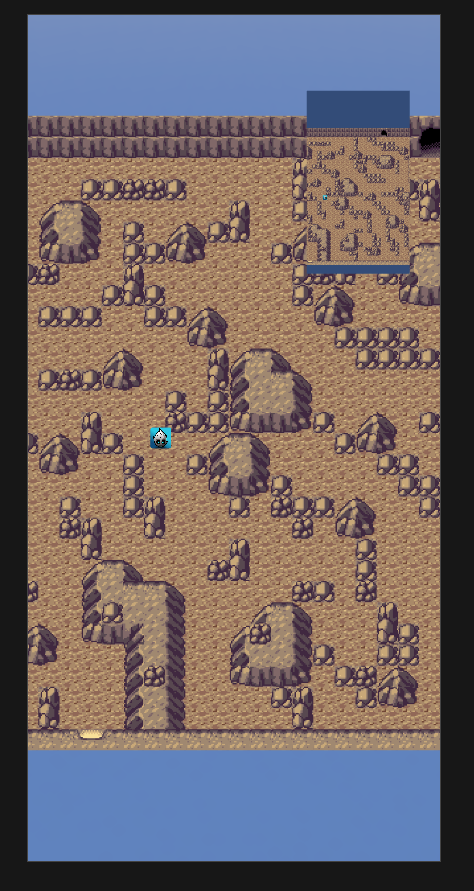
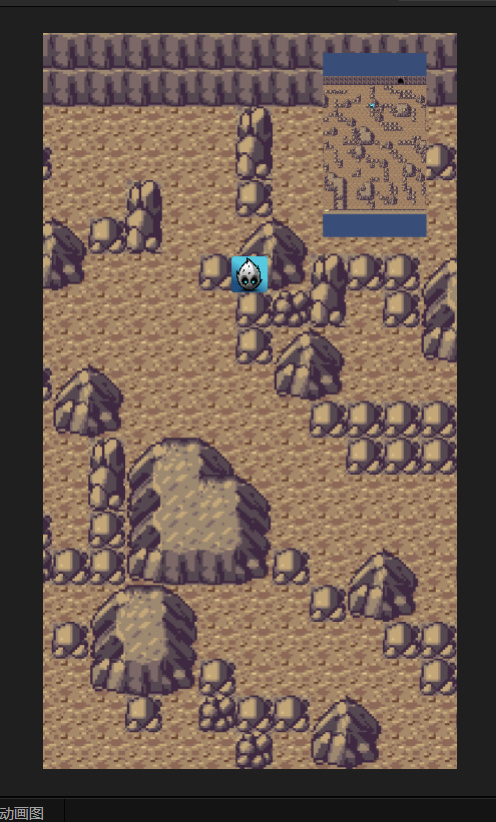
奥我把Canvas绑的Camera改成Main Camera了,防止Canvas自动给orthoHeight改了
以下是搜到的 还在研究,不过验证是正确的
当orthoHeight为visibleHeight/2时 正交相机可视区域大小和Canvas一样大
const visibleSize = view.getVisibleSize();
const scale = visibleSize.height / this.camera.orthoHeight / 2;
const cameraSize = new Size(visibleSize.width / scale, visibleSize.height / scale); //相机视窗大小
这样好像对了,范围限制住了
const visibleSize = view.getVisibleSize();
const scale = visibleSize.height / this.camera.orthoHeight / 2;
const cameraSize = size(visibleSize.width / scale, visibleSize.height / scale); //相机视窗大小
this._cameraMaxX = (this._mapWidth - cameraSize.width) / 2;
this._cameraMaxY = (this._mapHeight - cameraSize.height) / 2;
log(“maxX:” + this._cameraMaxX + “;maxY:” + this._cameraMaxY);