
如果能显示主摄像机视角,就更方便的看到效果,请问怎么设置,预览框太小了,不方便
让编辑器显示场景内的相机视角
环境
Cocos Creator 3.6.2
步骤
将下面的脚本放入项目中
//EditorCamerHelper.ts
import { _decorator, Component, Camera, log, Node } from 'cc';
import { EDITOR } from 'cc/env';
const { ccclass, property, executeInEditMode } = _decorator;
declare const cce: any;

@ccclass('EditorCamerHelper')
@executeInEditMode
export class EditorCamerHelper extends Component {
    _targetCamera: Camera = null!
    get targetCamera() {
        return this._targetCamera
    }
    @property(Camera)
    set targetCamera(v) {
        this._targetCamera = v;
        this.node.worldPosition = this.targetCamera.node.worldPosition
        this.node.worldRotation = this.targetCamera.node.worldRotation
    }

    _refresh: boolean = false;
    get refresh() {
        return this._refresh
    }
    @property
    set refresh(v) {
        this._refresh = v;
        this.syncFromCameraTransform()
    }

    start() {
        log('欢迎关注微信公众号【白玉无冰】 https://mp.weixin.qq.com/s/-I6I6nG2Hnk6d1zqR-Gu2g')
        this.syncFromCameraTransform()
    }

    onFocusInEditor() {
        this.syncFromCameraTransform()
        this.node.on(Node.EventType.TRANSFORM_CHANGED, this.onTransfromChange, this)
    }
    onLostFocusInEditor() {
        this.node.off(Node.EventType.TRANSFORM_CHANGED, this.onTransfromChange, this)
        this.refresh = false
    }

    private syncFromCameraTransform() {
        if (this.targetCamera) {
            this.node.worldPosition = this.targetCamera.node.worldPosition
            this.node.worldRotation = this.targetCamera.node.worldRotation
        }
    }

    private onTransfromChange() {
        if (EDITOR && this.refresh && this.targetCamera) {
            this.targetCamera.node.worldPosition = this.node.worldPosition
            this.targetCamera.node.worldRotation = this.node.worldRotation
        }
    }

    lateUpdate(deltaTime: number) {
        if (EDITOR && this.refresh && this.targetCamera) {
            const editorCamera: Camera = cce.Camera.camera;
            editorCamera.cameraType = this.targetCamera.cameraType
            editorCamera.fov = this.targetCamera.fov
            editorCamera.far = this.targetCamera.far
            editorCamera.orthoHeight = this.targetCamera.orthoHeight
            editorCamera.node.worldPosition = this.targetCamera.node.worldPosition
            editorCamera.node.worldRotation = this.targetCamera.node.worldRotation
        }
    }
}
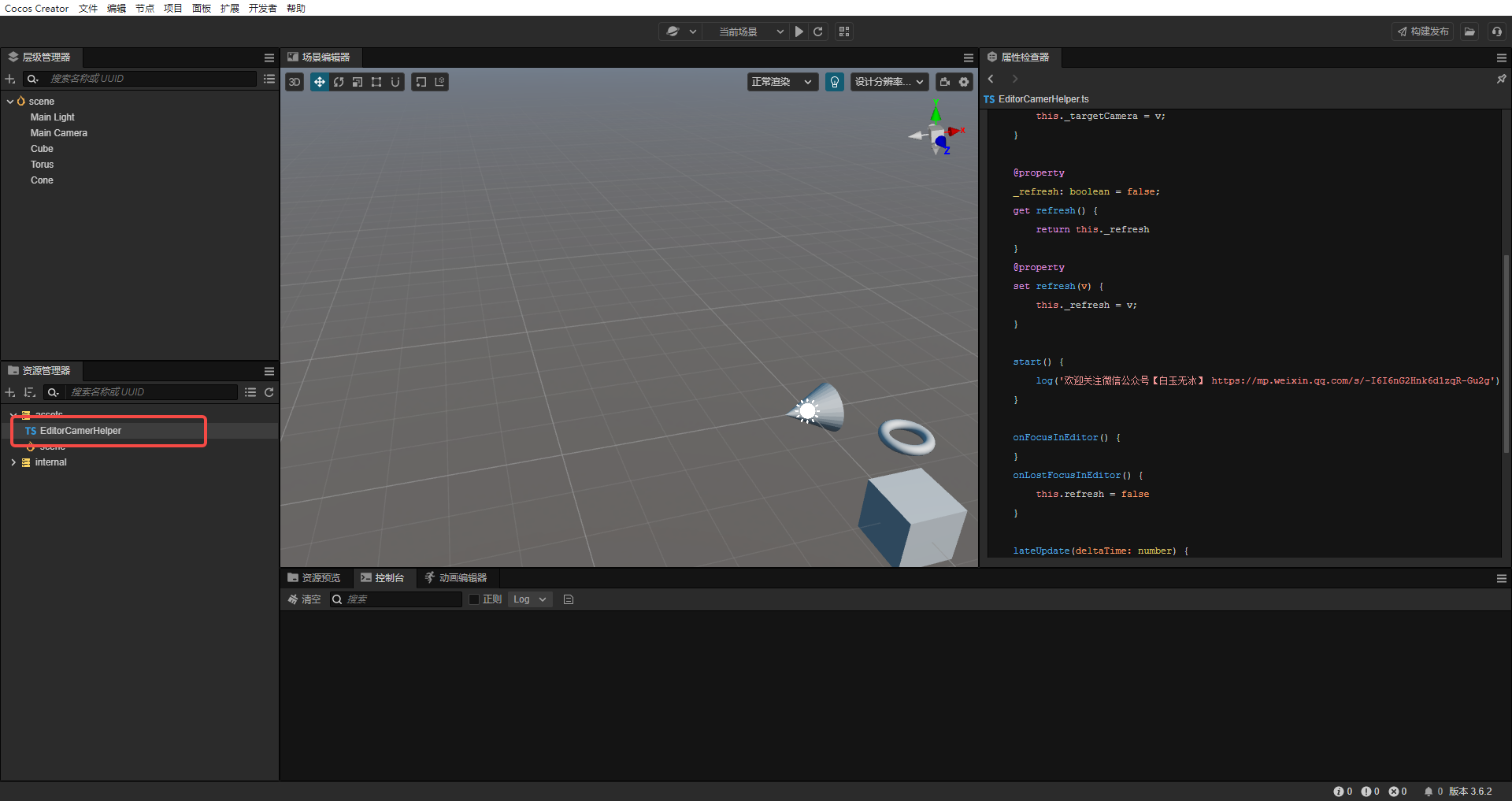
将脚本文件拖入场景中

填充脚本参数
- 选中脚本节点
- 拖入想要显示的相机
- 勾上 refresh,会自动跟随相机视角
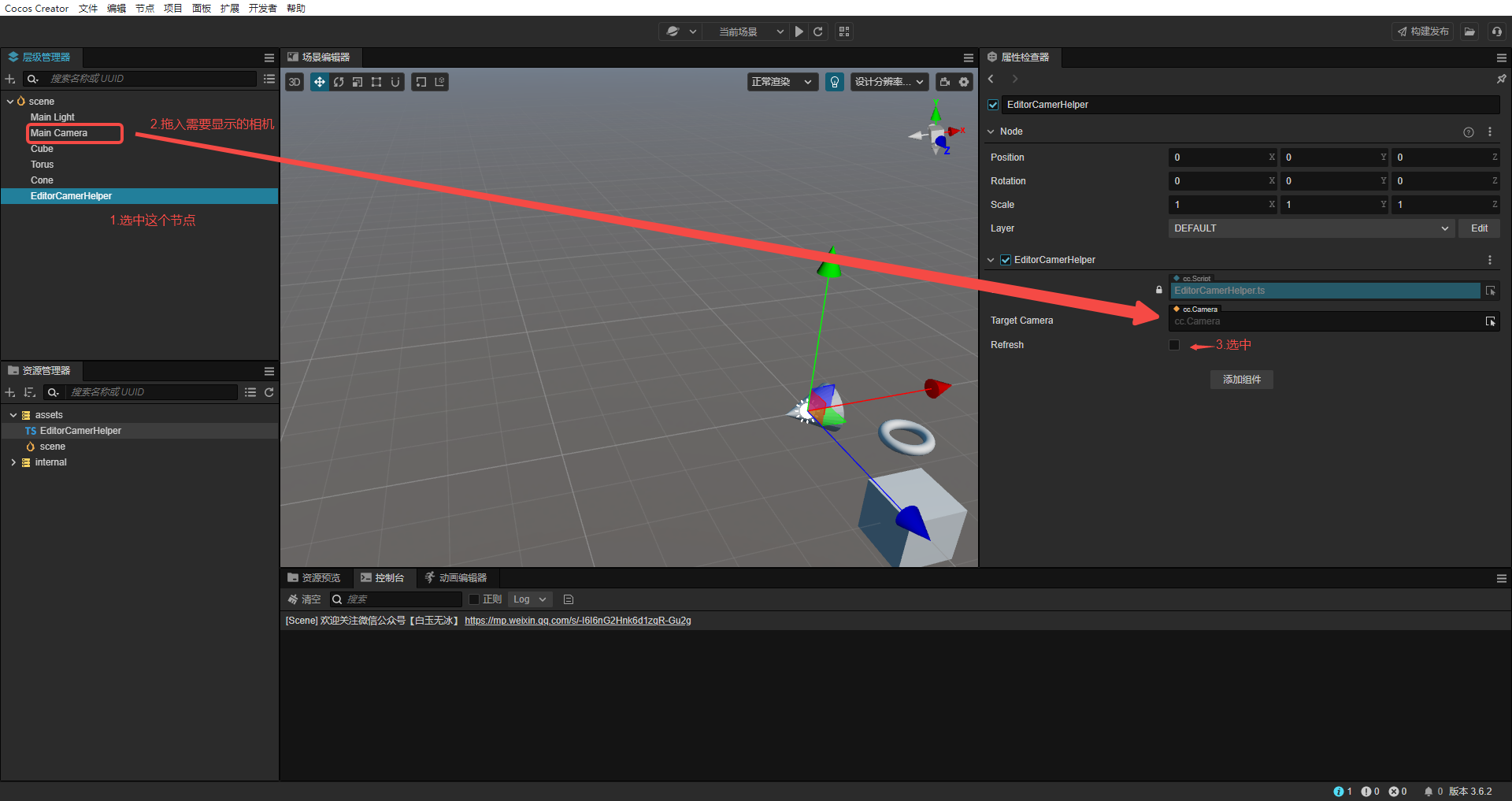
当前脚本丢失焦点时,就不会继续自动跟随相机视角了。
效果
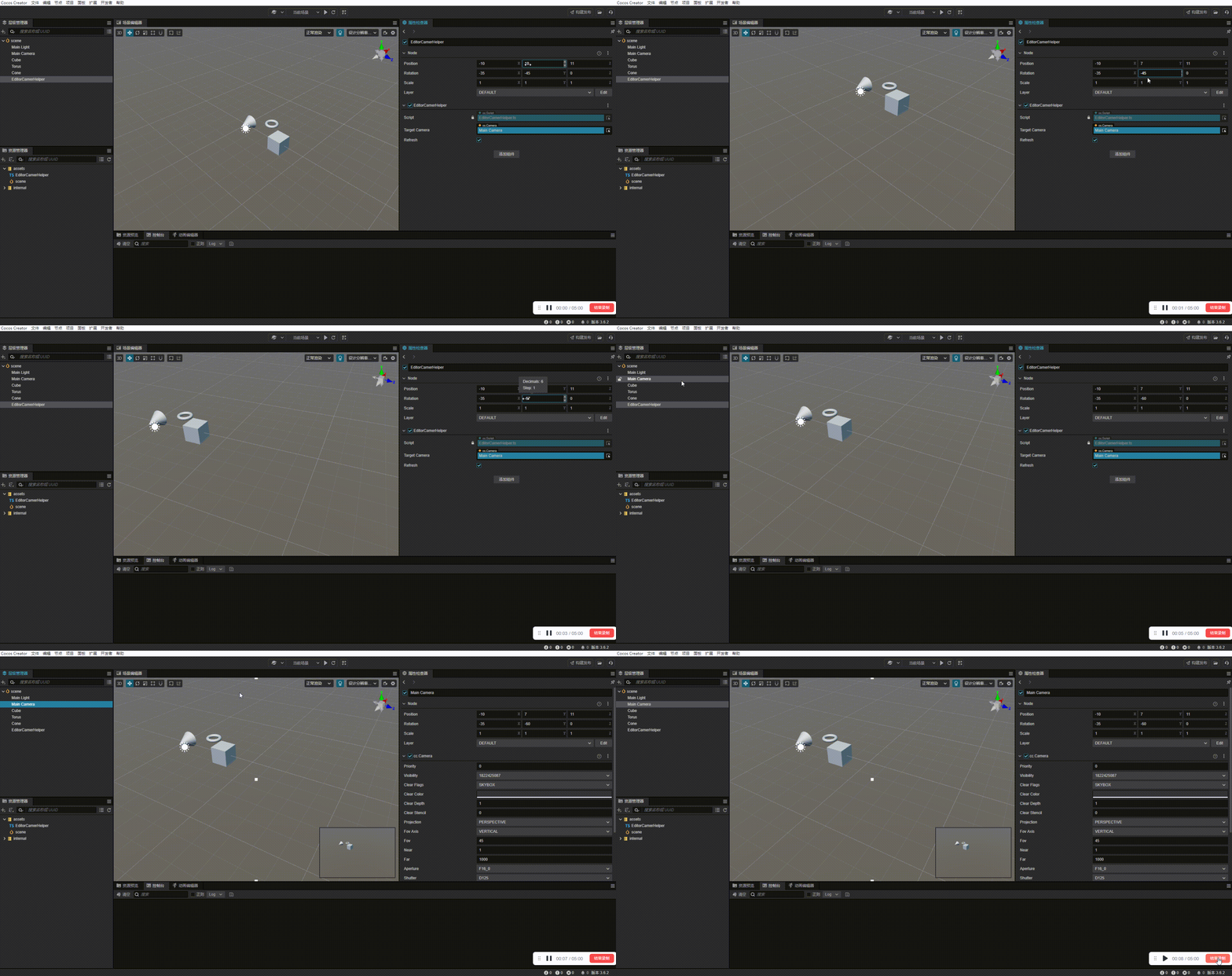
勾上后显示相机的视角

可以通过修改脚本节点的位置角度,同时修改相机的视角。
原理
找到隐藏在编辑器中相机cce.Camera.camera,复制想要显示的相机参数。
注意!!! 直接改编辑相机的参数可能会出现意外情况,出现异常时重启编辑~~
也整理到公众号了,下次要用再查 https://mp.weixin.qq.com/s/q2RtbW-skON0MIyhiXiYnw
2赞