- Creator 版本:3.7
找了一天的方法,还是没解决掉  ,怎么获取node实际屏幕显示的大小?
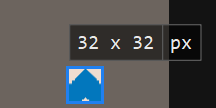
实际大小:
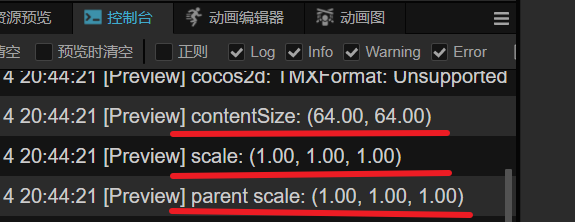
contentSize 获取的大小、该节点缩放、父节点缩放:
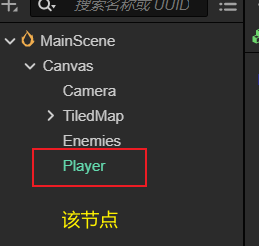
层级结构
麻烦大佬赐教,谢谢啦!!!

找了一天的方法,还是没解决掉 ,怎么获取node实际屏幕显示的大小?
实际大小:
contentSize 获取的大小、该节点缩放、父节点缩放:
层级结构
麻烦大佬赐教,谢谢啦!!!
上代码。。。
没有什么代码,就拉了个 sprie 预制体进场景,然后加了个触摸移动的逻辑。我只是想获取 node 屏幕显示的实际大小,但引用 UITransform.contentSize 是原大小,我找不到获取实际大小的 api,所以想问下。该节点实际大小好像是和屏幕分辨率适配而缩放的。
该节点挂载代码如下:
import { _decorator, Component, Node, UITransform, input, Input, EventTouch, Vec2, Size } from "cc"

const { ccclass, property } = _decorator

@ccclass("PlayerController")
export class PlayerController extends Component {

    private _touchDelta: Vec2 = new Vec2()
    private _nodePos: Vec2 = new Vec2()

    protected onLoad(): void {
        const contentSize: Size = this.node.getComponent(UITransform).contentSize
        console.log(`contentSize: ${contentSize}`)
        console.log(`scale: ${this.node.scale}`)
        console.log(`parent scale: ${this.node.parent.scale}`)

        input.on(Input.EventType.TOUCH_MOVE, this.onTouchMove, this)
    }

    private onTouchMove(event: EventTouch) {
        event.getDelta(this._touchDelta)
        this.movePlayer()
    }

    private movePlayer(): void {
        this._nodePos.x = this.node.getPosition().x
        this._nodePos.y = this.node.getPosition().y
        this.node.setPosition(
            this._nodePos.x + this._touchDelta.x,
            this._nodePos.y + this._touchDelta.y
        )
    }
}
你想获取contentSize为3232?但是怎么出现6464, 你是不是其他地方设置了大小啊
sprite预制体在编辑器中的原大小是 64x64,我没有做任何缩放操作,constentSize 得出的也一直是原大小。但在预览中,无论浏览器、模拟器、编辑器都会因分辨率、系统缩放等问题改变大小
代码出现异常的原因是用了“event.getDelta”,因为你要用于UI界面,换成“event.getUIDelta”就可以了。cocos内有两种尺寸:屏幕尺寸、项目设定的UI尺寸(实际为适配宽或高之后,仅用于UI界面),分别对应view.getViewportRect()和view.getVisibleSize();