
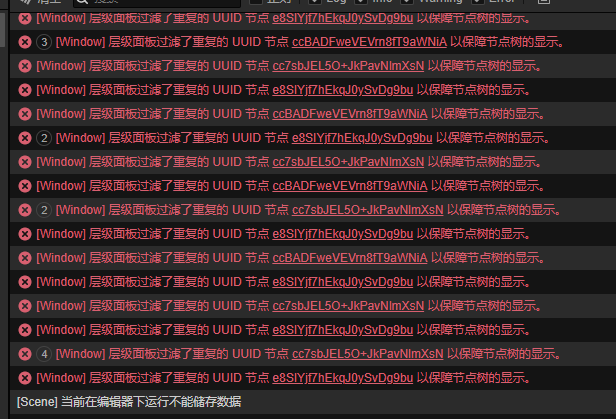
 编辑器这个错误提示怎么关掉?被自动过滤的节点运行时,上面挂载的代码无法运行。我不想要自动过滤功能,影响编辑场景,怎么关闭它?
你好,场景文件出现比较严重的数据错误了,节点的 uuid 是不能重复的,虽然在运行时引擎不关心节点的 uuid ,基本都是对象话操作,但到编辑器里,找到具体节点主要靠 uuid,uuid 重复了,就会导致唯一性被破坏,基本无法编辑。
我是用代码在引擎立生成的节点,为什么uuid还重复呢?可以代码改变uuid吗?这个自动过滤很鸡肋,用扩展工具做一个场景生成器无法编辑。
方便的话贴下你是如何生成节点的?
建议处理方式:
1、如果需要这些节点,但不需要这些节点显示在 hierarchy 上以及对它们编辑,可以在生成节点的时候删除掉 newNode._id;
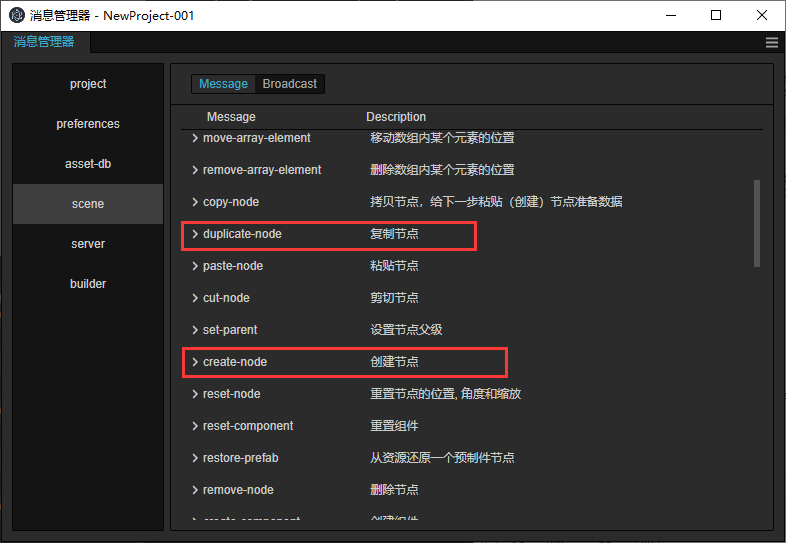
2、如果是普通的节点或从 prefab asset 生成而来的节点,调用对应的 API new cc.Node() 或编辑器消息接口
//Astar 调用
createMap() {

    this.node.removeAllChildren();

    for (let i = 0; i < this.mapWidth; i += this.areaWidth) {

        for (let j = 0; j < this.mapHeight; j += this.areaHeight) {

            this.createArea(new Vec3(i - this.mapWidth / 2, 0, j - this.mapHeight / 2));

        }

    }

    console.log(`生成地图${this.mapWidth}x${this.mapHeight}`);

}

createArea(pos: Vec3) {

    let area = new Node();

    area.name = "Area";

    area.setParent(this.node);

    area.setPosition(pos);

    for (let i = 0; i < this.areaWidth; i += this.gap) {

        for (let j = 0; j < this.areaHeight; j += this.gap) {

            let r = Math.floor(Math.random() * 4);

            let pfb = null;

            if (r == 0) {

                pfb = this.cropsPB[0];

            } else if (r == 1) {

                pfb = this.cropsPB[1];

            } else if (r == 2) {

                pfb = this.cropsPB[2];

            }

            if (pfb) {

                let node:Node = instantiate(pfb);

                node.name = node.name;

                node.setParent(area);

                node.setPosition(i - this.areaWidth / 2, 0, j - this.areaHeight / 2);

            }

        }

    }
我是用扩展工具编辑器内调用里面的组件,用prefab生成场景物件,生成出来的物件能显示但是被层级隐藏无法编辑,在游戏内能看见但是无法调用物件上面的组件代码。请问怎么关闭这个自动过滤功能?
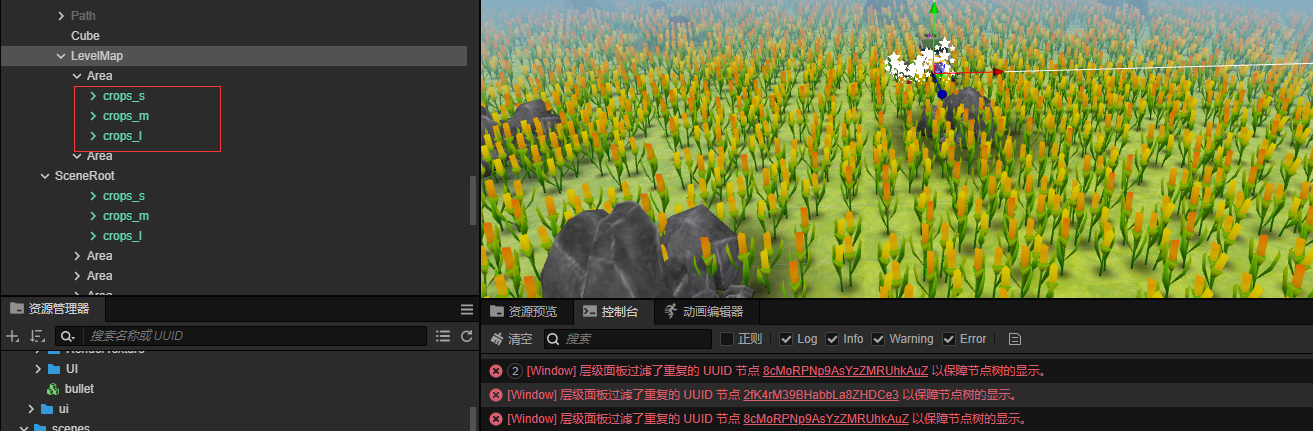
你好,编辑器目前对动态创建预制体实例的支持不够完善。需要你手动设置预制体相关信息,我们会在后续版本修复这个问题,当前你可以通过调用代码来避免问题
let node:Node = instantiate(pfb);
const instance = new Prefab._utils.PrefabInstance();// import {Prefab} from 'cc'
instance.fileId = EditorExtends?.UuidUtils.uuid();
node._prefab.instance = instance;
1赞
只是不报错了,但是生成的物件选中的还是同一个物体,期待新版本中改掉这个问题
可能是uuid的问题,检查一下生成的节点的uuid,看下是否都一样。如果都一样,先用
EditorExtends.UuidUtils.uuid()重新设置一下。
大佬,这都COCOS3.8.8版本了,还没修复这个问题。