【已解决】关于在2D场景范围内相机跟随的问题

关于Creator3.7.3在2D项目里,添加场景可视范围内相机跟随的问题,无论我怎么设置,计算的结果和实际上的场景边缘都有出入,大致的计算就是场景宽度或高度/2,减去相机可视范围宽度或高度/2,正负一下按道理就是相机在四边的相对父节点的移动范围了(我看了很多demo和文章都是类似这么干的),用世界坐标来做对应的边缘计算和判断也试过了,也是一模一样的效果,做了好几天实在解决不了,各位大佬们帮帮忙,帮忙康康啥情况呀!

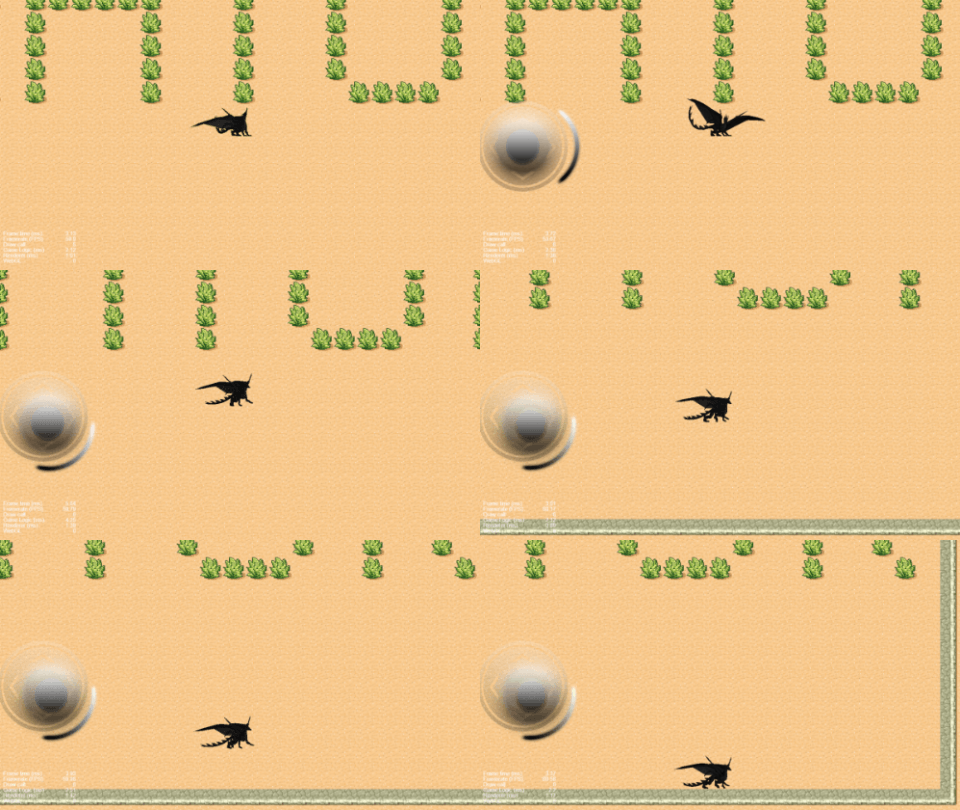
效果图:

相关计算和判定的代码如下:

    this.visibleWidth = view.getVisibleSize().width
    this.visibleHeight = view.getVisibleSize().height

    const camWidth = this.thisCamera.camera.width
    const camHeight = this.thisCamera.camera.height
    const pos = this.node.getPosition()
    const maxCamPosX = this.visibleWidth / 2 - camWidth / 2
    const maxCamPosY = this.visibleHeight / 2 - camHeight / 2
    const camPosZ = this.thisCamera.node.getPosition().z
    const minCamPosX = -maxCamPosX
    const minCamPosY = -maxCamPosY
    const camX = pos.x >= maxCamPosX ? maxCamPosX : pos.x <= minCamPosX ? minCamPosX : pos.x
    const camY = pos.y >= maxCamPosY ? maxCamPosY : pos.y <= minCamPosY ? minCamPosY : pos.y
    const camPos = new Vec3(camX, camY, camPosZ)
    this.thisCamera.node.setPosition(camPos)

完整项目代码:
practice.rar (516.5 KB)

想要达成的跟随效果:
1
(效果图摘自Creator | 摄像机跟随玩家移动 - 游戏开发手记

你是要什么效果 是在可移动范围内 相机一直跟随主角,出了范围就不再跟随 还是其他的效果

你这只是2D项目 是正交相机没有远近关系 如果只是在当前范围内移动 用屏幕宽高的一半来判断就行了

单个方向相机边缘和场景边缘重合的花,相机这个方向就不跟随的效果。
我确实是用场景宽高减去屏幕宽高一半计算出来的坐标值,但是实际相机的边缘坐标数值并不是这个,所以多出来了好大一块黑边,场景左下角的坐标是0,0,0。

主要是你的地图默认坐标是 0 0 吗还是有偏差值呢

确认过了,没有偏差值,人物边缘检测是正常的,唯独相机很奇怪

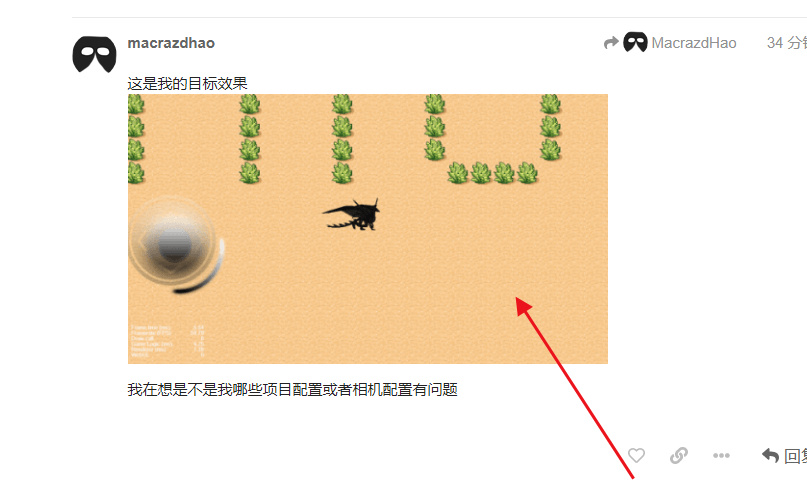
这是我的目标效果
1

我在想是不是我哪些项目配置或者相机配置有问题

摄像机边界判断你用场景的宽高的一半减去 显示分辨率宽高的一半 人物用场景宽高的一半来判断

场景的宽高的取值是这个,和用view获取的一样,也试过了,效果还想一样。camera的宽高默认情况下我打印出来看了,和显示分辨率宽高也是一致的

this.visibleWidth = this.node.scene.getChildByName('GameCanvas').getComponent(UITransform).contentSize.width
this.visibleHeight = this.node.scene.getChildByName('GameCanvas').getComponent(UITransform).contentSize.height

人物是直接用场景宽高一半减去角色宽高一半,这个换算和实际效果出来是正常的

我是说你地图的宽高 不是canvas的

let pos = this.role.getPosition();

    // console.error(deltaTime);

    pos.x -= 30 ;

    pos.y += 30 ;

    let width = this.scene.getComponent(UITransform).contentSize.width ;

    let height =  this.scene.getComponent(UITransform).contentSize.height ;

    let cameraWidth = this.scene.getComponent(UITransform).contentSize.width - view.getVisibleSize().width;

    let cameraHeight = this.scene.getComponent(UITransform).contentSize.height - view.getVisibleSize().height;

    if(pos.x > width / 2)

    pos.x = width / 2;

    else if(pos.x < -width / 2)

    pos.x = -width / 2;


    if(pos.y > height / 2)

    pos.y = height / 2;

    else if(pos.y < -height / 2)

    pos.y = -height / 2;

    this.role.setPosition(pos);

    if(pos.x > cameraWidth / 2)

    pos.x = cameraWidth / 2;

    else if(pos.x < -cameraWidth / 2)

    pos.x = -cameraWidth / 2;


    if(pos.y > cameraHeight / 2)

    pos.y = cameraHeight / 2;

    else if(pos.y < -cameraHeight / 2)

    pos.y = -cameraHeight / 2;

    this.camera.setPosition(pos);

    console.error(this.camera.position,this.role.position);

我就是获取的scene的宽高

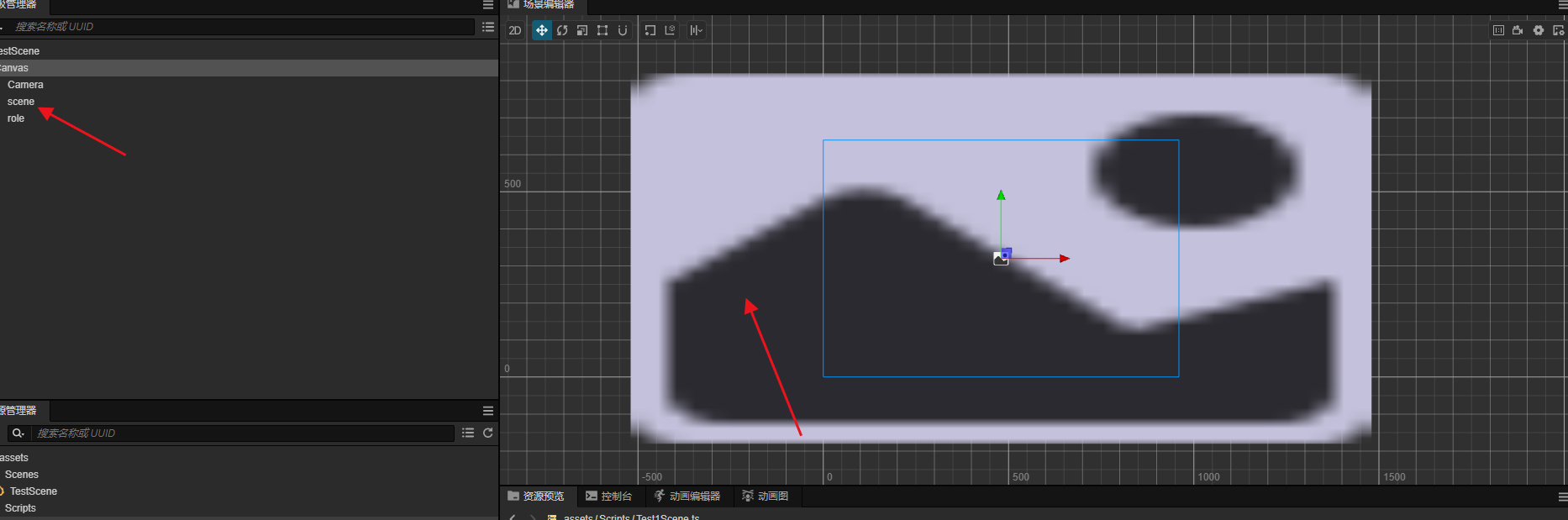
这个是scene类节点吗

不是 相当于你的地图背景板

就是你的地图背景板宽高

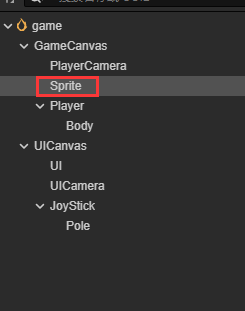
    this.visibleWidth = this.node.parent.getChildByName('Sprite').getComponent(UITransform).contentSize.width
    this.visibleHeight = this.node.parent.getChildByName('Sprite').getComponent(UITransform).contentSize.height

这里我用的Sprite作为背景板了,PlayerCamera是跟随相机,Player是跟随的角色
bg

试了下 相机还是会超出边缘 :fearful:
包括之前试过的,在creator的编辑器里都是没问题的,但是一调试效果就不对了 :weary: :sob: :sob:

感谢大佬的耐心答复
问题已解决了。原因其实是和orthoHeight有关,camera的orthoHeight不能设置成场景高度的一半,而是屏幕高度的一半